

Turn Every Call Into A Syncro Ticket
Marlie AI answers every client and walk-in call 24/7, qualifies the issue, and creates Customers and Tickets in Syncro with the right asset, priority, and notes attached.
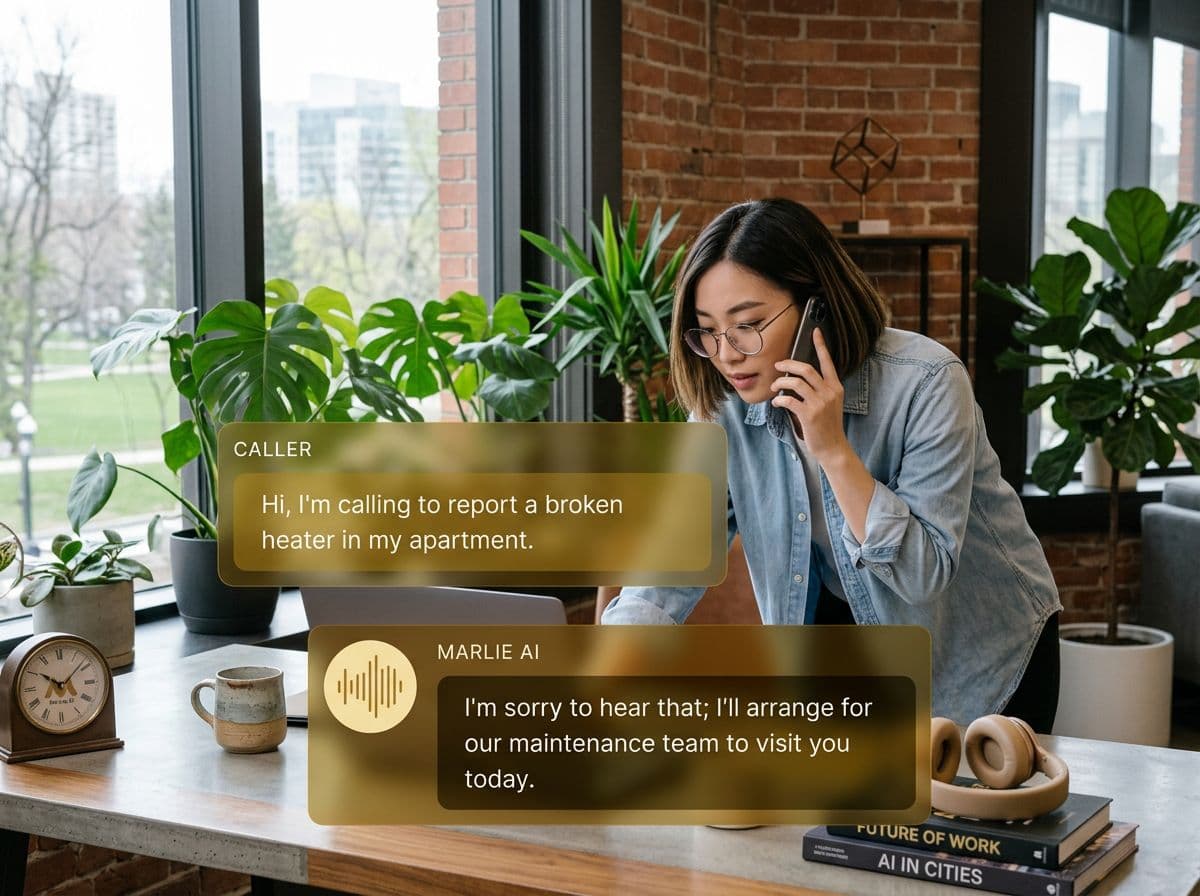
A 24/7 phone front-door for MSPs and repair shops on Syncro
MSPs and repair shops live and die on inbound calls. Existing clients calling with a printer down, a sick laptop, or a server alarm need fast triage. New customers comparing shops typically call the first one that picks up — and that's where most shops lose business.
Marlie AI plugs into Syncro so every call is answered. Existing clients are matched to their Syncro Customer record, tickets are created on the right asset with priority and notes, and after-hours urgent issues route to your on-call tech. New customers walking in by phone get qualified, quoted, and pushed into Syncro ready for booking.
Also useful: AI receptionist for HVAC and AI receptionist for plumbers.
What You Get with Marlie + Syncro
Everything you need to connect your phone calls with Syncro — fully automated, zero manual work.
Auto-Create Customers & Tickets
Every inbound caller becomes a Syncro Customer (if new) and a Ticket on the right asset, with the issue summary pre-filled.
Priority & SLA Routing
Marlie sets ticket priority based on issue type — outage, slow, request — and respects your SLA tiers for managed clients.
Asset Lookup
Marlie matches callers to their Syncro Customer and known assets so tickets land on the right device, not as orphan records.
After-Hours Triage
Urgent service requests are routed to your on-call tech via SMS or live transfer; non-urgent issues are queued for the morning.
Call Notes & Recordings
Every call summary, transcript, and recording link is attached to the Syncro ticket so your tech has full context.
Smart Deduplication
Returning callers update existing Syncro Customers and add a new ticket — never duplicating customer records.
How It Works
Get up and running with Syncro in minutes — no coding required.
Connect Syncro
Authenticate Syncro from the Marlie dashboard with your subdomain and API key. Marlie reads Customers, Assets, and Tickets in seconds.
Map Issues, Priorities & Assets
Define which call intents map to which Syncro ticket types and priorities, and how Marlie should handle managed vs. break-fix clients.
Marlie Answers 24/7
Inbound calls are answered, callers are identified, issues are qualified, and Marlie either books, escalates, or transfers as configured.
Syncro Stays Current
New tickets land in Syncro on the right Customer and asset with full notes attached. Your techs see a clean queue.
Built for Real Scenarios
See how businesses use Marlie + Syncro to capture more leads and streamline operations.
After-Hours Outages
A managed client calls at 11 PM saying email is down for 30 staff. Your day team is offline.
Marlie identifies the customer, qualifies the outage as P1, creates the Syncro ticket, and live-transfers to your on-call tech with full context.
Walk-In Repair Shops
A computer repair shop fields constant phone calls about laptop screens, virus removal, and pickup status while staff are at the bench.
Marlie qualifies the issue, quotes from your service catalog, books the drop-off, and creates the Syncro ticket and customer record before they walk in.
Status Update Calls
Customers call to ask 'is my computer ready?' all day, interrupting techs.
Marlie looks up the ticket in Syncro, gives the current status, and only escalates to a tech when the customer needs more than the status itself.
Frequently Asked Questions
Common questions about the Marlie AI + Syncro integration.
Which Syncro plans does this work with?
Can Marlie set ticket priority and SLA correctly?
How does Marlie handle existing customers?
Can Marlie escalate after-hours urgent issues?
Are call recordings stored in Syncro?
Can Marlie quote from our service catalog?
Related Integrations
Marlie AI connects with more than just Syncro. Here are a few closely related tools, or browse the full integrations catalog.






Ready to connect Marlie AI with Syncro?
Eligible new customers get 14 days free. Add a card at checkout with $0 due today, then place your first real phone test minutes later.
What Our Customers Say

“Marlie has dramatically improved our reservation process, reducing missed calls by 40%.”

“Our takeout orders increased by 25% since implementing Marlie to handle busy call times.”

“Student enrollment is up 30% with Marlie handling after-hours inquiries about our programs.”

“Marlie has become an essential part of our customer service strategy across all our places.”

“The AI voice agents integrate seamlessly with our existing systems, creating a truly omnichannel experience.”
Get set up in minutes
Create your receptionist in 15 minutes and start receiving calls immediately. Try it for 2 weeks risk-free with our money-back guarantee.
