

Add A 24/7 Voice Channel To Your respond.io Inbox
Marlie AI answers every inbound phone call, qualifies the contact, and pushes a full conversation into respond.io alongside your WhatsApp, Instagram, and chat threads.
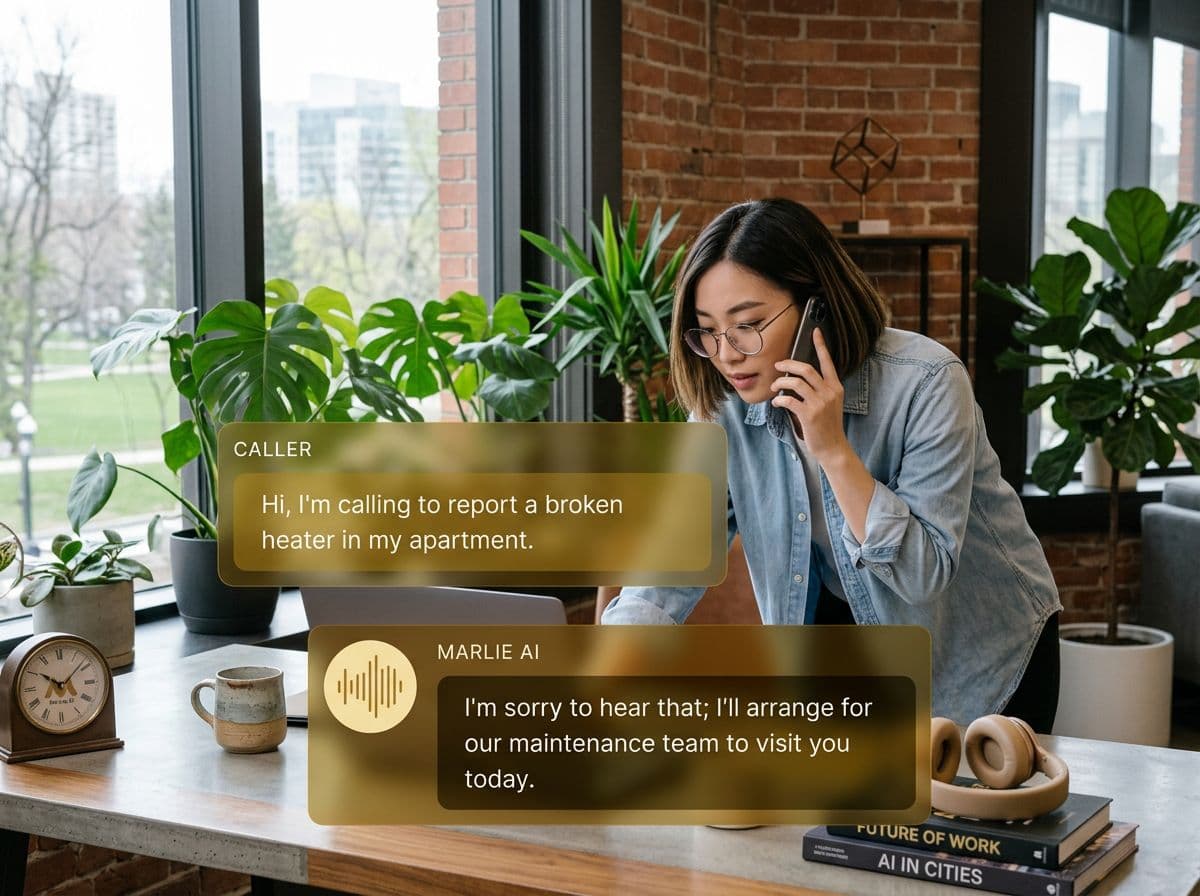
Voice as a first-class channel inside respond.io
respond.io unified your messaging inbox — WhatsApp, Instagram, web chat, SMS, all in one view. The gap most teams still have is voice. Phones ring, calls go to voicemail, and the context never makes it back to the same inbox the rest of the team works in.
Marlie AI fills that gap. Every inbound call is answered, qualified, and pushed into respond.io as a contact and conversation, with the transcript and summary inline. Your team works calls, chats, and DMs out of the same inbox, with the same context, the same automation rules, and the same agents.
What You Get with Marlie + respond.io
Everything you need to connect your phone calls with respond.io — fully automated, zero manual work.
Voice-To-Inbox Conversations
Every phone call appears in respond.io as a conversation thread with the transcript and summary so agents can pick up where Marlie left off.
Auto-Create Contacts
Inbound callers become respond.io contacts with phone, email, and qualification data pre-filled — ready for follow-up via any channel.
Channel-Aware Routing
Marlie hands off to a human via the right channel — WhatsApp callback, SMS, or live chat — based on the caller's preference.
Workflow Triggers
New voice conversations fire respond.io workflows so the right tag, assignment, and follow-up sequence kicks off automatically.
Smart Deduplication
Returning callers are matched to existing respond.io contacts so a phone call adds to the same thread as their WhatsApp history.
Multilingual Coverage
Marlie handles dozens of languages and pushes the conversation into respond.io in your team's working language.
How It Works
Get up and running with respond.io in minutes — no coding required.
Connect respond.io
Authenticate respond.io from the Marlie dashboard using their developer API. No custom backend work required.
Map Channels & Workflows
Decide how voice conversations show up — which inbox, which workflow, which assignment rules — and which channel handles handoff to humans.
Marlie Answers Every Call
Inbound calls are answered 24/7. Marlie qualifies the caller and resolves what it can without escalation.
Conversation Lands In respond.io
Every call appears in your respond.io inbox as a contact and conversation — fully searchable, taggable, and ready for human follow-up.
Built for Real Scenarios
See how businesses use Marlie + respond.io to capture more leads and streamline operations.
Omnichannel Sales Teams
A sales team works WhatsApp, IG, and chat in respond.io but their phone line is a separate world.
Marlie answers calls, qualifies prospects, and lands them in respond.io as contacts so the same team works every channel from one place.
After-Hours Support Coverage
Support agents only work during business hours but customers still call at night.
Marlie handles common requests, captures the rest as a respond.io conversation, and assigns it to the right agent for morning follow-up.
Cross-Channel Lead Capture
A campaign drives calls and DMs simultaneously, and the team can't tell which contacts overlap.
Marlie matches callers against existing respond.io contacts so a single lead's voice and DM history live on one record.
Frequently Asked Questions
Common questions about the Marlie AI + respond.io integration.
Does this give us a real voice channel inside respond.io?
How does Marlie connect to respond.io?
Can Marlie hand off to a live agent on WhatsApp?
Will Marlie create duplicate contacts?
Does this work for support, sales, or both?
Are call recordings stored in respond.io?
Related Integrations
Marlie AI connects with more than just respond.io. Here are a few closely related tools, or browse the full integrations catalog.







Ready to connect Marlie AI with respond.io?
Eligible new customers get 14 days free. Add a card at checkout with $0 due today, then place your first real phone test minutes later.
What Our Customers Say

“Marlie has dramatically improved our reservation process, reducing missed calls by 40%.”

“Our takeout orders increased by 25% since implementing Marlie to handle busy call times.”

“Student enrollment is up 30% with Marlie handling after-hours inquiries about our programs.”

“Marlie has become an essential part of our customer service strategy across all our places.”

“The AI voice agents integrate seamlessly with our existing systems, creating a truly omnichannel experience.”
Get set up in minutes
Create your receptionist in 15 minutes and start receiving calls immediately. Try it for 2 weeks risk-free with our money-back guarantee.
