

Instant Call Summaries in Your Discord Server
Marlie AI handles your calls and posts structured summaries to Discord channels in real time — so your team gets the full picture without leaving the platform.
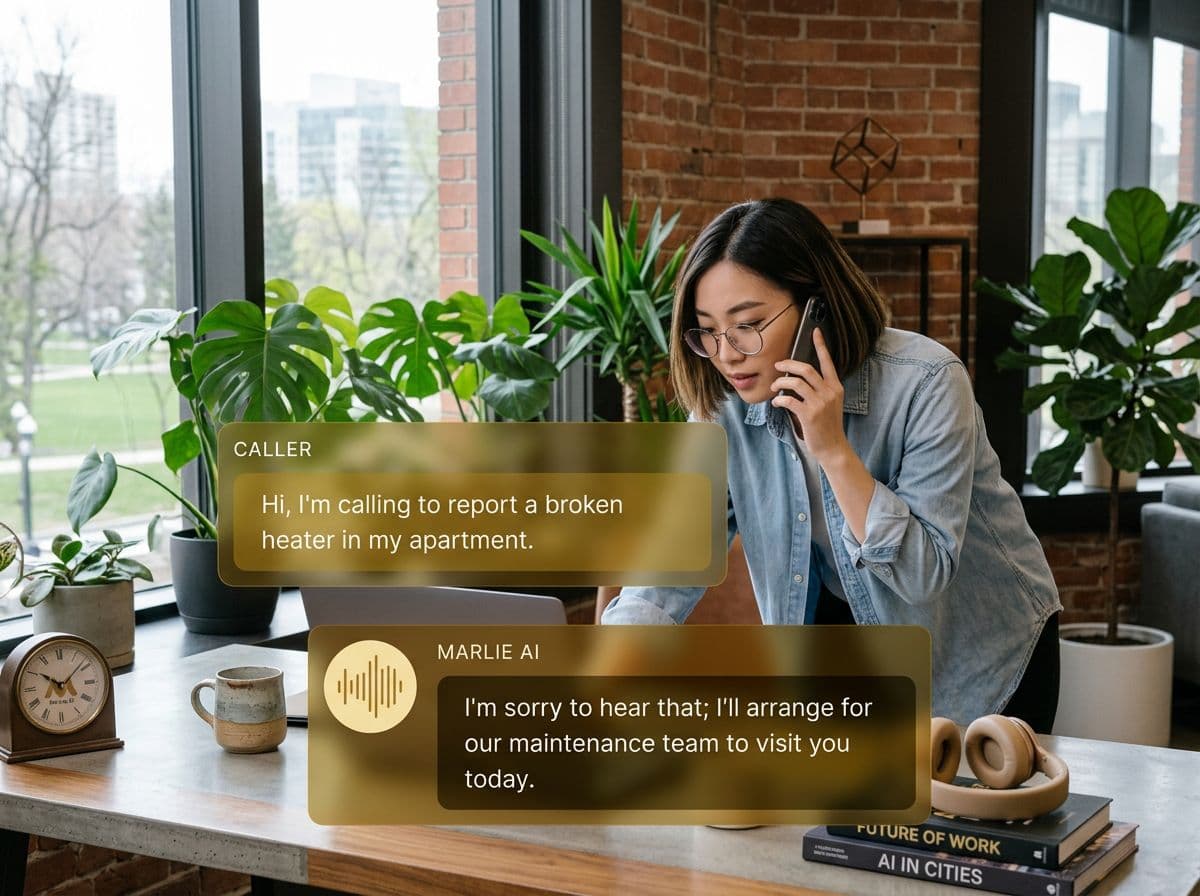
Phone call intelligence, delivered to Discord
Many modern teams — gaming companies, crypto projects, communities, and tech startups — run their entire operations through Discord. But inbound phone calls have always stayed outside of that workflow.
Marlie AI bridges this gap by posting call summaries directly to your Discord server. Every call gets captured, summarized, and delivered to the right channel so your team stays informed without switching tools.
What You Get with Marlie + Discord
Everything you need to connect your phone calls with Discord — fully automated, zero manual work.
Real-Time Call Notifications
Receive formatted call summaries in Discord channels the moment a call ends — caller details and key takeaways included.
Channel Routing
Post different call types to different Discord channels — leads, support, urgent issues, and general inquiries.
Webhook Integration
Connect via Discord webhooks for instant, reliable delivery — no bot setup or server permissions complexity.
Role Mentions
@mention specific Discord roles for high-priority calls — ping @sales for leads or @support for urgent issues.
Transcript Links
Each Discord notification includes a link to the full call transcript and recording in your Marlie dashboard.
Custom Embed Formatting
Call summaries appear as structured Discord embeds with color coding, fields, and metadata for easy scanning.
How It Works
Get up and running with Discord in minutes — no coding required.
Add a Discord Webhook
Create a webhook in your Discord channel and paste the URL into your Marlie dashboard — takes under two minutes.
Configure Your Channels
Map call types to Discord channels and configure which roles get mentioned for different call categories.
Marlie Answers the Calls
Marlie AI handles inbound calls, extracts caller information and intent, and structures a formatted Discord message.
Alerts Post in Real Time
Seconds after each call ends, a formatted embed appears in the right Discord channel with full call context.
Built for Real Scenarios
See how businesses use Marlie + Discord to capture more leads and streamline operations.
Tech Startups
A small startup team runs operations through Discord. Their main phone line receives inbound sales calls.
Marlie posts each lead to the #sales Discord channel, @mentioning the founder, so no opportunity is missed from the Discord workflow.
Community-Run Businesses
An e-commerce brand with a Discord community receives customer service calls that need team visibility.
Marlie posts support call summaries to #support so any community moderator or staff member can follow up.
Gaming & Content Companies
A streaming company receives partnership and sponsorship calls that need fast team response.
Marlie captures the pitch details and posts to #partnerships, @mentioning the business lead for immediate review.
Frequently Asked Questions
Common questions about the Marlie AI + Discord integration.
How does Marlie send messages to Discord?
Can Marlie post to multiple Discord channels?
Can Marlie @mention specific Discord roles?
Does the Discord integration require a bot account?
Is this suitable for community Discord servers?
Related Integrations
Marlie AI connects with more than just Discord. Here are a few closely related tools, or browse the full integrations catalog.






Ready to connect Marlie AI with Discord?
Eligible new customers get 14 days free. Add a card at checkout with $0 due today, then place your first real phone test minutes later.
What Our Customers Say

“Marlie has dramatically improved our reservation process, reducing missed calls by 40%.”

“Our takeout orders increased by 25% since implementing Marlie to handle busy call times.”

“Student enrollment is up 30% with Marlie handling after-hours inquiries about our programs.”

“Marlie has become an essential part of our customer service strategy across all our places.”

“The AI voice agents integrate seamlessly with our existing systems, creating a truly omnichannel experience.”
Get set up in minutes
Create your receptionist in 15 minutes and start receiving calls immediately. Try it for 2 weeks risk-free with our money-back guarantee.
