

Answer Every Call. Capture Every Lead. In Jobber.
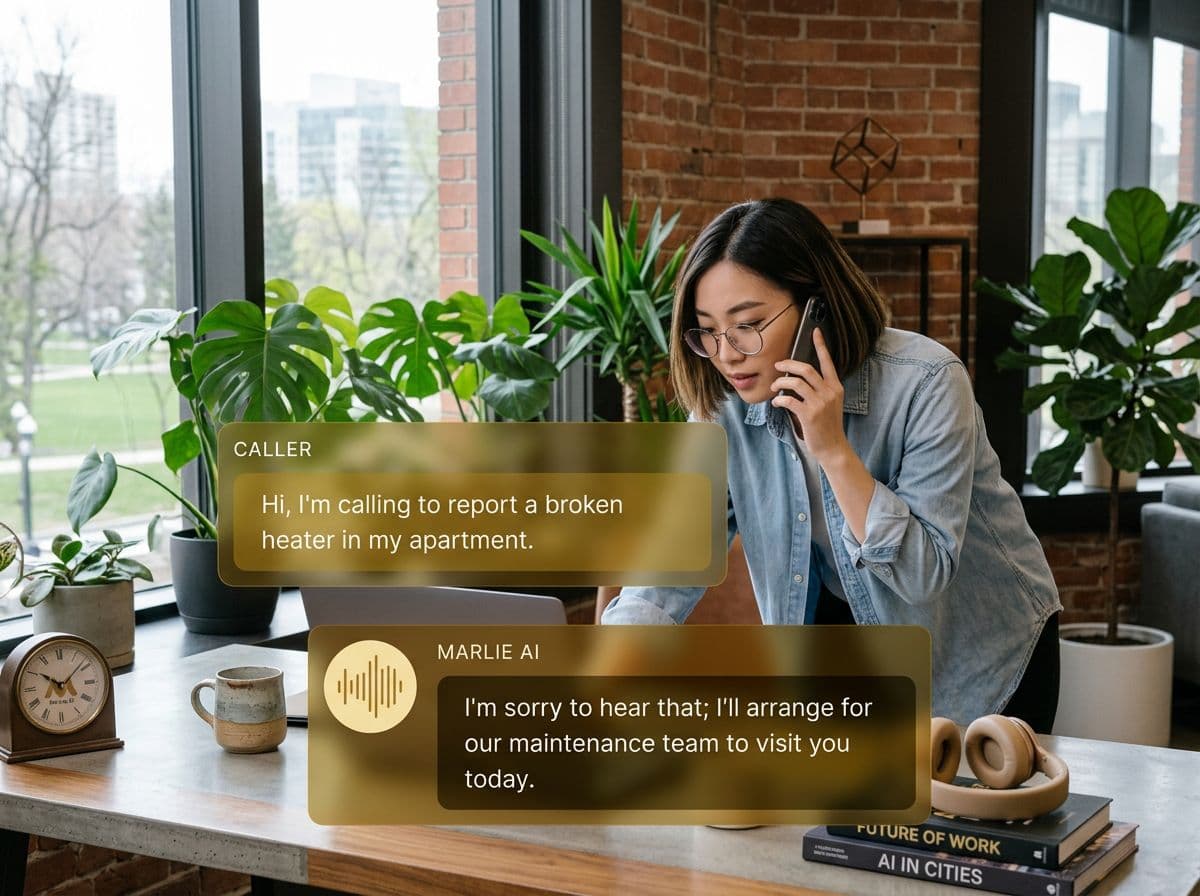
Marlie AI answers your service calls 24/7, qualifies the caller, and pushes them straight into Jobber as a Client and Request — or as a scheduled Job with a Visit on the dispatcher's calendar.
Built for Jobber-powered home service businesses
Jobber runs the back office for tens of thousands of trades — plumbing, HVAC, lawn care, cleaning, pest control, painting, electrical. The bottleneck for most owner-operators isn't dispatch or invoicing — it's the phone. Calls come in while crews are on a job, the office is closed, or the owner is driving between sites. Each missed call is a lead handed to the next company on the list.
Marlie AI sits in front of your Jobber account and answers every call. We match returning callers to existing Jobber Clients by phone or email, qualify the new ones, and create the right record — a Jobber Request when you want a dispatcher to triage the lead, or a scheduled Job with a Visit when the caller is ready to book a time. The dispatcher opens Jobber and the lead is already there, with caller details, qualifying notes, and a link to the call recording.
Also useful: AI receptionist for HVAC and AI receptionist for plumbers.
What You Get with Marlie + Jobber
Everything you need to connect your phone calls with Jobber — fully automated, zero manual work.
Auto-Create Clients & Requests
New callers become Jobber Clients with phone, email, and address. Their service request is captured as a Jobber Request your dispatcher reviews and schedules.
Schedule Jobs With Visits
For customers ready to commit to a time, Marlie checks live availability against your Jobber users' schedules and books a Job with a Visit — landing on the dispatcher's calendar instantly.
Returning-Client Recognition
Marlie matches inbound callers to existing Jobber Clients by phone and email, so service history, properties, and notes follow every new request.
Live Availability From Jobber
Availability is computed live from your Jobber team schedule — Visits, Tasks, Events, and Assessments — while respecting your business hours, lead-time policy, and booking window.
Dispatch-Ready Notes
Every call ends with a Jobber-attached summary capturing the caller's exact words, access notes, urgency, and any qualifying details your team needs to dispatch correctly.
OAuth + Marketplace Ready
Connect Jobber in one click via OAuth — no API keys to copy. Atomic refresh-token rotation keeps the connection alive without surprise reconnects.
How It Works
Get up and running with Jobber in minutes — no coding required.
Connect Jobber
Authorize Marlie from the dashboard via OAuth. Works with any Jobber plan that includes API access — Connect, Grow, or Plus.
Pick Your Booking Mode
Choose Request mode (dispatcher confirms every booking) or Job-with-Visit mode (Marlie books straight onto the calendar for ready-to-schedule callers).
Set Hours & Policies
Marlie reads your business hours, lead-time minimum, and booking window from your Marlie dashboard so available slots always match how you actually operate.
Marlie Answers, Jobber Updates
Inbound calls are answered, qualified, and turned into Clients + Requests (or scheduled Jobs) inside Jobber within seconds of the call ending.
Built for Real Scenarios
See how businesses use Marlie + Jobber to capture more leads and streamline operations.
Owner-Operator on a Job Site
A solo plumber is under a sink and the phone rings. By the time they wash up, the caller has hung up and called the next plumber on Google.
Marlie answers in under two seconds, captures the leak details and address, and creates a Jobber Request the owner sees the moment they check their phone.
Multi-Tech Cleaning Company
A cleaning company has 6 crews running and the office gets 30+ calls a day. The dispatcher misses calls during routing peaks.
Marlie qualifies the caller, books a recurring or one-time clean as a scheduled Job-with-Visit on the right crew's calendar, and the dispatcher confirms with one tap.
After-Hours HVAC Coverage
An HVAC shop closes at 5 PM but emergency calls come in until midnight. Voicemail loses the lead to the first 24/7 competitor.
Marlie answers after hours, flags the call as an emergency in the Jobber Request notes, and pings the on-call tech so dispatch happens before the caller goes elsewhere.
Frequently Asked Questions
Common questions about the Marlie AI + Jobber integration.
Which Jobber plans does this work with?
What's the difference between Request and Job-with-Visit booking?
Will Marlie match returning customers to existing Jobber Clients?
How does Marlie know when a tech is available?
Can Marlie cancel or reschedule existing Jobber bookings?
Is the Jobber integration available now?
Related Integrations
Marlie AI connects with more than just Jobber. Here are a few closely related tools, or browse the full integrations catalog.







Ready to connect Marlie AI with Jobber?
Eligible new customers get 14 days free. Add a card at checkout with $0 due today, then place your first real phone test minutes later.
What Our Customers Say

“Marlie has dramatically improved our reservation process, reducing missed calls by 40%.”

“Our takeout orders increased by 25% since implementing Marlie to handle busy call times.”

“Student enrollment is up 30% with Marlie handling after-hours inquiries about our programs.”

“Marlie has become an essential part of our customer service strategy across all our places.”

“The AI voice agents integrate seamlessly with our existing systems, creating a truly omnichannel experience.”
Get set up in minutes
Create your receptionist in 15 minutes and start receiving calls immediately. Try it for 2 weeks risk-free with our money-back guarantee.
