

Turn Every Call Into a HubSpot Lead — Automatically
Marlie AI answers your calls, qualifies leads, and pushes contact details straight into HubSpot. No missed leads, no manual entry, no lag between call and follow-up.
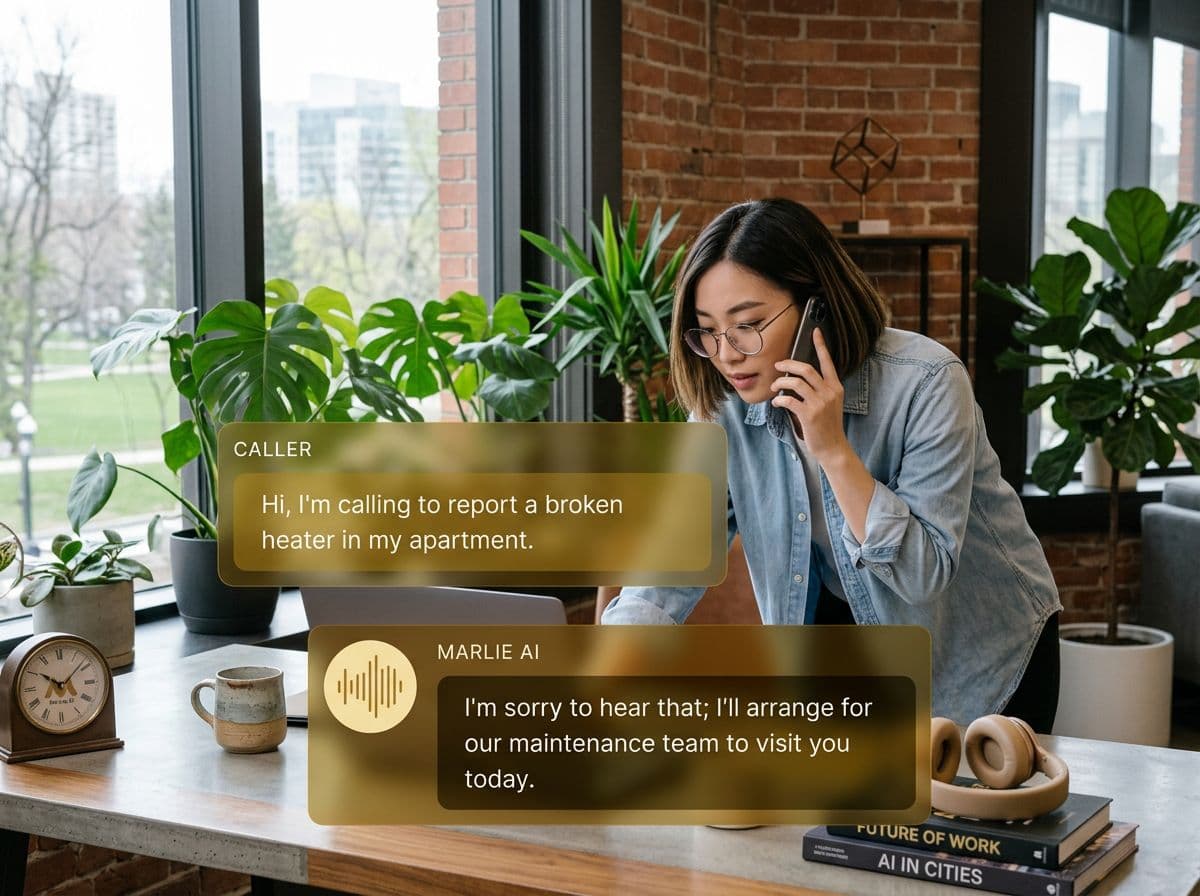
Your AI receptionist meets your CRM
Most businesses lose leads between the phone and the CRM. Someone calls, leaves a message, and the details sit in a voicemail until someone remembers to log them. By then, the lead has gone cold.
With the Marlie AI + HubSpot integration, every inbound call is answered instantly, caller details are captured in real-time, and a new contact or deal is created in HubSpot before the call even ends. Your sales team gets a warm lead with full context — ready to close.
Also useful: CRM and Zapier integrations.
What You Get with Marlie + HubSpot
Everything you need to connect your phone calls with HubSpot — fully automated, zero manual work.
Auto-Create Contacts
New callers are automatically added as HubSpot contacts with name, phone, email, and call summary — zero manual entry.
Call Logging & Notes
Every call is logged in HubSpot with a full transcript, outcome, and next steps so your team has the complete picture.
Pipeline Management
Qualified leads are pushed into the right HubSpot pipeline stage based on call intent, so nothing falls through the cracks.
Real-Time Sync
Contact and deal data syncs instantly — no batch processing delays. Your CRM is always up to date.
Custom Field Mapping
Map call data to any HubSpot property. Capture industry, service type, urgency, or any custom field your team needs.
Smart Deduplication
Returning callers are matched to existing HubSpot contacts so you never create duplicates or lose call history.
How It Works
Get up and running with HubSpot in minutes — no coding required.
Connect HubSpot
Link your HubSpot account to Marlie AI in one click through our dashboard. No coding or API keys needed.
Configure Your Mapping
Choose which call data maps to which HubSpot fields. Set pipeline rules, deal stages, and contact properties.
Marlie Answers & Captures
When a call comes in, Marlie AI handles the conversation, qualifies the lead, and collects all the details your CRM needs.
HubSpot Updates Instantly
A new contact, call log, and deal appear in HubSpot in real time. Your sales team gets notified and follows up fast.
Built for Real Scenarios
See how businesses use Marlie + HubSpot to capture more leads and streamline operations.
Inbound Sales Teams
A prospect calls after hours asking about pricing. Marlie AI answers, qualifies them, and captures budget and timeline.
A new deal lands in your HubSpot pipeline with full context before your sales rep starts their morning.
Marketing Lead Capture
A Google Ads campaign drives phone calls. Each caller is asked qualifying questions by Marlie AI.
Every call-in lead is tracked in HubSpot with source attribution, enabling accurate ROI measurement on ad spend.
Customer Success Follow-Up
An existing customer calls about an issue. Marlie identifies them, logs the concern, and routes to the right team.
The support ticket is attached to the existing HubSpot contact with full call history for seamless follow-up.
Frequently Asked Questions
Common questions about the Marlie AI + HubSpot integration.
How does Marlie AI connect to HubSpot?
Will Marlie create duplicate contacts in HubSpot?
Can I customize which HubSpot fields get populated?
Does the integration work with HubSpot Free?
Are call recordings stored in HubSpot?
How quickly do leads appear in HubSpot?
Related Integrations
Marlie AI connects with more than just HubSpot. Here are a few closely related tools, or browse the full integrations catalog.







Ready to connect Marlie AI with HubSpot?
Eligible new customers get 14 days free. Add a card at checkout with $0 due today, then place your first real phone test minutes later.
What Our Customers Say

“Marlie has dramatically improved our reservation process, reducing missed calls by 40%.”

“Our takeout orders increased by 25% since implementing Marlie to handle busy call times.”

“Student enrollment is up 30% with Marlie handling after-hours inquiries about our programs.”

“Marlie has become an essential part of our customer service strategy across all our places.”

“The AI voice agents integrate seamlessly with our existing systems, creating a truly omnichannel experience.”
Get set up in minutes
Create your receptionist in 15 minutes and start receiving calls immediately. Try it for 2 weeks risk-free with our money-back guarantee.
