

Turn Every Call Into A OnePageCRM Next Action
Marlie AI answers your calls, qualifies leads, and pushes Contacts, Notes, and Next Actions into OnePageCRM so your action stream stays full and nothing falls through the cracks.
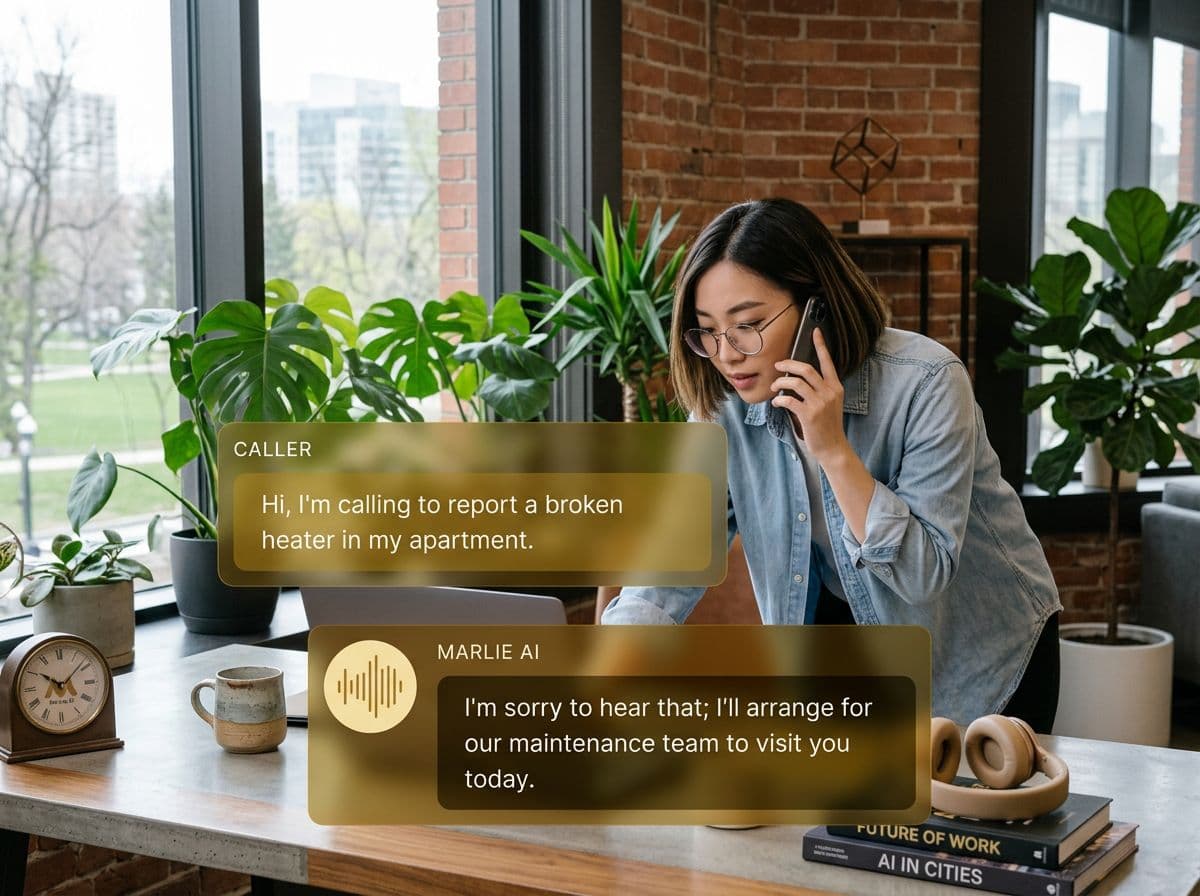
Built for the OnePageCRM Action Method
OnePageCRM keeps small sales teams focused with the Action Stream — every contact has a Next Action, and you work the list. The hard part is making sure new phone leads actually land on that list, with the right context and the right action attached.
Marlie AI takes care of the front-end. Inbound calls are answered, qualified, and pushed into OnePageCRM as Contacts with notes, tags, and a pre-set Next Action. Your action stream is always current and your team can keep doing what OnePageCRM is best at — taking the next step.
Also useful: CRM and Zapier integrations.
What You Get with Marlie + OnePageCRM
Everything you need to connect your phone calls with OnePageCRM — fully automated, zero manual work.
Auto-Create Contacts
Every caller becomes a OnePageCRM Contact with name, phone, email, company, and qualifying data filled in.
Next Action Set
Marlie sets the Next Action on every new Contact — call back, send proposal, book meeting — based on call intent.
Call Notes Logging
Full call summary and transcript are attached to the Contact note with a deep link to the recording.
Tag-Based Segmentation
Marlie applies the right tags so OnePageCRM saved searches and filters surface the right leads to the right reps.
Smart Deduplication
Returning callers update existing OnePageCRM Contacts rather than creating duplicates so the action stream stays clean.
Real-Time Sync
Contacts and Next Actions appear in OnePageCRM within seconds of the call ending — no batch sync, no gaps.
How It Works
Get up and running with OnePageCRM in minutes — no coding required.
Connect OnePageCRM
Authenticate OnePageCRM from the Marlie dashboard with your API key. Setup takes minutes, no developer required.
Define Action Rules
Map call intents to Next Action types, owners, and tags so qualified leads land on the right rep's action stream.
Marlie Answers & Qualifies
Inbound calls are answered 24/7. Marlie qualifies the caller using your script and detects intent.
Action Stream Updates
OnePageCRM Contacts are created or updated, the Next Action is set, and your team works the new lead from the action stream.
Built for Real Scenarios
See how businesses use Marlie + OnePageCRM to capture more leads and streamline operations.
Lean Sales Teams
A small sales team relies on the OnePageCRM action stream to drive their day, but inbound calls don't always make it onto the list.
Marlie pushes every qualified caller into OnePageCRM with a Next Action — the action stream stays full and reps keep selling.
Solo Founders & Consultants
A solo founder uses OnePageCRM to track every prospect but can't take live calls during deep-work blocks.
Marlie answers the call, qualifies the prospect, and lands a fully-noted Contact with a callback action so the founder picks back up exactly where they left off.
Field-Based Sellers
Outside reps live in their cars and can't reliably log calls into OnePageCRM.
Marlie handles inbound calls, captures the conversation, and pushes Notes plus a Next Action into OnePageCRM so reps see the lead waiting when they next open the app.
Frequently Asked Questions
Common questions about the Marlie AI + OnePageCRM integration.
Which OnePageCRM plans work with Marlie?
Can Marlie set the Next Action on new Contacts?
Will Marlie create duplicate Contacts in OnePageCRM?
Can Marlie route leads to the right OnePageCRM owner?
Are call recordings stored in OnePageCRM?
Can Marlie capture company and deal value?
Related Integrations
Marlie AI connects with more than just OnePageCRM. Here are a few closely related tools, or browse the full integrations catalog.





Ready to connect Marlie AI with OnePageCRM?
Eligible new customers get 14 days free. Add a card at checkout with $0 due today, then place your first real phone test minutes later.
What Our Customers Say

“Marlie has dramatically improved our reservation process, reducing missed calls by 40%.”

“Our takeout orders increased by 25% since implementing Marlie to handle busy call times.”

“Student enrollment is up 30% with Marlie handling after-hours inquiries about our programs.”

“Marlie has become an essential part of our customer service strategy across all our places.”
“The AI voice agents integrate seamlessly with our existing systems, creating a truly omnichannel experience.”
Get set up in minutes
Create your receptionist in 15 minutes and start receiving calls immediately. Try it for 2 weeks risk-free with our money-back guarantee.
