
Book Appointments Automatically with Google Calendar
Marlie AI checks your Google Calendar availability in real time, schedules appointments during the call, and sends confirmations — no back-and-forth, no double bookings.
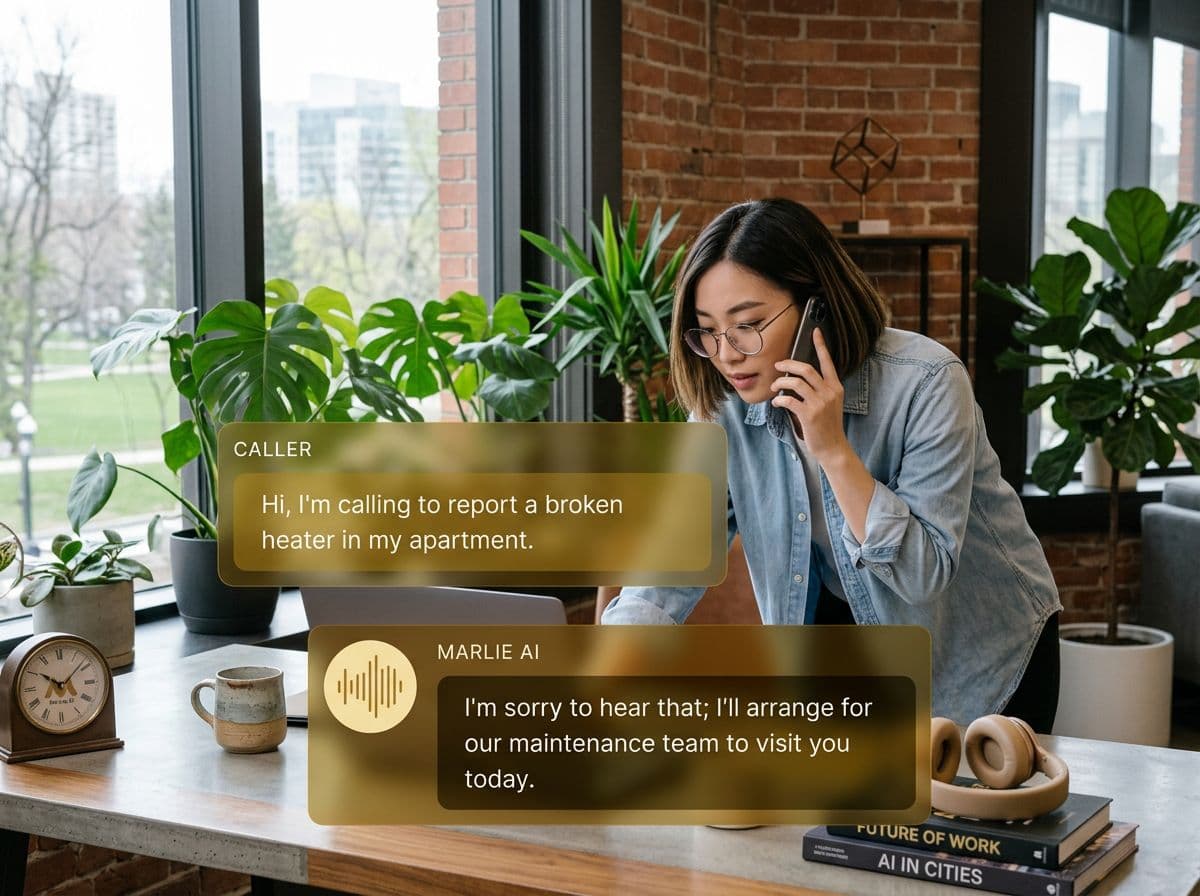
From phone call to scheduled appointment — automatically
Every scheduling conversation involves unnecessary friction: checking calendars, emailing times, waiting for confirmation, sending reminders. It eats time and loses customers who move on during the wait.
With Marlie AI and Google Calendar, your AI receptionist checks your real-time availability, proposes open slots, confirms the appointment on the call, and adds it to your calendar — all before the caller hangs up.
Also useful: appointment scheduling.
What You Get with Marlie + Google Calendar
Everything you need to connect your phone calls with Google Calendar — fully automated, zero manual work.
Real-Time Availability Check
Marlie reads your Google Calendar live during calls to offer only genuinely open slots — no conflicts, no doubles.
Instant Appointment Creation
Confirmed appointments are added to Google Calendar immediately with full caller details and notes from the call.
Automated Confirmations
Callers receive a Google Calendar invite with all details — date, time, location, and what to prepare — automatically.
Reminder Sequences
Set automated Google Calendar reminders so clients get notified 24 hours and 1 hour before their appointment.
Multi-Staff Scheduling
Route bookings to the right team member's calendar based on service type, location, or caller preference.
Rescheduling Handling
Callers can reschedule by calling back. Marlie updates the Google Calendar event and sends revised confirmations.
How It Works
Get up and running with Google Calendar in minutes — no coding required.
Connect Google Calendar
Authorize Marlie AI to read and write your Google Calendar in one click — secure OAuth, no manual setup.
Set Your Booking Rules
Define bookable hours, appointment types, buffer times, and any custom intake questions Marlie should ask.
Marlie Books During the Call
When a caller wants to schedule, Marlie checks availability, offers slots, confirms the time, and creates the event — all live.
Both Parties Get Confirmation
A Google Calendar invite goes to the caller and you instantly — with all appointment details attached.
Built for Real Scenarios
See how businesses use Marlie + Google Calendar to capture more leads and streamline operations.
Service Businesses
A homeowner calls an HVAC company to book a maintenance appointment. The technician is in the field.
Marlie AI books the appointment directly in the technician's Google Calendar and sends confirmation to both parties.
Professional Consultants
A prospective client calls a financial advisor to schedule an initial consultation outside of business hours.
Marlie checks available slots, books the meeting in Google Calendar, and sends the client a calendar invite with prep instructions.
Healthcare & Wellness
A patient calls a therapy practice wanting to book a new patient appointment, but reception is busy.
Marlie gathers intake info, books the appointment, adds it to the therapist's Google Calendar, and sends a confirmation.
Frequently Asked Questions
Common questions about the Marlie AI + Google Calendar integration.
Can Marlie handle multiple staff members' Google Calendars?
What happens if a slot is taken while Marlie is on the call?
Can callers reschedule or cancel through Marlie?
Does Marlie send reminder emails or SMS before appointments?
Does the integration work with Google Workspace calendars?
Related Integrations
Marlie AI connects with more than just Google Calendar. Here are a few closely related tools, or browse the full integrations catalog.

Ready to connect Marlie AI with Google Calendar?
Eligible new customers get 14 days free. Add a card at checkout with $0 due today, then place your first real phone test minutes later.
What Our Customers Say

“Marlie has dramatically improved our reservation process, reducing missed calls by 40%.”

“Our takeout orders increased by 25% since implementing Marlie to handle busy call times.”

“Student enrollment is up 30% with Marlie handling after-hours inquiries about our programs.”

“Marlie has become an essential part of our customer service strategy across all our places.”

“The AI voice agents integrate seamlessly with our existing systems, creating a truly omnichannel experience.”
Get set up in minutes
Create your receptionist in 15 minutes and start receiving calls immediately. Try it for 2 weeks risk-free with our money-back guarantee.
