

AI Phone Coverage Tied To Your Dotloop Transactions
Marlie AI answers buyer, seller, and co-op agent calls, looks up the right Dotloop loop, and routes status questions or document requests to the right agent — without interrupting closings.
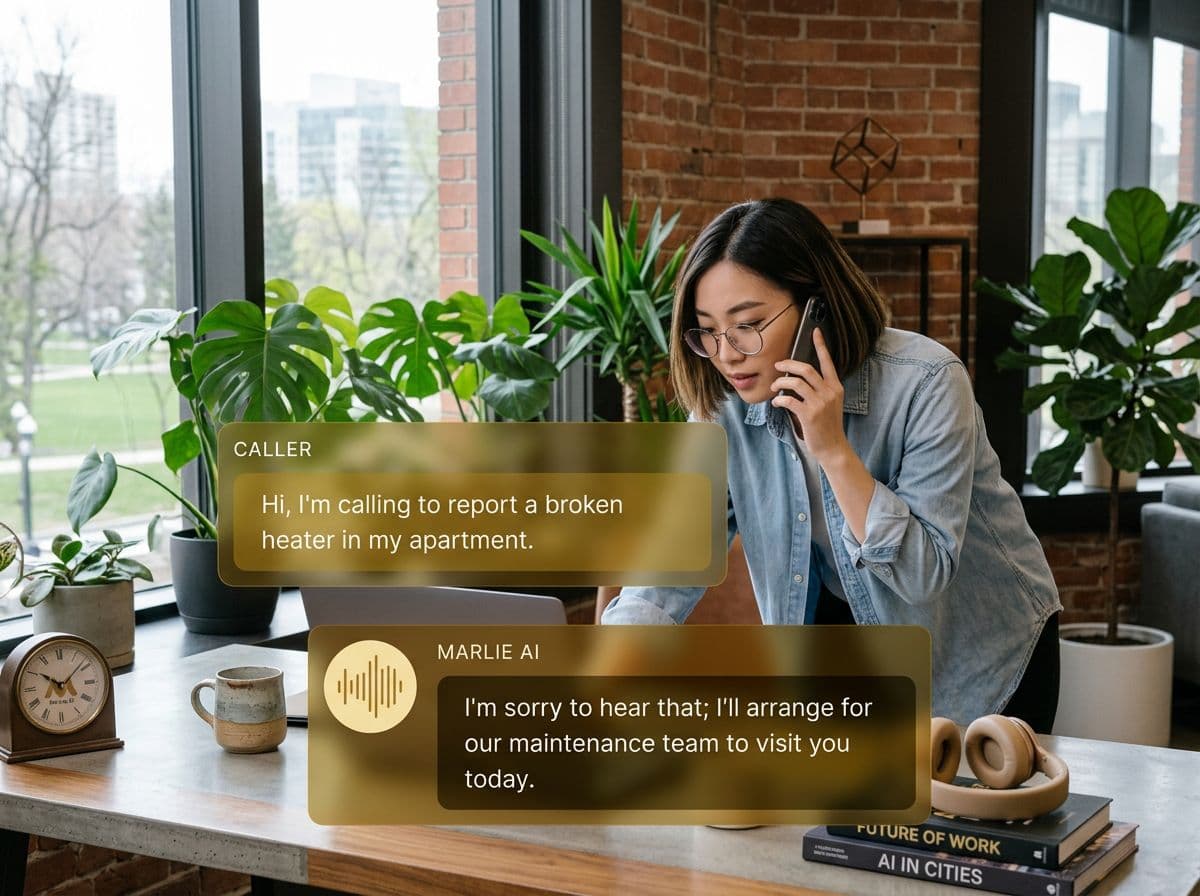
A real phone front-door for Dotloop-powered transactions
Dotloop runs the back-half of the deal — disclosures, signatures, and the closing checklist — but the phone is still where most surprises hit. Buyers ask where their docs are, sellers want to know if anything is missing, and co-op agents call about the package status.
Marlie AI gives your team always-on coverage tied to the loop. Inbound calls are answered, the caller and transaction are identified, status questions are answered from Dotloop data, and anything that requires an agent is routed with full transaction context — not a blank voicemail.
Also useful: AI receptionist for real estate agents.
What You Get with Marlie + Dotloop
Everything you need to connect your phone calls with Dotloop — fully automated, zero manual work.
Loop Lookup
Marlie identifies callers as buyers, sellers, or co-op agents on a specific Dotloop loop and personalizes the conversation.
Transaction Status Updates
Common status questions — what's signed, what's pending, who's next — are answered from the live Dotloop loop without paging an agent.
Document Request Logging
Document and disclosure requests are captured with the loop ID and routed to the assigned agent or transaction coordinator.
Agent Routing
Calls about a loop are routed to the listing or buyer-side agent based on Dotloop assignment, with full context handed off.
After-Hours Coverage
Evenings and weekends — when most buyer questions hit — are covered so calls don't fall to voicemail before closing.
Real-Time Activity Sync
Call activity and follow-up tasks are written back to the Dotloop loop so the transaction history reflects every conversation.
How It Works
Get up and running with Dotloop in minutes — no coding required.
Connect Dotloop
Authenticate Dotloop from the Marlie dashboard via the Dotloop API. Marlie pulls your loops, profiles, and assignments.
Map Roles & Routing
Configure how Marlie identifies callers, which loop fields drive status answers, and which agents receive routed calls.
Marlie Answers Transaction Calls
Inbound calls are answered 24/7. Marlie identifies the caller and the loop, answers status questions, and captures requests.
Dotloop Stays Current
Call activity, document requests, and follow-up tasks are written back to the loop so the file reflects every touchpoint.
Built for Real Scenarios
See how businesses use Marlie + Dotloop to capture more leads and streamline operations.
Solo Agents Mid-Closing
A solo agent is in a closing meeting and a buyer on a different loop calls about disclosures.
Marlie identifies the buyer's loop, answers the disclosure status question from Dotloop, and books a callback so the agent isn't pulled out of closing.
Transaction Coordinators
A TC manages 30 active loops and gets dozens of status calls a day from agents and clients.
Marlie handles the routine status calls directly from Dotloop data and routes only the exceptions to the TC, with the loop context attached.
Real Estate Teams
A team of 15 agents needs co-op agents and clients routed to the right person without manual triage.
Marlie identifies the loop and routes to the assigned agent, while logging the call back to Dotloop for the team's audit trail.
Frequently Asked Questions
Common questions about the Marlie AI + Dotloop integration.
How does Marlie connect to Dotloop?
Can Marlie answer status questions about a loop directly?
Will Marlie create or edit Dotloop documents?
Can Marlie route calls to the right agent on a loop?
Does this work for transaction coordinators?
Are call recordings stored in Dotloop?
Related Integrations
Marlie AI connects with more than just Dotloop. Here are a few closely related tools, or browse the full integrations catalog.






Ready to connect Marlie AI with Dotloop?
Eligible new customers get 14 days free. Add a card at checkout with $0 due today, then place your first real phone test minutes later.
What Our Customers Say

“Marlie has dramatically improved our reservation process, reducing missed calls by 40%.”

“Our takeout orders increased by 25% since implementing Marlie to handle busy call times.”

“Student enrollment is up 30% with Marlie handling after-hours inquiries about our programs.”

“Marlie has become an essential part of our customer service strategy across all our places.”

“The AI voice agents integrate seamlessly with our existing systems, creating a truly omnichannel experience.”
Get set up in minutes
Create your receptionist in 15 minutes and start receiving calls immediately. Try it for 2 weeks risk-free with our money-back guarantee.
