

Trying to run a contracting business on a generic CRM is like showing up to a framing job with a Swiss Army knife. Sure, it has a bunch of tools, but none of them are right for the work you actually need to do. It’s a fast track to frustration, wasted time, and shoddy results. For contractors, the only CRM that makes sense is one built for the controlled chaos of the trades.
Why Generic CRMs Fail Construction and Service Trades
Standard CRMs were built for sales teams sitting in an office, not for crews juggling complex projects out in the field. The day-to-day reality of a roofer, plumber, or general contractor is worlds apart from that of a typical B2B salesperson. Generic software just doesn’t have the right DNA to handle it.
This mismatch creates a ton of real-world problems:
- No Field-to-Office Sync: There’s no clean way to connect what’s happening on-site with the team back in the office.
- Missing Job Costing: They completely lack the tools to track labor, materials, and sub costs against a budget in real-time.
- Clunky Scheduling & Dispatch: They aren’t designed to manage fluid schedules for multiple crews spread across different job sites.
- Inadequate Estimating: You won’t find built-in tools for creating the detailed, accurate quotes and proposals your business relies on.
A purpose-built CRM for contractors, on the other hand, acts as a central command center for the entire operation.

Unlike a generic CRM’s sales pipeline, a contractor-focused dashboard gives you immediate operational clarity. You see active jobs, scheduled visits, and what needs to happen next—information that’s vital for managing the daily grind.
The Financial and Operational Disconnect
The failure of generic CRMs isn't just an inconvenience; it hits your bottom line. Without integrated project management, you're stuck juggling spreadsheets, emails, and a handful of disconnected apps to piece together a picture of job progress. This manual, fragmented approach is a recipe for blown deadlines, budget overruns, and unhappy clients. For a deeper dive into modern operational strategies, check out our guide on field service management best practices.
The global CRM market is expected to hit $112 billion by 2025, and 87% of businesses now use cloud-based solutions. This explosion shows a universal hunger for better data, but it’s critical for contractors to pick tools that actually speak their language.
Here's the core issue: generic CRMs track relationships, while contractor CRMs are built to track projects. A sales-focused platform can't tell you if a job is profitable, if your crew is on schedule, or if you've ordered the right materials.
Ultimately, the best CRM for a contractor isn't just about managing a contact list. It’s about managing the entire job lifecycle—from the first call to the final payment—all in one place. That specialization is what protects your profit margins and lets your business grow without breaking.
Picking the right CRM isn't just about ticking boxes on a feature list. For contractors, the game is different. You need a system where every single tool is built from the ground up to solve the real, gritty problems you face every day. The best CRMs don't just organize your contacts; they actively guard your profit margins, untangle your field operations, and slash the time it takes to get paid.
Let's skip the generic sales pitches and break down the core functions that truly separate a high-octane contractor CRM from a basic, off-the-shelf one. These are the tools that have a direct line to winning more bids and running more profitable jobs.
Integrated Estimating and Quoting
How fast and accurate are your estimates? This single factor has a massive impact on your win rate. A CRM with estimating tools baked right in lets you whip up professional, detailed quotes in minutes, not hours. By pulling from a catalog of your services and materials, you kill the tedious manual entry and sidestep the risk of costly mistakes.
Imagine this: a potential customer calls, and you can build and fire off a quote while you're still in their contact record. That seamless flow often means your proposal lands in their inbox before competitors have even returned the call. That’s a powerful first-mover advantage.
Mobile-First Field Access
Your team is on the move, not chained to a desk. Your CRM needs to be too. A mobile-first design isn't a nice-to-have; it's completely non-negotiable. Your techs and project managers need immediate access to job details, schedules, customer history, and work orders, all from their phone or tablet.
A solid mobile app gives your crew the power to:
- Update job status in real-time: This keeps the office in the loop without a constant barrage of phone calls.
- Capture photos and notes on-site: Document the work, attach images to the job file, and create a clear record of what was done.
- Process payments in the field: Close out the job and collect payment on the spot, which does wonders for your cash flow.
A truly mobile-first CRM acts as a direct line between your office and every job site. It eliminates information delays, reduces misunderstandings, and ensures your field team has the data they need to do their job right the first time.
Intelligent Scheduling and Dispatching
Smart scheduling is the absolute backbone of a profitable contracting business. A CRM built for contractors offers way more than a simple calendar. It gives you an intelligent dispatch board that visualizes everything at once—your team's availability, job locations, and specific skills—so you can match the right tech to the right job, every time.
This visual approach stops double-bookings, helps minimize drive time between sites, and makes it easy to pivot when emergencies pop up or delays happen. Tying these functions together is a huge step toward building a more efficient operation. If you want to dig deeper, check out some of the best workflow automation tools to connect your processes even further.
Job Costing and Financial Tracking
Profit on a job can die a death of a thousand cuts. That's where precise job costing comes in. It's a critical feature that tracks every labor hour, material cost, and subcontractor expense against your original estimate in real-time. This gives you a crystal-clear picture of a job's financial health from start to finish.
The impact here is huge. Businesses that get serious about CRM see, on average, a 29% increase in sales and a 34% rise in sales productivity. For contractors specifically, the return on investment can shoot past 245%, simply by helping you pinpoint which job types are bleeding money and ensuring every project hits its target margin. A great first step is to implement marketing automation to properly nurture all those new leads you'll be getting.
Comparing the Top Contractor CRM Platforms
Picking the right CRM isn't about finding the single "best" one on the market—it's about finding the best fit for your contracting business. The perfect platform for a general contractor juggling massive remodels is almost always the wrong choice for a two-person HVAC team running service calls. To help you cut through the noise, we're going to compare three of the top contenders—Jobber, Housecall Pro, and Buildertrend—based on the features that actually make a difference in the field.
This isn't another generic pro-and-con list. We’ll get into the nitty-gritty of how each platform works in the real world, helping you match the right tool to your specific workflow.
At its core, every contracting business, whether you're fixing leaky pipes or building custom homes, runs on a simple, repeatable process.
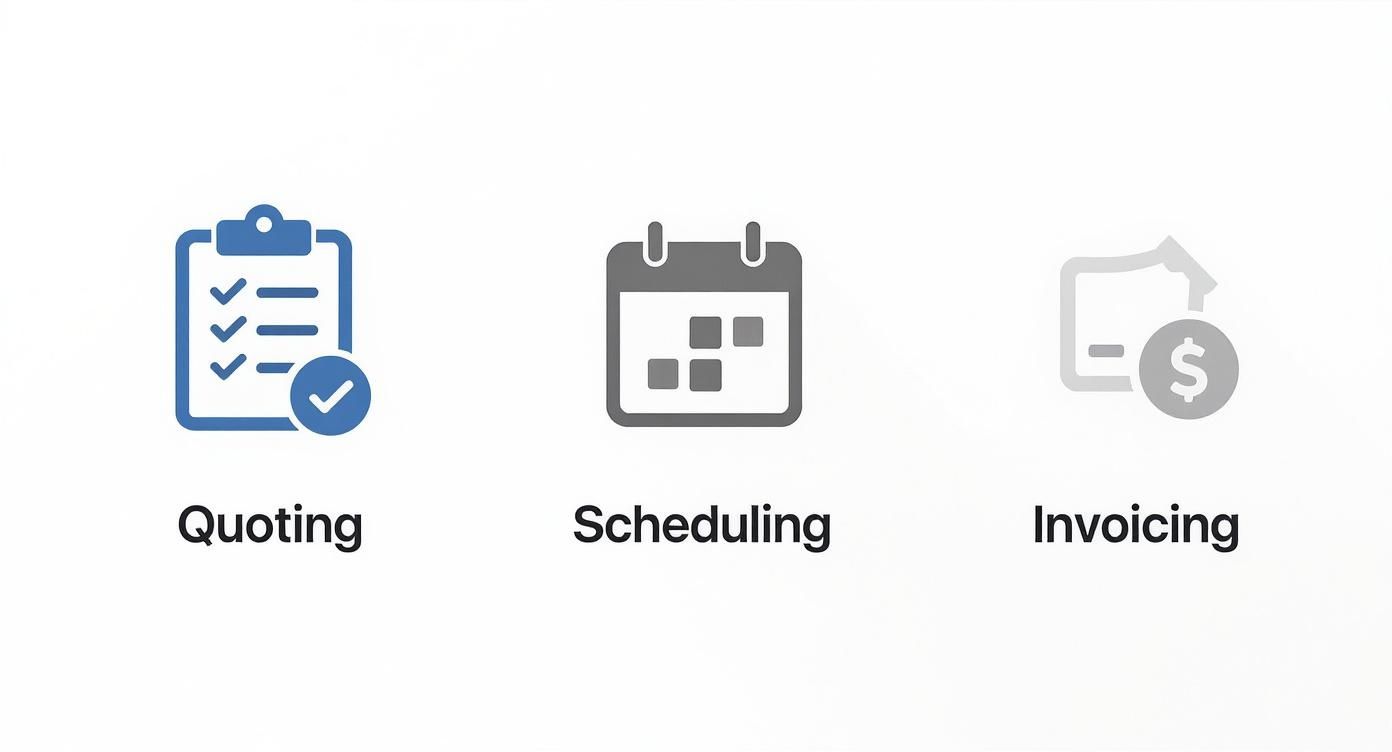
The best CRMs for contractors are built to weave quoting, scheduling, and invoicing into one smooth, connected system.
Jobber: The Agile Service Specialist
Jobber is all about speed and simplicity, which is why it’s a massive hit with home service businesses—think HVAC, plumbing, electrical, and landscaping. Its real strength is in making the entire service call cycle, from booking to cashing the check, as painless as possible.
The platform is engineered to handle a high volume of smaller jobs without breaking a sweat. The interface is clean, intuitive, and designed so new team members can get the hang of it fast. The mobile app is especially solid, giving your field techs everything they need to get the job done, update the office, and take payments right there on the spot.
Key Differentiator: Jobber's genius is its focus. It doesn't pretend to be an all-in-one construction management beast. Instead, it absolutely nails the workflow for service-based trades, making scheduling, dispatching, and invoicing ridiculously fast and easy.
Best Use Case for Jobber:
Imagine a residential HVAC company with 5-10 technicians managing a packed schedule of maintenance calls, emergency repairs, and new installs. The office manager uses Jobber to quickly dispatch the closest tech, who then pulls up the customer's full service history, builds an invoice on their tablet, and swipes a credit card before even leaving the driveway.
Housecall Pro: The Customer Experience Champion
While Housecall Pro serves a similar crowd of home service pros, it doubles down on customer communication and marketing tools. It’s the right call for contractors who are serious about building a brand that customers remember and recommend.
Features like automated "on my way" texts, follow-up emails asking for reviews, and even postcard marketing campaigns are baked right in. It also gives your customers their own app to see their service history and book new jobs, which just feels more professional. Their online booking and live chat tools are also top-notch for grabbing leads straight from your website.
For a deeper dive into platforms like these, our field service management software comparison offers more great insights.
Best Use Case for Housecall Pro:
A growing plumbing business wants to stand out by delivering a five-star customer experience. They use Housecall Pro to send automated appointment reminders with technician bios, hit up every customer for a Google review after the job, and run email promos for seasonal services. That constant communication helps them build loyalty and drive word-of-mouth referrals.
Buildertrend: The All-In-One Construction Powerhouse
Buildertrend plays in a completely different league. It's a full-blown project management system built for custom home builders, remodelers, and large-scale general contractors. Yes, it has CRM features, but its real purpose is to tame the beastly complexity of long-term construction projects.
This thing goes way beyond scheduling and invoicing. We're talking pre-sale processes, financial management tools, daily logs, change order management, and a client portal where homeowners can track progress and approve selections. It’s everything in one place.
Key Differentiator: Buildertrend's unique value is that it’s a true all-in-one. It’s designed to replace the messy patchwork of different software builders often rely on, creating a single source of truth for the entire project, from the first bid to the final walkthrough.
Best Use Case for Buildertrend:
A general contractor is tackling a six-month home renovation and needs to keep architects, subs, suppliers, and the client all on the same page. They use Buildertrend to manage the master schedule, process change orders, share progress photos, and track the budget in real-time. It becomes the central command center that keeps the entire project from going off the rails.
Feature Comparison of Leading Contractor CRMs
To make the choice a bit clearer, here’s a side-by-side look at how these top CRMs stack up across the features that matter most for contractors.
| Feature | Jobber | Housecall Pro | Buildertrend | Zoho CRM |
|---|---|---|---|---|
| Primary Audience | Service-based trades (HVAC, plumbing) | Service-based trades (focus on marketing) | General contractors, remodelers, home builders | General small to large businesses |
| Core Strength | Speed & efficiency in scheduling/invoicing | Customer communication & marketing tools | All-in-one project management for complex jobs | High-level sales and lead management |
| Job Type | High-volume, short-duration jobs | High-volume, short-duration jobs | Low-volume, long-duration projects | Varies by industry customization |
| Mobile App | Excellent, focused on field tech tasks | Excellent, with strong customer interaction | Comprehensive, but can be complex | Sales-focused, less field-oriented |
| Job Costing | Basic tracking | Basic tracking | Advanced, detailed financial management | Requires customization or integration |
| Learning Curve | Low | Low to moderate | High | Moderate to High |
This table shows just how specialized the top contractor CRMs are. While general-purpose CRMs like Zoho offer flexibility, they often require heavy lifting to match the out-of-the-box functionality of tools built specifically for the trades.
Making The Right Choice
It's also worth acknowledging the giants in the broader CRM world. Market leaders like Salesforce, HubSpot, and Zoho dominate the scene. In fact, Salesforce alone holds a 23.9% share of the global CRM market. But these platforms are generalists; they often require a ton of customization to handle the unique, project-based workflows that define contracting work.
Ultimately, your decision comes down to the kind of work you do. If your business is built on running multiple service calls a day, the agility of Jobber or the marketing muscle of Housecall Pro is probably your best bet. But if you’re managing complex projects that stretch over months with dozens of moving parts, the comprehensive control of Buildertrend is an investment that will pay for itself.
How to Choose the Right CRM for Your Business Size
Picking the best CRM for a contractor isn’t a one-size-fits-all game. The perfect tool for a solo handyman will absolutely buckle under the weight of a large general contracting firm. The trick is to match the software’s core strengths to your operational reality—your team size, the complexity of your jobs, and where you are in your growth journey.
Let’s get past the generic feature lists and dig into practical, real-world recommendations. This will help you pinpoint the right tool for the work you actually do every single day.
For Solo Operators and Small Crews (1-5 Employees)
When you're a one-person show or running a tight crew, your biggest enemies are paperwork and disorganization. What you need is a CRM that’s fast, simple, and works flawlessly on your phone. Your focus should be on the core functions that slash admin time and get you paid faster.
Platforms like Jobber or Housecall Pro are a perfect match here. They nail the fundamentals:
- Quick Quoting: Crank out professional-looking estimates from your phone in just a few minutes.
- Simple Scheduling: Drag-and-drop calendars give you a clear view of your day and make booking new jobs a breeze.
- On-the-Spot Invoicing: Create and fire off invoices right from the job site and take payments immediately.
The goal isn't managing sprawling, multi-stage projects. It’s about making the service call lifecycle as smooth as possible. For a small contractor, the right CRM makes you look more professional, ensures nothing falls through the cracks, and frees you up to focus on the actual work.
Real-World Scenario: A solo electrician wraps up a rewiring job. She pulls out her phone, uses an app to instantly generate an invoice with pre-set line items, texts it to the client, and swipes their credit card for payment—all before leaving the driveway. The whole thing takes less than five minutes.
For Growing Service Businesses and Specialty Trades (5-20 Employees)
As your business expands, so does the complexity. Suddenly you're juggling multiple crews, more equipment, and a much higher volume of jobs. This is the point where you need a CRM that goes beyond the basics. Specialty trades like HVAC, plumbing, or roofing need features that are built for their specific workflows.
This is where a tool like JobNimbus or a more advanced plan from Housecall Pro becomes essential. You need to be thinking about:
- Intelligent Dispatching: Getting the right tech to the right job based on their skills, location, and availability.
- Inventory Management: Keeping tabs on the parts and materials used on every job so you never run out of stock.
- Customizable Workflows: Building out processes that mirror your trade’s specific steps, from the initial inspection to the final quality check.
At this stage, you're no longer just managing jobs—you're managing an entire system. Your CRM has to be the central hub that connects your office staff with every single person in the field.
For General Contractors and Large-Scale Remodelers
If you’re managing long-term, complex projects with an army of subcontractors, a simple service-focused CRM will completely let you down. You need a true project management beast that can handle intricate timelines, detailed budgets, and constant communication across dozens of stakeholders.
Buildertrend is the undisputed king in this arena. Honestly, it’s more than just a CRM; it's an all-in-one construction management platform. It delivers on the heavy-duty features you need:
- Advanced Project Scheduling: Create detailed Gantt charts that link tasks, dependencies, and critical paths.
- Subcontractor Portals: Give your subs their own login to see schedules, access documents, and bid on new work.
- Client Portals: Let clients track progress, sign off on change orders, and make material selections online.
- Deep Financial Tools: Manage real-time job costing, purchase orders, and budget-to-actual reporting.
Choosing Buildertrend is a serious investment, but for a general contractor, trying to run a major renovation on a simpler platform is a surefire recipe for chaos and hemorrhaging profits. To make the right call, you need to be tracking the right numbers. To get a better handle on this, check out our guide on the key performance indicators for small business success. It will help you understand the data a powerful CRM can unlock to fuel your growth.
Automating Lead Capture with an AI Receptionist
Even the best CRM for contractors has a massive blind spot: it can’t answer the phone.
Think about it. Every time a potential customer calls and you can't pick up, that lead never even makes it into your system. It's a direct hit to your bottom line. When you're on a roof, under a sink, or walking a client through a final inspection, you just can't stop everything to grab a ringing phone.
This is where your CRM needs a frontline defense. Pairing your system with an AI phone assistant turns it from a passive database into an active, 24/7 lead-capturing machine. It’s the missing link that ensures every single opportunity gets secured and qualified, no matter what time of day it is or how busy you are.
How AI and CRM Work Together
An AI receptionist like Marlie.ai doesn't just take a message—it acts as an intelligent extension of your business. When a new lead calls, the AI answers instantly. It gathers the essential details—name, number, what they need done—and can even book them directly into your calendar based on your real-time availability.
This whole exchange then gets logged automatically into your CRM, creating a new contact and a complete record of the call. The lead is captured and organized before you’ve even put down your tools. It’s a seamless flow that keeps your sales pipeline full of qualified leads, with zero manual entry from you or your team. The core principle of syncing data is becoming more common, as we see how other AI meeting tools integrate with CRM systems.
A good dashboard, like the one above, gives you a clear, at-a-glance summary of call activity. This is how you keep a constant pulse on your inbound leads and see the real-world impact of never missing another call.
Turning Missed Calls into Booked Jobs
The financial impact of this is huge. Many contractors we talk to are booking 20-60% more jobs just by making sure every call gets answered professionally. An AI receptionist works around the clock, catching those leads who call after hours or on weekends—times when your competitors are sending people straight to voicemail.
The real power here is turning your phone into an automated booking engine. It’s not just about answering calls; it’s about converting those calls into scheduled, revenue-generating appointments that flow right into your CRM.
This approach removes the friction between a customer's first call and the next step. Instead of playing phone tag for days, they get immediate help and can book a consultation on the spot.
For any business looking to grow, pairing a CRM with an intelligent front end isn't a luxury anymore—it's a core strategy. To see how this can change your day-to-day, you can dig into what an AI receptionist for small business truly offers.
A Few Final Questions You're Probably Asking
Picking the right software for your business is a huge decision, and it’s smart to have a few last-minute questions before you pull the trigger. The truth is, the "best" CRM is the one that actually fits how you work, the size of your crew, and where you want to take your business—without overcomplicating everything.
To help you make that final call with confidence, here are the answers to the questions we hear most often from contractors just like you.
"Do I Really Need a CRM Built for Contractors?"
It's a fair question. While you could try to wrestle a generic CRM into submission, they almost always require expensive, time-consuming customizations to handle a contractor’s workflow. They just weren't built for jobs, crews, and projects.
A contractor-specific CRM comes out of the box with the tools you actually need: job scheduling, crew dispatching, solid estimating, and real-time job costing. All that functionality is ready to go on day one, saving you a massive amount of time and money on setup. It’s built to manage a job from the first call to the final payment.
A generic CRM tracks sales deals. A contractor CRM tracks jobs. That single difference is why a specialized tool is almost always the smarter investment. You avoid the nightmare of trying to patch together five different apps just to run your business.
"How Much Should I Expect to Pay for This?"
The cost of a contractor CRM can vary a lot, mostly depending on how many people will use it and how many features you need. But it’s crucial to stop thinking of it as an expense and start seeing it as an investment in making your entire operation run smoother.
Here’s a rough idea of what to budget:
- For Smaller Crews (1-5 Users): Tools like Jobber or Housecall Pro are fantastic starting points. You're typically looking at $50 to $150 per month for the core features every service business needs.
- For Larger Companies: If you're a general contractor or a bigger outfit, all-in-one platforms like Buildertrend are built for you. These can range from $300 to over $1,000 per month.
Always think about the return. If a CRM saves your team just a few hours a week or helps you land one extra job a month, it's already paid for itself.
"What’s the Biggest Mistake to Avoid When We Set This Up?"
This one is easy. The single most common—and costly—mistake is failing to get your team on board and properly trained. A CRM is only as good as the information in it. If your team in the field isn't using it to update job statuses and the office staff isn't using it for scheduling, it quickly becomes a very expensive, useless database.
To avoid this, get your team involved in picking the tool. Make sure it works for them. Prioritize platforms with a dead-simple mobile app, because that’s where your field crews will live. Then, block out dedicated time for real training so everyone knows how to use it and, more importantly, why it makes their job easier. A solid plan for getting everyone up and running is the key to making it stick.
Ready to stop missing calls and start booking more jobs automatically? Marlie Ai integrates seamlessly with your CRM to ensure every lead is captured, qualified, and scheduled 24/7. Discover how our AI phone assistant can transform your business.
