

So, what does it mean to screen calls? Think of it as a smart gatekeeper for your phone. It’s the modern-day bouncer for your personal line of communication.
Instead of just letting every single call ring through, screening is all about intelligently filtering who gets your attention and blocking all the noise you don't want.
The Modern Gatekeeper On Your Phone
Call screening isn't just some simple on/off switch. It’s a sophisticated system that’s gotten incredibly good at identifying and stopping spam, robocalls, and potential scams before they even have a chance to mess up your day.
In an age of constant digital pings and interruptions, this has become an essential tool for just getting some peace back. The numbers don't lie, either. The global robocall mitigation market is already valued at USD 6.3 billion and is expected to balloon to USD 22.08 billion by 2035, according to FutureMarketInsights.com. That tells you just how big this problem has become.
At its core, screening just empowers you to decide which calls are actually worth your time. There are a few ways to do it:
- Manual Screening: This is the old-school way. You see an unknown number, you let it go to voicemail, and then you decide if it's worth a callback. Simple, but effective.
- Built-in OS Features: Your phone probably has tools for this already. Think Google’s Call Screen or Apple's Live Voicemail, which show you a real-time transcript of who's calling and what they want.
- Automated Systems: This is where things get really interesting. You can use an automated call system that leans on AI to interact with callers, weed out the junk, and only pass along the legitimate calls.
Ultimately, screening your calls means you're taking back control from that endless flood of unknown numbers.
How Modern Call Screening Actually Works
So, what’s really going on behind the scenes when your phone decides a call is spam? Think of it less like a single gatekeeper and more like a smart, multi-layered security detail, where your network and your phone are constantly talking to each other. It all happens in the blink of an eye.
The whole process kicks off before your phone even buzzes.
The First Checkpoint: Your Carrier’s Network
Long before a call gets to you, your mobile carrier is already on the case. They use a powerful framework called STIR/SHAKEN, which is basically a digital handshake to confirm a call is legit.
This system's main job is to verify that the caller ID isn't being "spoofed" — you know, when a scammer fakes their number to look like it’s coming from your bank or a local business. If a call flunks this test, your carrier might block it outright or slap a "Spam Risk" label on it. You never even have to deal with it.
The Final Verdict: Your Phone's Brain
If a call gets the green light from the network, it’s handed off to your device for the final say. This is where your phone’s built-in software or a dedicated screening app steps in to analyze the call and make a decision.
This quick diagram lays out the basic journey of an incoming call.
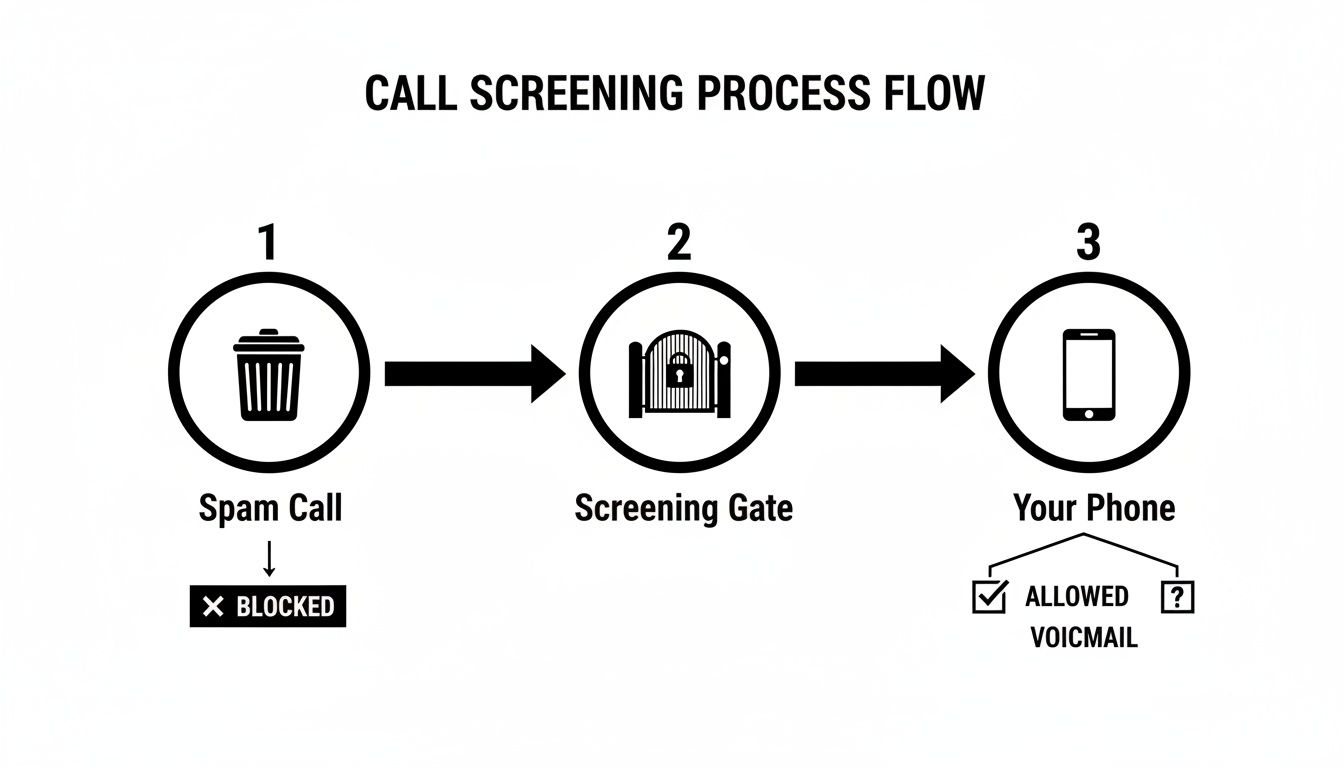
As you can see, once a call hits your phone, it’s funneled through a filter that instantly decides what to do next based on a few key factors.
These on-device systems use a clever mix of tactics:
- Known Offender Lists: Your phone checks the number against massive, constantly updated databases of known spammers, robocallers, and scammers.
- Pattern Recognition: Smart algorithms look for suspicious behavior. For instance, is one number blasting out thousands of identical calls per minute? That’s a huge red flag.
- Crowdsourced Intel: When you or I report a number as spam, that information helps make the system smarter for everyone else, flagging new scams as they pop up.
The most sophisticated tools, like an AI phone answering system, take it a step further. They can actually interact with the caller on your behalf to figure out who they are and what they want before ever letting the call through to you.
It's this tag-team approach—network verification plus on-device smarts—that creates such an effective filter and puts you back in charge of your phone.
Manual Screening vs Automated Screening
To see just how far we've come, it helps to compare the old way of screening calls with the new. We’ve moved from reactive, time-consuming methods to proactive, intelligent systems that do the heavy lifting for us.
| Feature | Manual Screening (e.g., Checking Voicemail) | Automated Screening (e.g., Apps, Carrier Services) |
|---|---|---|
| Speed | Slow; requires listening to messages after the call has been missed. | Instant; decisions are made in real-time before your phone even rings. |
| Accuracy | Prone to human error; legitimate callers can be ignored by mistake. | High; uses vast databases and AI to identify spam with precision. |
| Effort Required | High; you have to manually check every missed call and voicemail. | Minimal to none; the system works automatically in the background. |
| Scam Protection | Limited; relies on you recognizing a scammer's message after the fact. | Proactive; blocks known fraudulent numbers before they can reach you. |
| Customization | Basic; you can block numbers one by one. | Advanced; you can create custom blocklists, allowlists, and set rules. |
| Effectiveness | Low; it's a reactive solution that doesn't stop the interruptions. | High; it prevents unwanted calls from ever disrupting your day. |
Ultimately, while manually checking your voicemail is a form of screening, automated systems have completely changed the game. They offer a powerful, hands-off defense that keeps your line clear for the calls that actually matter.
The Journey From Answering Machines to AI Assistants
Today’s smart call screening didn’t just pop into existence overnight. Its story really begins with the humble answering machine, the very first tool that let you hear from a caller without actually having to pick up the phone. For the first time, you had a choice.
Then came Caller ID, a true game-changer that finally put a name or number to an incoming ring. This was the first real step toward knowing who was on the other end, giving us the power to decide: answer, ignore, or let the machine get it. These early tools laid the groundwork for everything that followed.
The Rise of Unwanted Calls
But as telemarketing and robocalls exploded, these basic defenses just couldn't keep up. The sheer volume of interruptions created a desperate need for something stronger. This pressure eventually forced a major shift, with governments stepping in to fight back.
One of the biggest moves was the U.S. government's 2019 TRACED Act, which pushed for the STIR/SHAKEN framework to be enforced. This protocol now authenticates over 90% of legitimate calls on networks that use it, making it way harder for scammers to fake their numbers. This regulatory battle was critical in setting the stage for more advanced screening, a trend explored in detail in this robocall mitigation report from Businesswire.com.
This historical pivot—from unchecked spam to tech-fortified phone lines—shows how screening became essential for restoring trust in our communications.
This whole journey, from simple caller identification to complex anti-spam laws, paved the way for the intelligent assistants we have on our phones today. The leap from basic answering machines to sophisticated AI is largely thanks to breakthroughs in Large Language Model applications, which are amazing at understanding and processing human language.
Instead of just showing a number, modern systems can now send an automated voice message or even talk with callers to figure out what they want, completing the journey to truly smart call management.
Call Screening Examples You See Every Day
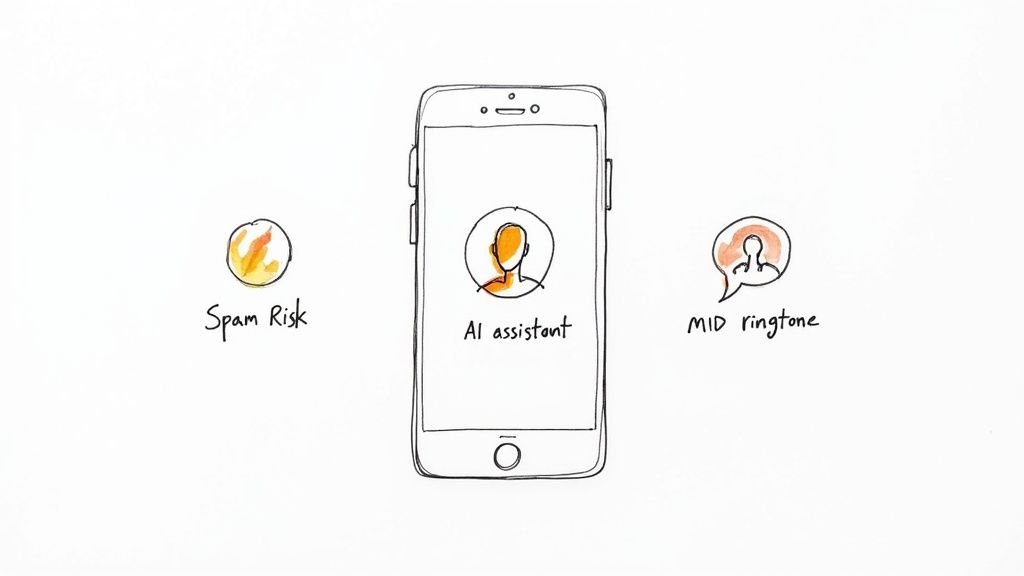
The best technology just works. It fades into the background so perfectly you don’t even realize it’s there, and call screening is a textbook example of this. You've probably used it dozens of times without a second thought.
A classic case is when your phone automatically silences a call from a number you don't know. Instead of buzzing your pocket off, it just flashes a quiet notification on your screen—maybe with a helpful little tag like "Spam Risk" or "Telemarketer." That simple act is automated screening in its most basic form, giving you the power to ignore the call without breaking your focus.
Interactive Screening in Action
These days, our smartphones are getting a lot smarter about it. Modern devices take things a step further with interactive assistants. Google’s Call Screen, for example, doesn't just block a suspicious call; it actually talks to it. An AI assistant literally answers on your behalf, asking the caller who they are and what they want.
You get to watch a live transcript of the conversation as it happens. From there, you can decide whether to pick up, hang up, or just send a quick pre-written reply. It turns a simple block into an active, intelligent filter, giving you all the context you need before you decide to engage. To get a better handle on this, our guide on how to block spam phone calls covers these advanced tools in more detail.
Screening Beyond Your Personal Phone
This isn't just a trick for our personal cell phones, either. Businesses depend on call screening every single day to manage their communications and keep their teams productive.
Think about a virtual receptionist. It's a powerful screening tool that separates time-wasting sales pitches from urgent client calls, making sure the conversations that truly matter always get through to the right person.
In the same way, an Interactive Voice Response (IVR) system is just another kind of automated screener. When a machine asks you to "press 1 for sales" or "say 'support' for technical help," it's screening and sorting every single incoming call before a human ever has to.
The Real Benefits of Screening Your Calls
Sure, blocking annoying calls is nice. But that’s just the start. The real power of screening your calls lies in the massive security boost it gives you. Think of it as your personal frontline defense against a constant barrage of sophisticated phone scams trying to get at your money and your identity.
Every single one of those junk calls you filter out is one less chance for a scammer to get their hooks into you. By stopping these threats before your phone even rings, you’re not just saving a few seconds of your time—you're actively protecting your financial and personal information from ending up in the wrong hands.

Enhance Your Focus and Productivity
Beyond the obvious security wins, consistent call screening is an absolute game-changer for your focus. Every unexpected ring from an unknown number is a tiny interruption that yanks your attention away from what you're doing and completely shatters your workflow.
When you eliminate those constant disturbances, you get to reclaim your concentration and keep your momentum going all day. This is especially true in a business setting. Consider that for B2B sales teams, it takes an average of 8 call attempts just to get a decision-maker on the line. Sifting through the noise isn't a luxury; it's essential.
This intense focus on quality over quantity is exactly why 81% of call center leaders are now investing in analytics to make smarter decisions about screened calls. As you can see from call center stats over at ReadyMode.com, there's a clear line connecting smart screening to better business outcomes.
Taking back control of your phone does more than just stop spam. It cuts down on that background hum of stress and brings back a sense of personal peace. It’s not just a feature; it’s a tool for a safer, more focused life.
Take Back Control of Your Phone Today
Screening your calls isn't just a neat feature; it’s about reclaiming your focus in a world that’s constantly trying to steal it. We've walked through the tech, the history, and the very real payoff that comes from intelligently filtering who gets your attention.
The bottom line is simple: you already have the tools to shut down unwanted interruptions for good.
By actively using call screening, you transform your phone from a source of constant disruption into a reliable and secure communication tool. This simple shift gives you back control and much-needed peace of mind.
I'd really encourage you to explore the screening options already baked into your smartphone and offered by your carrier. Many of these features are designed to work together with other call management tools. For a deeper dive into how you can make these systems work in sync, check out our guide on conditional call forwarding.
Start today. Just enable these features and see for yourself how much calmer and more productive your days become when you're the one deciding which calls matter. It’s time to make your phone work for you again, not the other way around.
A Few Common Questions About Call Screening
Even when you've got a good handle on what call screening is, a few practical questions almost always come up. Let's walk through the most common ones to clear up any confusion about how this all works in the real world.
Will Call Screening Block Important Calls By Mistake?
This is probably the number one worry, but modern screening systems are incredibly smart about this. They're not looking to block your doctor's office; they're targeting numbers with obviously suspicious patterns, like a single number blasting out thousands of calls a minute.
Think about it: a legitimate caller—whether it's a delivery service or a new client—just doesn't behave that way. On top of that, most systems let you create an "allowlist" or automatically approve anyone in your contacts, making sure the important calls always get through without a hitch. The whole point is to filter out the noise, not the signals that actually matter.
Do I Need a Special App to Screen Calls?
Not always. Most modern smartphones, both iPhones and Androids, come with some powerful screening tools baked right in. Features like Apple’s Live Voicemail and Google’s Call Screen are standard issue these days and do a surprisingly good job on their own.
That said, a dedicated third-party app can give you an extra layer of control. These often offer more advanced features, such as:
- Deeper Customization: You can set up very specific rules for how to handle different kinds of numbers.
- Community Reporting: They tap into a huge, crowd-sourced database of known spam numbers, which is often more up-to-date than the built-in lists.
- AI Assistants: Some use advanced AI to actually interact with callers for you, gathering information before you ever pick up.
So while your phone's native tools are a great place to start, a specialized app can really fine-tune your defense.
How Does Screening Affect Outbound Sales Calls?
If you're on a sales team, the rise of call screening just means those first few seconds of a call are more critical than they've ever been. But here's some perspective: recent data shows that only a tiny fraction of calls—around 2.5%—actually run into an automated voice assistant.
What this really means is that while screening is common, its direct impact on legitimate business outreach is pretty minimal. The trick is to have a crystal-clear, concise opening that immediately states who you are and why you're calling. Get straight to the point, and you'll pass that initial filter and connect with your prospect.
Ready to stop missing important calls while filtering out the noise? The Marlie Ai 24/7 AI phone assistant answers every call, books appointments, and ensures your legitimate customers always get the help they need. See how it works.
