

Think of an automated call system as your ultimate digital receptionist—one that works around the clock without ever needing a coffee break. These aren't just simple robocalls. They're sophisticated tools that can handle everything from appointment reminders and customer questions to processing secure payments, all without a human needing to constantly watch over them.
What an Automated Call System Can Do for You
At its heart, an automated call system is a piece of technology designed to manage your inbound and outbound calls. It helps businesses talk to their customers efficiently and at a scale that would be impossible with just a team of people. Instead of having someone manually dial every number or pick up every single call, this software steps in to handle the repetitive stuff.
This frees up your team to focus on the more complex, high-value conversations that actually require a human touch.
The technology has come a long way. The early versions were clunky, menu-based IVR (Interactive Voice Response) systems where you’d hear the classic, "press 1 for sales, press 2 for support." Today's systems are worlds smarter, often powered by artificial intelligence that can understand natural language and hold a real conversation.
From Manual Dialing to Intelligent Automation
The core goal has always been the same: make communication more effective and less of a grind. A fundamental piece of this puzzle is the technology that handles proactive outreach, and you can explore the nuts and bolts of automatic phone dialer systems to see how that works. But modern systems do so much more than just dial.
Here's what they bring to the table:
- 24/7 Availability: An automated system never sleeps. This means your business can answer questions, book appointments, or take payments long after your team has gone home for the day.
- Increased Efficiency: By taking over routine inquiries, these systems slash call handling times and let you manage thousands of interactions at once. It’s a massive force multiplier.
- Improved Customer Experience: Modern AI-driven systems get rid of those frustrating phone menus and long hold times. They provide instant answers and can intelligently route the truly complex issues to exactly the right person.
The real power of an automated call system isn't just in answering calls; it's in creating a seamless, scalable communication channel that enhances customer satisfaction while driving operational savings.
Ultimately, this kind of technology isn't just for massive corporations anymore. It has become an accessible and incredibly powerful tool for any business looking to operate more efficiently and deliver a better experience to its customers.
How Automated Calling Actually Works
At its core, an automated call system is like a digital switchboard, directing calls without a human operator plugging in cords. But that’s where the similarities end, because the technology driving these systems has split into two very different paths.
You can think of it as a spectrum. On one end, you’ve got the old-school, rigid phone tree everyone loves to hate—that’s Interactive Voice Response (IVR). On the other end is something much more fluid and intelligent: conversational Artificial Intelligence (AI). They both handle calls, but the experience they deliver couldn't be more different.

The Classic Phone Tree IVR
We’ve all been there. You call a company and a robotic voice says, “Press 1 for Sales, Press 2 for Support.” That’s a traditional IVR. It works like a simple flowchart, forcing you down a pre-set path using your phone’s keypad. It’s completely rule-based, which means it can only do exactly what it was programmed for, nothing more.
This works fine for basic, predictable tasks, like checking an account balance. But the moment a customer’s problem doesn’t fit neatly into one of those boxes, the frustration kicks in. You know the feeling—furiously mashing the "0" key, just hoping to find a real person.
An IVR system follows a strict script, much like a choose-your-own-adventure book with only a few, limited paths. It’s great for routing calls based on simple numbers, but it completely falls apart with any request that dares to go off-script.
If you want to really get into the weeds of this foundational tech, our guide on what IVR is is a great place to start. Understanding its limitations is key to appreciating the massive leap forward that AI represents.
The Conversational AI Approach
Now, let's talk about the modern automated call system. This approach uses AI to have a real conversation. Instead of a clunky menu, callers are greeted by something that understands natural language. Think less "phone tree" and more Siri or Alexa for your business.
This is all possible thanks to Natural Language Processing (NLP), which allows the system to figure out what someone is actually saying and what they mean. It’s not just following a script; it’s actively listening and problem-solving in real time.
A customer can just say, "I need to move my appointment on Friday," and the AI gets it. It checks the calendar, finds open slots, and offers them up, all within a normal back-and-forth conversation.
This feels so much more human and gets things done way faster. No more navigating endless menus. A well-designed AI can handle complex questions, schedule appointments, take payments, and only hands the call off to a person when the situation is truly unique or needs a genuine human touch.
To really see the difference, let’s break down how these two technologies stack up side-by-side.
Comparing AI-Powered Systems and Traditional IVR
The gap between a basic IVR and a true AI-powered system is massive. One is a relic of a bygone era, designed for simple routing, while the other is built for genuine, helpful interaction. This table highlights the key distinctions that matter most for your business and your customers.
| Feature | Traditional IVR System | AI-Powered Automated Call System |
|---|---|---|
| Caller Interaction | Rigid, menu-driven ("Press 1…"). Relies on keypad inputs. | Natural, conversational language. Understands intent and context. |
| Flexibility | Follows a strict, pre-programmed script. Zero ability to deviate. | Adapts to the caller's needs in real-time. Can handle unexpected questions. |
| Problem Solving | Limited to simple, pre-defined tasks like call routing or basic info retrieval. | Can perform complex actions like scheduling, processing payments, or troubleshooting. |
| Customer Experience | Often frustrating and impersonal. Can easily lead to dead ends and high abandonment rates. | Feels personal and efficient. Solves problems quickly, leading to higher satisfaction. |
| Setup & Maintenance | Requires manual programming of call flows. Changes are slow and complex. | Learns and improves over time. Updates can be made by simply editing conversational scripts. |
| Integration | Basic integrations, often requiring significant custom development work. | Seamlessly connects with CRMs, calendars, and payment systems for end-to-end task completion. |
Ultimately, the choice comes down to what you want to achieve. If you just need a simple call router, an IVR might suffice. But if your goal is to create efficient, satisfying customer interactions that actually solve problems, an AI-powered system is the only way forward.
Core Features That Drive Business Growth
Knowing the tech behind an automated call system is one thing. Seeing how it actually solves real-world business problems? That’s where the value really comes alive.
These aren't just fancy call handlers. Think of them as powerful tools built to take repetitive tasks off your plate, free up your team, and create a much smoother, more professional experience for your customers.
Let's walk through four game-changing features that make an immediate difference for small and medium-sized businesses. Each one tackles a common operational headache, turning a point of friction into a real opportunity for efficiency and growth.
Hands-Free Appointment Scheduling
If you run a service business—whether it's a dental office or an HVAC company—you know the appointment book is a constant, time-sucking chore. An automated system completely changes the game by letting customers book, reschedule, or cancel appointments 24/7 over the phone, without ever needing to speak to a person.
Picture a busy dental clinic. Instead of a receptionist spending hours confirming appointments one by one, the system sends out reminder calls automatically. If a patient needs to move their slot, they can do it right there on the call, and the system instantly updates the clinic’s calendar. This simple shift dramatically cuts down on no-shows and frees up your front-desk staff to focus on the patients who are right there in the office.
Intelligent and Secure Payment Processing
Taking payments over the phone usually means a staff member has to manually punch in sensitive credit card details. Not only is this slow, but it's also a security risk. A modern automated system handles all of it, securely and efficiently.
Consider a local shop processing an order after hours. A customer can call in, place their order, and pay through a secure, automated voice prompt. The system processes the transaction without any human hands touching it, making sure the sale is captured and the customer's data stays protected. Just like that, you've opened up a new revenue channel that works around the clock.
By automating routine but critical tasks like scheduling and payments, businesses can reclaim an average of 10-15 hours per week. That’s time you can put back into high-value activities that actually grow the business.
Smart Call Routing and Screening
Not every call needs to go to the same person. An intelligent automated call system acts like a hyper-efficient switchboard operator, making sure callers get to the right person or department in seconds. It can screen calls, gather some initial info, and route them based on what the caller actually needs.
For a service company like a locksmith, this is a lifesaver. When a customer calls with an emergency lockout, the AI can ask for their location and the type of service they need. It then instantly forwards that information—and the call—to the nearest available technician. This slashes delays and ensures the most urgent jobs get the fastest response. For more insight into delivering effective calls, you can explore our guide on creating a powerful automated voice message.
Powerful Spam and Robocall Blocking
Unwanted calls aren't just an annoyance; they waste precious time and clog up your phone lines, stopping real customers from getting through. A core feature of any modern automated call system is its ability to spot and block spam calls before they ever reach you.
Using advanced detection, the system filters out known spam numbers and suspicious call patterns. The result? Your phone only rings for legitimate business opportunities. To better understand the robust capabilities and functionalities that drive growth, review the top features of marketing automation. These tools work together to create a much more productive environment for your team.
Measuring the Real-World Benefits and ROI
Features are nice, but let's be honest—what really matters is how an automated call system affects your bottom line. We can talk about the tech all day, but the true value shows up in measurable gains: lower costs, more revenue, and happier customers who actually stick around.
The most immediate win is a sharp drop in your operational costs. Think about all the routine, repetitive tasks your team handles—appointment reminders, status updates, basic FAQs. When you automate those, you're not replacing your people; you're freeing them up to focus on the complex, high-value conversations that genuinely need a human touch.
This shift doesn’t just save money; it starts making it. With a system working for you 24/7, your business can book appointments, capture leads, and even process sales long after your team has gone home. You're no longer chained to the 9-to-5, which opens up a constant stream of opportunities.
Calculating Your Return on Investment
To make a smart decision, you need to see the Return on Investment (ROI). This isn't just about trimming expenses. It's about weighing the cost of the system against the real-world gains in efficiency and revenue.
A great place to start is by figuring out what you're currently spending to handle calls. We put together a guide that walks you through how to calculate cost savings from business phone systems. Going through that process will show you exactly how much each call costs your business and where automation will make the biggest dent.
The image below breaks down the core features that drive these financial benefits.
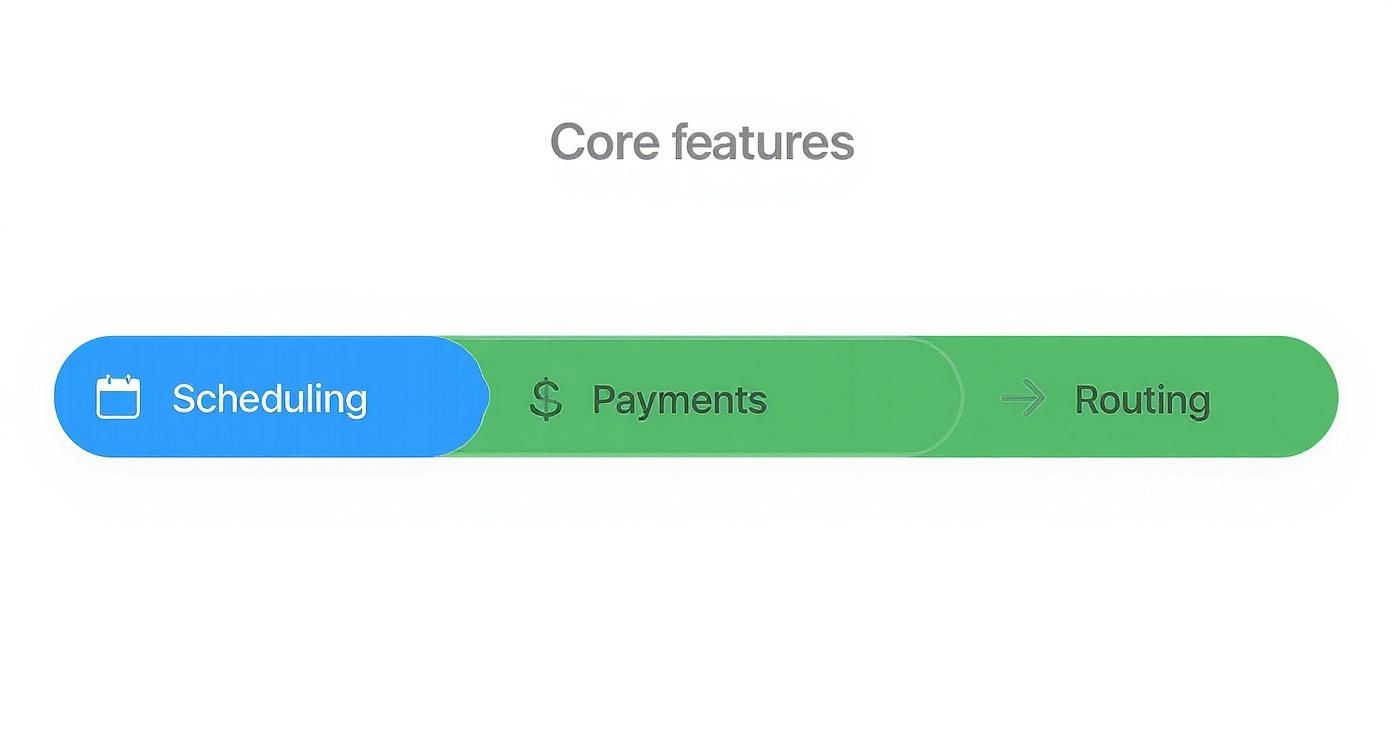
As you can see, features like automated scheduling and payment processing directly tackle major operational headaches, leading to some serious efficiency boosts.
Broader Market Impact and Efficiency Gains
This move toward automation isn't happening in a vacuum; it’s a huge industry-wide trend. The global call center market was valued at around USD 352.4 billion in 2024 and is expected to hit USD 500.1 billion by 2030.
The numbers back it up. Call centers using AI see a 14% increase in issues resolved per hour and cut their average call handling time by 9%. You can dig into more of these contact center performance stats on Plivo.com.
ROI isn't just a number. It's the peace of mind that comes from knowing you’re not missing calls, the higher morale when your team focuses on meaningful work, and the customer loyalty built on fast, frictionless service.
When you get right down to it, a good automated call system pays for itself. It transforms your phone line from a necessary expense into a powerful engine for growing your business and keeping your customers happy.
How Call Automation Works in the Real World
Theory is one thing, but seeing an automated call system solve actual business problems is where it all clicks. Across dozens of industries, business owners are finding clever ways to turn this technology from a cool idea into a serious competitive advantage. This isn't a one-size-fits-all tool; its real power is how it adapts to what you need.
Let's look at a few stories from businesses that were dealing with common, everyday headaches and found a way out with automation.
Healthcare: Slashing No-Shows and Freeing Up Staff
The Problem: A busy dental clinic with multiple practitioners was bleeding money from patient no-shows. It was adding up to thousands in lost revenue every single month. Their front desk staff were burning hours making manual confirmation calls, pulling them away from the patients standing right in front of them. It was slow, inefficient, and mistakes were bound to happen.
The Solution: They switched on an automated system for their appointment reminders. The system would call patients two days before their appointment, letting them confirm with a simple keypress or voice command. If a patient couldn't make it, the system could offer new time slots and update the clinic's schedule on the spot.
The Result: In just three months, the clinic cut its no-show rate by over 60%. The front desk team got back nearly 10 hours a week, time they could now spend giving patients in the office a better, more personal experience. This isn't just a one-off success; the healthcare world is catching on fast, and it's expected to be the fastest-growing sector for call automation. To get a sense of this trend, check out the latest on call center automation trends on voicespin.com. Our own guide on building a dental answering service goes even deeper into this specific playbook.
Real Estate: Qualifying Leads Around the Clock
The Problem: A small real estate agency was watching good leads go cold. Inquiries that came in after 5 PM or on weekends were a missed opportunity. By the time an agent could call a potential buyer back the next business day, they’d often moved on to another property.
The Solution: The agency set up their automated system to instantly call every single person who filled out a form on their website. The AI assistant would ask a few key questions—what's your budget, where are you looking, what's your timeline?—and then offer to book a call with a live agent.
By engaging leads within the first five minutes, businesses can increase their conversion rates by as much as 900%. Automation makes this immediate follow-up possible at any time of day.
The Result: The agency started qualifying leads 24/7, making sure no opportunity slipped through the cracks. Their lead-to-appointment conversion rate shot up by 35%. Agents no longer started their day chasing down cold leads; instead, they opened their calendars to find them full of pre-vetted, serious buyers ready to talk.
Your Implementation and Integration Checklist
Switching to an automated call system is a big move—one that’s more about strategy than just tech. If you want it to start paying off from day one, you need a solid plan before a single call ever goes out. This checklist will walk you through the essentials.

Think of it like building with LEGOs. You wouldn't just start snapping pieces together without an idea of what you're trying to build. First, you need a clear picture of the end goal.
-
Define Your Primary Goal: What's the single biggest problem you’re trying to solve? Is it to slash appointment no-shows, qualify leads when you're closed, or just get the phones to stop ringing off the hook so your staff can breathe? Pinpoint one specific metric you absolutely need to improve.
-
Choose the Right Provider: All systems are not created equal. Hunt for a provider that offers true conversational AI, plays nice with the tools you already use, and has a pricing model that actually makes sense for your call volume. Our guide on how to replace IVR with AI can help you spot the modern features that really matter.
-
Prepare Your Customer Data: Your shiny new system is only as smart as the data you feed it. Time to clean up those contact lists. Make sure phone numbers are formatted correctly and segment your customers where it makes sense (like separating new leads from your loyal regulars).
Scripting and Integration
With the foundation set, it’s time to design the customer experience and plug everything in. This is where your automated system stops being a tool and starts becoming a true extension of your business.
A great script feels natural and helpful, not like a robot interrogation. Map out the ideal conversation for your main goal. Write down the key questions the AI needs to ask and what information it has to collect to get the job done.
A successful integration creates a single source of truth for all customer interactions, eliminating manual data entry and providing your team with a complete picture of every customer's journey.
Finally, connect your system to your most critical software. Getting it to talk to your CRM (like Salesforce or HubSpot) or your calendar (like Calendly) is non-negotiable. This is what makes the magic happen: appointments booked by the AI pop up instantly on your schedule, and new lead info gets logged automatically. Now you have a powerful, hands-off workflow.
Frequently Asked Questions
Jumping into any new tech brings up questions, and that’s smart. It's easy to get excited about the benefits, but you also need straight answers on the practical stuff. Here are a few of the most common questions business owners ask before they decide to bring on an automated call system.
Isn't This Kind of Technology Too Expensive for a Small Business?
Not anymore. That's an old idea from a time when automation meant servers in a closet and a huge upfront check. Modern systems, especially the ones built in the cloud, have completely changed the game.
Forget about buying expensive hardware. The best platforms today run on a subscription or pay-as-you-go model. That means you're only paying for what you actually use, making an automated call system surprisingly affordable for businesses of any size.
Will My Customers Hate Talking to a Robot?
This is probably the biggest hesitation we see, and it's a fair one. We've all been trapped in those awful "press one for sales" phone menus from the 90s. But today's AI is a different beast entirely. It's built to understand what people are actually saying, in their own words, and respond in a helpful, almost human way.
The key is what you ask it to do. The AI is there to handle the routine, predictable stuff—booking an appointment, checking on an order, answering a basic question—things that just need to be done fast. For those tasks, most customers would much rather get an instant answer than sit on hold waiting for a person.
A well-designed system makes sure that when a caller really does need a human touch, they get transferred to a live agent, no fuss. It’s that blend of AI speed and human smarts that actually makes customers happier.
How Long Does This Take to Set Up?
You can get a powerful system going a lot faster than you’d think. For most businesses, you can be up and running in a matter of minutes, not weeks.
The whole process is pretty straightforward:
- Pick your business phone number.
- Record a professional greeting so callers know who they've reached.
- Set up the basic script for what you want the system to do.
- Connect it to the tools you already use, like your calendar.
These platforms are designed to be simple. The goal is to get you started quickly and let you tweak and perfect things as you go.
Ready to see how an AI phone assistant can change the way you do business? Marlie Ai answers every call in seconds, books jobs 24/7, and saves businesses up to 80% on call-handling costs. Learn more and get started today.
