

Let's be real—the old office phone system just doesn't cut it for a distributed workforce. Tying your business communication to a physical desk in a single building is a relic of the past. Today's world demands agility, and that means your phone system needs to be as flexible as your team.
A modern phone system for remote workers is simply a cloud-based communication platform. It lets your team make and receive business calls from anywhere, on any device with an internet connection. It swaps out the clunky, office-bound hardware for smart, flexible software, ensuring you stay connected no matter where your employees are.
A New Way of Working Needs a New Way of Talking
Think of it like trading a physical switchboard for an intelligent cloud hub that follows your team wherever they go. Instead of being chained to a desk, your entire communication setup lives online, accessible through an app on a laptop, smartphone, or tablet.
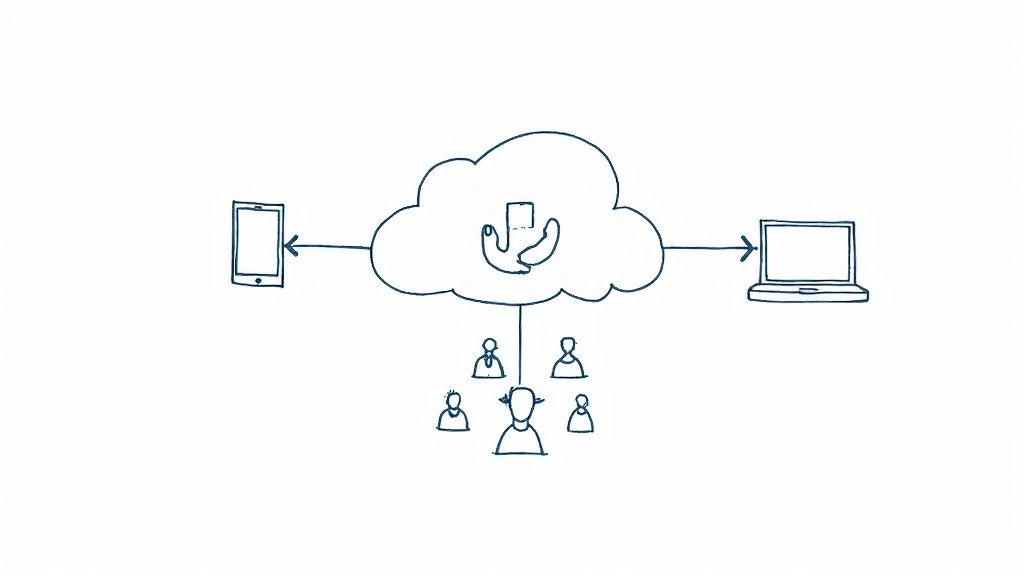
This isn't just a trend; it's a fundamental shift. By 2025, it's projected that 48% of employees worldwide will be working remotely in some capacity. In the U.S. alone, over 32.6 million people are already fully remote. That's a reality that has completely reshaped what businesses need to communicate effectively.
It’s So Much More Than Call Forwarding
A true phone system for remote workers does far more than just forward calls to a personal cell. It’s a complete, integrated platform built for professional business operations, no matter the physical location. This is no longer a luxury—it’s a core requirement for keeping your business running and your customers happy.
With the right setup, you get some clear wins:
- A Unified Professional Identity: Your team can make and receive calls from your official business number, which keeps your brand looking polished and consistent.
- True Location Independence: Employees are free to work from home, on the road, or across different time zones without ever losing connection to the central phone system.
- Better Collaboration: These systems often include tools like messaging and video conferencing that keep distributed teams feeling connected and in sync.
The Power of an Integrated Hub
The best systems serve as a central command center for all your voice interactions. To get a better sense of the technology behind this, check out this comprehensive guide to VoIP services, which breaks down how internet-based calling makes all this possible.
A modern remote phone system isn't just a tool; it's a strategic asset. It ensures every customer interaction is professional, every team member is reachable, and every opportunity is captured, regardless of geography.
Ultimately, this is about future-proofing your business. When you pair a flexible phone system with smart automation, like an AI phone answering system, you create a powerful, resilient operation that can thrive in any work environment. This guide will walk you through everything you need to know.
Why a Dedicated Remote Phone System Drives Business Growth
Let's be honest: when your team uses their personal cell phones for business, it creates a messy, inconsistent experience for customers. It blurs the lines, looks unprofessional, and can quietly chip away at your credibility. Investing in a proper phone system for your remote workers isn't just about making calls—it's a strategic move that directly fuels growth.
Right away, a dedicated system establishes a unified, professional front. Every single call is answered under your business's identity, not an employee's personal voicemail. That small change makes a massive difference, building trust from the very first hello. It tells your customers they're dealing with an established, buttoned-up company, no matter where your team is actually sitting.
Smoothing Out the Customer Journey
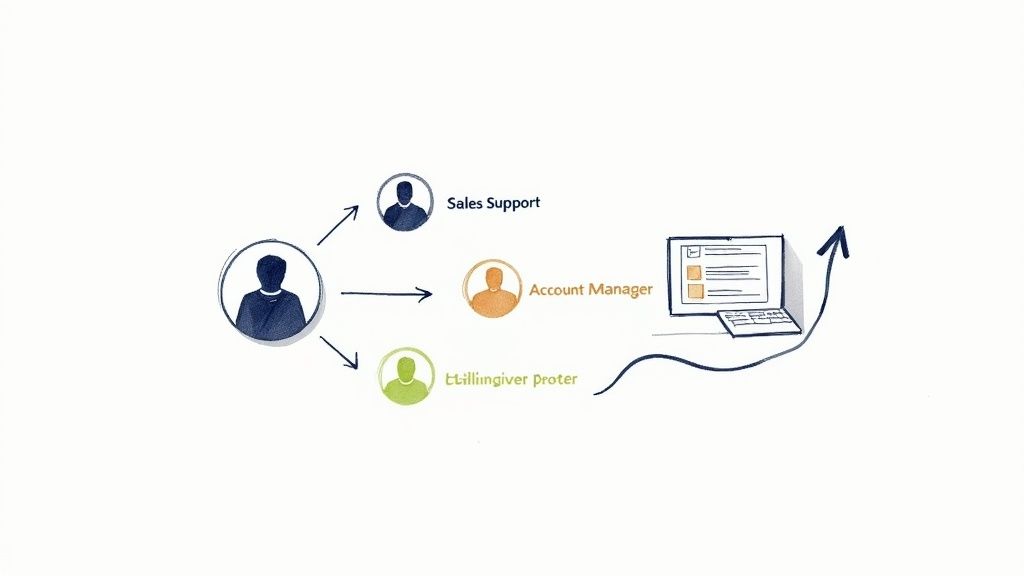
A clunky call experience is one of the fastest ways to lose a potential sale. We've all been there—stuck in a frustrating loop of being transferred from person to person, only to land in the wrong department. A modern remote phone system cuts through that chaos with intelligent call routing.
Think of it as a smart digital receptionist that instantly figures out where each caller needs to go.
- A sales inquiry? It goes straight to your sales team, no detours.
- Someone with a support question? They're routed directly to the technical experts.
- A high-value client calling in? They can be sent right to their dedicated account manager.
This isn't just about making customers happier; it's about pure efficiency. It shortens sales cycles and gets problems solved on the first try, creating a seamless experience that brings people back. If you want to dive deeper into front-line communications, check out our guide on choosing a call answering service for your business.
Giving Your Team Its Focus and Productivity Back
For remote teams, constantly switching between apps is a real productivity killer. A unified phone system brings everything together—voice, messaging, and sometimes even video—all in one place. That means less time spent toggling between tools and more time focused on what actually matters.
The explosion of remote work has completely changed the game. It’s no surprise that remote workers report productivity jumps between 35% and 40%, mostly because of fewer distractions and more flexibility. This shift makes an optimized communication hub more critical than ever.
By pulling all your communication into one place, a dedicated phone system for remote workers slashes digital friction. It empowers your team to be faster, more responsive, and more effective—and that efficiency translates directly to a healthier bottom line.
Ultimately, this is about building a communication backbone for your business that is resilient, professional, and efficient. It gives your team the tools they need to shine while delivering the polished, reliable experience your customers deserve. That’s how you drive real, sustainable growth.
The Non-Negotiable Features Your Remote Phone System Needs
Picking a phone system for a remote team can feel like trying to find a needle in a haystack. Every provider shouts from the rooftops that they’re the best, but what really separates a decent tool from a business-critical asset are the features themselves. This is your no-nonsense checklist for making a smart choice, focusing on the stuff that actually solves the real-world headaches of remote work.
Think of these features less like a list and more like the essential blueprints for your digital headquarters. Without them, your team is just making calls. With them, you’re building a professional, cohesive, and ridiculously efficient communication machine that just works, no matter where your people are.
Advanced Call Routing and Auto-Attendant
You only get one chance to make a first impression. An auto-attendant is your virtual receptionist, greeting every single caller with a professional, consistent message and getting them where they need to go. It instantly makes your business feel established and organized, even if your "office" is a collection of kitchen tables across three different time zones.
But the magic really happens after that initial greeting. Advanced call routing is the intelligent engine that directs the traffic. It’s what makes sure a hot sales lead doesn’t get stuck in the support queue. This isn't just about being slick; it’s about respecting your customer's time and connecting them to the right person, right away.
Look for routing capabilities like:
- Time-based routing: Automatically send calls to different teams or voicemails based on your business hours. No more missed calls after 5 PM.
- Skill-based routing: Funnel callers with specific needs (like a technical issue versus a billing question) straight to the experts who can actually solve their problem.
- Geographic routing: Forward calls to the closest office or rep based on the caller's area code—a must-have for any business with a physical footprint in multiple locations.
Dedicated Mobile and Desktop Apps
At the heart of any great phone system for remote workers is the ability to turn any device—a laptop, a smartphone, a tablet—into a full-featured business phone. This is where dedicated mobile and desktop apps become completely non-negotiable. These apps empower your team to make and receive calls using your business number, keeping their personal number private.
That separation is critical. For one, it protects your employees' privacy. Just as importantly, it ensures every customer interaction is branded and professional. When a client sees your company's name on their caller ID, it builds trust and reinforces your legitimacy. Many growing businesses also find it helps to have options for managing multiple business phone lines to keep different departments or roles neatly organized.
A dedicated app transforms an employee's laptop or smartphone into a secure, full-featured extension of your office. It's the key to unlocking true location independence without sacrificing professionalism or control.
Call Recording and Detailed Analytics
How can you possibly coach a remote team on call quality if you can't hear their conversations? Call recording gives you the raw material for genuine training, quality assurance, and even dispute resolution. It lets managers review real interactions, pinpoint areas for improvement, and share standout examples with the whole team.
Beyond that, call analytics give you the hard data to make smarter business decisions. A solid system will have a dashboard tracking the metrics that matter:
- Call volume and peak times
- Average call duration
- Missed call rates
- Performance of individual team members
This isn't just trivia. This data tells you when you need more staff, who your top performers are, and what your customers are actually calling about. It’s the difference between guessing and knowing.
To truly understand what matters, it helps to see these features laid out side-by-side. Think of this as your cheat sheet for evaluating any system.
Table: Essential Features of a Modern Remote Phone System
| Feature | Primary Function | Benefit for Remote Teams |
|---|---|---|
| Auto-Attendant | Greets callers and provides a menu of options. | Ensures a professional, consistent first impression, 24/7. |
| Call Routing | Directs incoming calls to the right person or department. | Connects customers to the right expert faster, reducing frustration. |
| Mobile & Desktop Apps | Enables calls from any device using the business number. | Frees team from the office while protecting their privacy. |
| Call Recording | Captures audio of conversations for later review. | Provides concrete material for training, quality control, and compliance. |
| Analytics Dashboard | Tracks call metrics like volume, duration, and outcomes. | Offers data-driven insights to improve staffing and performance. |
| CRM/Helpdesk Integration | Syncs call data with customer relationship software. | Gives team instant context on every caller, enabling smarter service. |
Looking at the big picture, you can see how these features aren't just isolated tools. They work together to create a communication system that is greater than the sum of its parts.
Seamless CRM and Helpdesk Integrations
Your phone system shouldn't be an island. To get the most out of it, it absolutely has to connect with the other tools your team lives in every day—especially your Customer Relationship Management (CRM) platform like Salesforce or a helpdesk tool like Zendesk.
Imagine a call comes in. An integrated system automatically pops up the customer's entire history on your employee's screen. They instantly see past purchases, previous support tickets, and contact details before they even say "hello." This one feature saves an incredible amount of time, gets rid of those annoying "can you give me your account number again?" questions, and makes for a ridiculously smooth customer experience.
Once the call is over, the system can log the entire interaction—along with notes and a link to the recording—directly into that customer's profile. This creates a single source of truth for every interaction, making sure anyone on your team can pick up right where the last person left off. It completely breaks down information silos and gives your remote staff the context they need to deliver knockout service, every single time.
A Step-by-Step Guide to a Smooth Implementation
Switching your team over to a new phone system can feel like a huge project, but with the right map, it’s a surprisingly straightforward climb. A good plan turns a daunting migration into a series of manageable steps. The goal is to replace uncertainty with a confident strategy that gets you up and running without missing a beat.
This whole process starts not with technology, but with people. A successful rollout hinges on understanding how your team actually communicates every day. Only then can you build a system that genuinely makes their jobs easier, not harder.
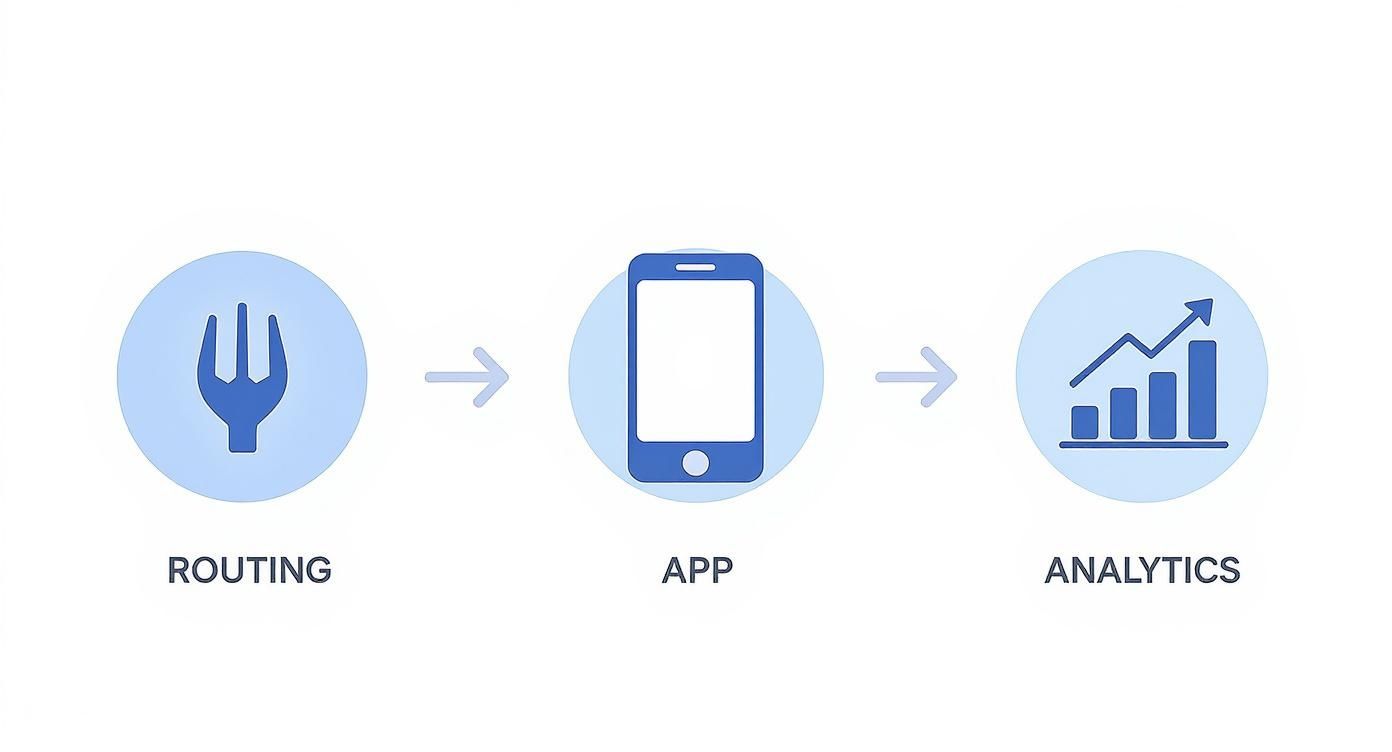
Think of it like this: a call comes in, the system intelligently routes it to the right person’s app, and every interaction generates data you can use. Nailing this flow from day one is the key.
1. Figure Out How Your Team Actually Talks
Before you touch a single setting, you need to do a communications audit. Don't just assume you know how calls move through your business—go ask the people on the front lines. Who answers the first call? Who handles transfers? Knowing these real-world patterns is what allows you to set up a system that solves actual problems.
Here are a few things to dig into:
- Call Volume: How many calls does each person or department realistically handle?
- Peak Hours: When does the phone ring off the hook? This is crucial for staffing and routing.
- Call Types: Are most calls from new leads, existing customers needing support, or just general questions?
2. Plan Your Switch and Keep Your Number
Let's be clear: keeping your existing business number is non-negotiable. It’s part of your brand. The process of moving that number to a new provider is called number porting. While your new provider does the technical heavy lifting, you need to coordinate the timing perfectly to avoid any dead air.
The ultimate goal here is a seamless transition. Plan your "go-live" date for a slower time, like a mid-week afternoon. This gives your team a chance to get comfortable without being thrown into the fire.
Work-from-home setups have proven to be a massive cost-saver for businesses, preventing over $30 billion in daily productivity losses during major disruptions. It just goes to show how critical a reliable remote phone system is for keeping the doors open. With 36% of employees expected to be fully remote by 2025, flexible communication isn't a luxury anymore; it’s a necessity. You can discover more insights about remote work statistics on zoom.com.
3. Build Your Call Flows and User Settings
This is where your audit pays off. You start by building out your auto-attendant menu ("Press 1 for Sales, Press 2 for Support"). From there, you create the routing rules that get callers to the right place. For instance, you could have your main sales line ring every salesperson at once—first one to pick up gets the lead.
Getting these pathways right is everything. A well-designed call flow doesn’t just make customers happy; it saves your team from becoming frustrated human switchboards. For a deeper dive on this, check out our guide on how conditional call forwarding works.
4. Get Your Team Ready for Success
At the end of the day, the tech is only as good as the people using it. Don't just email out a login and hope everyone figures it out. Block off time for a real training session to walk them through the new system.
Make sure you cover the essentials:
- Getting In: How to log into the desktop and mobile apps.
- The Basics: Making, answering, and transferring calls.
- The Extras: How to check voicemail, set their availability status, and listen to call recordings.
Give them a simple one-page cheat sheet they can keep on their desk. When you arm your team with knowledge from the get-go, they’ll actually want to use the new tools, which means you’ll see the benefits that much faster.
How to Choose the Right Remote Phone System Provider
You’ve got the features mapped out and a plan to get things running. The final piece of the puzzle is picking the right partner for the long haul. Choosing a phone system for remote workers is about more than just a feature-for-feature spreadsheet; it’s about finding a company whose technology and support actually line up with where your business is headed.
Making the right call here means looking past the polished sales pitch. You need to ask the tough questions that reveal what a provider is really made of. After all, a great system on paper is completely useless if you can’t get a human on the line when you need help, or if the pricing is designed to nickel-and-dime you into oblivion. This final step is your chance to make sure the system won’t just work today, but will grow right alongside you.
Questions to Ask Every Potential Provider
When you jump on a demo call or chat with a sales rep, have this checklist handy. Their answers will tell you everything you need to know about how reliable, transparent, and committed they are to their customers.
- What does your customer support actually look like? Don’t settle for a vague answer. Ask about their average response times, if support is available 24/7, and whether you'll be talking to a real person or fighting with an endless phone tree.
- Can you show me a detailed pricing breakdown? Insist on seeing every potential cost. That means setup fees, per-minute charges, or any extra costs for adding new users or numbers. No one likes surprises on their bill.
- How does your system handle security and compliance? Dig into their encryption standards (like SRTP/TLS), data center security, and whether they are compliant with regulations like HIPAA if that’s relevant to your industry.
- What is your guaranteed uptime? A provider worth their salt should offer a Service Level Agreement (SLA) that guarantees a specific uptime percentage, usually 99.999%. This is your assurance that they’ll keep you connected.
Choosing a provider is like hiring a key employee. They need to be reliable, transparent, and ready to support your team when challenges arise. A great product paired with poor support is a recipe for long-term frustration.
Run an Effective Product Demo
A product demo is your chance to get behind the wheel. Don't just sit back and let the salesperson drive. Come prepared with a list of your most common, everyday tasks and ask them to walk you through each one. For instance, have them show you how to transfer a call, add a note to a contact, or pull a simple report on missed calls.
This hands-on approach is the best way to see if the system’s workflow feels natural for your team. If the interface feels clunky or confusing during the demo, it’s only going to be worse when your team is trying to use it under pressure. To get a head start, you can explore this detailed small business phone system comparison to see how leading options stack up against each other.
Ultimately, the right provider makes your life easier. They offer a powerful, reliable phone system for remote workers, back it up with stellar support, and give you clear, honest pricing. By asking these critical questions and running a thorough demo, you can confidently pick a partner who will help your business communicate, collaborate, and grow for years to come.
Got questions? Of course you do. Diving into a new piece of tech for your business always brings up a few "what ifs" and "how does thats." It's smart to ask them.
Think of this as your final sanity check. We'll tackle the most common questions that pop up right before making the switch, covering the practical, nuts-and-bolts stuff that ensures a smooth transition.
Can I Keep My Existing Business Phone Number?
You bet. Any reputable provider worth their salt has a process called number porting. It’s just a fancy way of saying they’ll move your current number—local, toll-free, whatever you've got—over to their system.
They handle all the behind-the-scenes work to make sure there's zero downtime. Your customers won't notice a thing, which is exactly how it should be. Your brand stays consistent, and nobody misses a call.
What Kind of Internet Connection Do I Need?
You probably already have what you need. A single call over the internet uses a surprisingly tiny amount of data (less than 100 kbps), so it's not about raw speed. It's about stability.
A reliable broadband connection—like fiber, cable, or business-class DSL—is more than enough to give your team crystal-clear calls without any annoying lag or jitter. If your team can stream video without issues, they can handle business calls.
For a remote team, a rock-solid internet connection is the new office building. It's the foundation for everything. Making sure every team member has that stability is step one for a successful setup.
Are Cloud-Based Phone Systems Secure?
Yes, and top providers take this incredibly seriously. They build their systems with multiple layers of security to keep your conversations and data locked down tight.
Here’s what to look for:
- Call Encryption: This is non-negotiable. Protocols like TLS and SRTP scramble your call data, making it completely unreadable to anyone who might be listening in.
- Secure Data Centers: Your provider should be using top-tier, highly secure facilities with backup systems to keep things running reliably and protect against threats.
- Regulatory Compliance: If you're in an industry like healthcare (HIPAA) or handle payments (PCI), you'll want a system built to meet those strict standards. It’s a huge indicator that they know how to handle sensitive data properly.
How Does It Work on Mobile Devices?
It's all about the app. Modern remote phone systems come with slick mobile apps for both iOS and Android that essentially turn any smartphone into a full-powered business line.
Your team can make and receive calls showing the official company number, pull up the corporate directory, check voicemail, and tweak their settings from anywhere. This creates a clean line between their personal and professional lives, which keeps everyone happy and maintains a polished image for your business.
Ready to see how an AI-powered assistant can transform your business communications? Marlie Ai answers 100% of your calls instantly, books jobs, and frees your team to focus on revenue-generating tasks. Discover the future of call handling at https://www.marlie.ai.
