

Trying to run a growing business on a single phone line is like asking one waiter to handle a packed restaurant on a Saturday night. It’s a recipe for disaster. Sooner or later, orders get missed, customers get angry, and your hard-earned revenue walks right out the door. It’s a communication bottleneck, pure and simple, leaving potential customers with a busy signal while your team is stuck juggling sales, support, and internal calls all on one number.
Why a Single Phone Line Is Holding Your Business Back
When you're just starting out, a single phone line feels practical. It's easy, it's cheap. But that simplicity becomes a huge liability the moment your business starts to gain traction. Every single time that line is tied up, the next person calling gets a busy tone or gets dumped into a voicemail box that’s probably already full.
This isn’t just a small inconvenience—it's a direct hit to your bottom line. Think about it: a high-value client tries to call your sales team, can’t get through, and just rings up your competitor instead. This happens way more often than most business owners think, turning a simple phone issue into a serious leak of potential income.

The Hidden Costs of an Outdated System
Beyond just the missed sales, relying on one line chips away at your company's professionalism and makes everything less efficient. When your main business number is also your personal cell, the boundary between work and life completely evaporates, which is a fast track to burnout.
Without multiple business phone lines, you're locked out of features that customers frankly just expect these days, like:
- Dedicated Departments: Letting callers route themselves straight to "Sales" or "Support."
- Professional Greetings: Having an auto-attendant welcome callers and give them options.
- Team Accessibility: Making sure any available team member can pick up a call, whether they're at their desk or working from home.
These limitations are exactly why so many businesses have made the jump to modern phone systems. The number of VoIP business lines in the U.S. shot up by over 570% between 2010 and 2018. It’s a clear trend, all driven by the need for more flexibility and a more professional image. You can see more data on this shift in the global VoIP market on frejun.com.
And if you’re feeling the pain of this exact problem, our guide on small business phone answering services is a great place to start looking for solutions.
Choosing the Right Phone System for Your Business
Picking the right foundation for your business communications can feel like you're navigating a technical maze. But the choice really boils down to a simple idea. Think of a traditional landline system like old cable TV—it’s tethered to a physical location, expensive to set up, and a nightmare to change when you need something different.
A modern cloud-based Voice over Internet Protocol (VoIP) system, on the other hand, is like Netflix. It works anywhere you have an internet connection, comes loaded with powerful features, and scales up or down with just a click. This one difference impacts everything from your budget to your team's ability to work from anywhere.
Comparing Core Phone Technologies
Getting a handle on the practical differences between these systems is the key to choosing the right one. A traditional landline uses physical copper wires, which makes it reliable but incredibly rigid. If you want to add multiple business phone lines, you're looking at scheduling a technician to come out and install new wiring—a process that’s both slow and expensive.
An on-premise PBX (Private Branch Exchange) is a step up from that. It’s essentially a private telephone network inside your office. While it gives you more control and features than a basic landline, it demands a serious upfront investment in hardware and needs constant IT maintenance to keep it running smoothly.
Then you have cloud-based VoIP, the most agile option by far. It converts your voice into digital signals that travel over the internet, completely cutting the cord from physical hardware. This makes it incredibly easy and affordable to manage multiple business phone lines, add new team members, and tap into advanced features from literally anywhere.
To make this crystal clear, let's break down how these three technologies stack up against each other in the real world.
Comparing Phone System Technologies
| Feature | Traditional Landline (PSTN) | On-Premise PBX | Cloud-Based VoIP |
|---|---|---|---|
| Initial Cost | Low to Moderate (depends on install) | Very High (hardware purchase) | Low (often zero hardware cost) |
| Scalability | Difficult & Expensive | Moderate (requires new hardware) | Easy & Instant (software-based) |
| Remote Work | Not Supported | Limited (requires complex setup) | Fully Supported (native feature) |
| Features | Basic (caller ID, voicemail) | Advanced (call routing, IVR) | Extensive (AI assistant, analytics, CRM) |
| Maintenance | Provided by Telco | In-House IT Staff Required | Managed by Provider |
| Flexibility | Very Low | Moderate | Very High |
As you can see, the shift to VoIP is less about the phone and more about turning your entire communication setup into a flexible service you control.
A key takeaway is that VoIP systems turn your business communications into a flexible, software-based service rather than a rigid, hardware-based utility. This shift allows for rapid scalability and access to features once reserved for large corporations.
Making the Right Decision for Growth
The phone system you choose directly affects how well your business can adapt and grow. Before you commit to any multi-line setup, it’s smart to get a lay of the land. To help guide your search, you can explore top business phone systems for small business and see how different solutions really compare.
For a deeper look at how these systems stack up on features, cost, and scalability, our small business phone system comparison provides a detailed breakdown to help you make an informed choice. The right system isn’t just about solving today’s problems—it's about building a platform that can support your business for years to come.
Unlocking Powerful Features Your Business Needs
Modern systems for multiple business phone lines are more than just a way to juggle a higher volume of calls. They're complete toolkits built to solve real-world business problems, automate the tedious stuff, and give your customers a polished, professional experience from the moment they dial.
Think of an auto-attendant. It’s not just a robotic menu—it’s your 24/7 virtual receptionist. It greets every single caller professionally and gets them to the right person or department instantly. "Press 1 for Sales, Press 2 for Support." No more lost calls, and every customer feels heard right away.
Then there’s call forwarding. This isn't just about bouncing a call from one phone to another anymore. It’s about creating a truly mobile team. This feature lets your people answer business calls on their cell phones, laptops, or home office lines, giving them the freedom to work from literally anywhere without missing a beat.
Elevate Operations With Advanced Tools
Beyond the basics of routing calls, these systems give you capabilities that have a direct impact on your team’s efficiency and the quality of your service. They’re the tools you need to not just handle calls, but to fundamentally improve how your entire business communicates.
Some of the key features that really drive growth include:
- Voicemail-to-Email Transcription: Forget dialing in to check messages. Voicemails get automatically transcribed and sent straight to your email. This makes it incredibly easy to scan messages, prioritize who to call back first, and share important details with colleagues without ever picking up the phone.
- Call Recording: This is a game-changer for training and quality control. You can review customer conversations to coach new hires, make sure your service is consistent, and settle any disputes with a clear, objective record of what was said.
- Detailed Analytics: Modern phone systems come with dashboards that break down everything—call volume, peak hours, average wait times, and how many calls you're missing. This data is gold for making smart decisions about staffing and spotting where you can improve your customer experience.
These features all work together to create a seamless communication hub. An auto-attendant routes a hot sales lead, that call is recorded for training, and your analytics dashboard shows that you probably need another person online in the afternoons.
From Answering Calls To Building Strategy
Ultimately, these tools allow you to be much more strategic in how you interact with customers. For instance, you can design sophisticated pathways for callers using what’s known as call routing. To really get into the weeds on that, you can learn more about what call routing is and how it directs customers where they need to go with less friction.
This infographic gives you a good sense of which phone system might be the right starting point, depending on the size of your business.
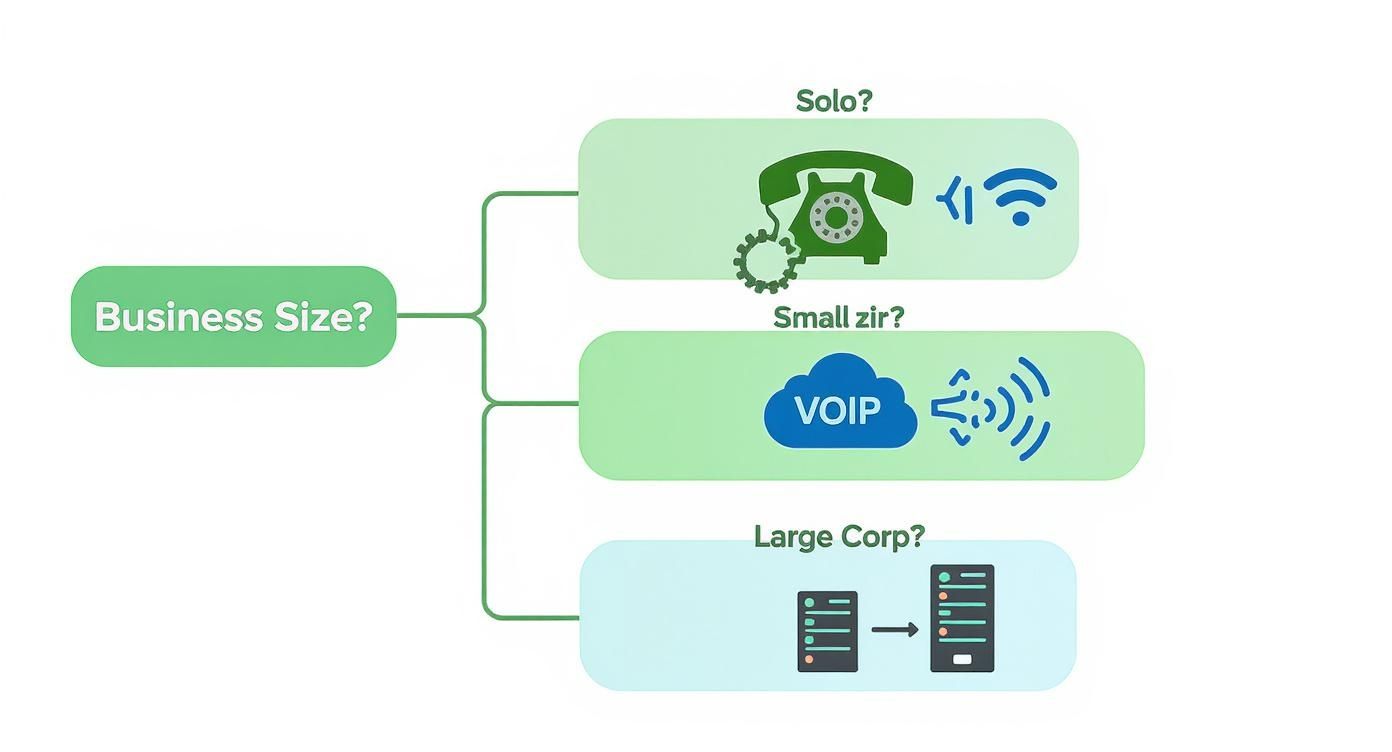
The big takeaway here is that as your business grows from a one-person show to a larger team, the need for a more flexible and feature-packed system like VoIP becomes pretty much unavoidable.
By putting these features to work, you can do more than just manage calls—you can build better relationships. Beyond just the tech, learn how you can use your phone system to implement effective customer communication strategies that build loyalty and keep people coming back.
Setting Up Your Multi-Line System Without the Headaches
The very thought of touching your phone system can bring up images of tangled wires, expensive technicians, and endless headaches. But thankfully, setting up multiple business phone lines today is more like downloading a new app than it is installing old-school hardware. Modern platforms have made the whole process surprisingly simple, putting you in the driver's seat without needing a dedicated IT team.
The best place to start is with a quick, honest assessment of your needs. Before you even glance at a provider's website, map out how your team actually communicates. Are you thinking about a dedicated number for sales and another for support? Will your team be taking calls on their cell phones, at their desks, or a mix of both?
Answering these questions first is the key to avoiding two common traps: overpaying for features you’ll never use, or picking a plan that can't keep up with your business. Once you have that clear picture, you can compare your options with confidence and find a plan that feels like it was made for you.
Your Step-by-Step Implementation Guide
Believe it or not, you can get this whole transition done in a single afternoon. The trick is to follow a logical path, starting with the big decisions and then zeroing in on the details.
Here’s a practical roadmap to get you up and running smoothly:
- Port Your Number or Get a New One: You’ve got a choice here. You can either transfer (port) your existing main business number over to the new service or grab brand new local and toll-free numbers. Porting sounds technical, but it’s usually a seamless, behind-the-scenes process handled by your new provider. It ensures you don't lose the contact info your customers already know.
- Assign Lines to Team Members: Inside your provider's online dashboard, you can assign phone numbers or extensions to individual employees with just a few clicks. This is where you decide who gets what line, making sure calls get to the right person from day one.
- Create Departments with Ring Groups: A ring group is a seriously powerful feature. It routes incoming calls to a whole group of users at once. For instance, you could set up a "Sales" group that rings every single salesperson's phone simultaneously, guaranteeing that the next available person can jump on the call instantly.
- Set Up Your Auto-Attendant: This is your virtual receptionist. Record a professional greeting and build a simple menu to guide callers (e.g., "Press 1 for Sales, Press 2 for Support"). It’s a small touch that immediately makes your company feel bigger and more organized.
Visualizing the Control Panel
Almost all of this setup happens in a user-friendly web dashboard. These control panels are designed for business owners, not network engineers.
It's all about simple, visual menus that let you manage everything from call queues and ring groups to forwarding rules without getting bogged down in technical jargon.
The whole point of modern phone systems is empowerment. They are built to give you, the business owner, direct and immediate control over your entire communication setup—no technical degree required.
Finally, the last step is fine-tuning how calls are handled when your team is off the clock. You can set specific business hours, customize after-hours greetings, and decide where those calls should go. For more advanced routing, you can even explore things like conditional call forwarding, which lets you automatically redirect calls based on specific rules you create.
Understanding the True Cost and Scalability
When you hear “multiple business phone lines,” it’s easy to picture a server rack humming in a closet, a five-figure invoice, and a team of IT guys to keep it all running. That’s how it used to be. Old-school PBX systems were a massive capital expense, putting a truly professional phone setup out of reach for anyone but the big players.
But modern VoIP systems have completely flipped the script.
Forget the huge upfront investment. Think of it more like your Netflix subscription—a predictable monthly bill. This shifts the cost from a scary, one-time capital expense to a manageable operating expense, making it incredibly accessible for small and growing businesses.
Per-User Pricing and Financial Flexibility
Most cloud-based phone providers run on a simple per-user, per-month model. It’s a beautiful thing because your costs scale directly with your team’s size. A typical plan runs somewhere between $15 to $35 per user each month, which usually gets you unlimited domestic calls, a phone number, and all the core features like an auto-attendant and call routing.
This gives you incredible financial agility. You’re not paying for a block of 20 lines when you only have 12 employees. You only pay for what you actually use.
The real magic of modern multi-line systems is the switch from buying expensive, rigid hardware to paying for a flexible service. Your communication costs grow right alongside your revenue and headcount—not before.
Scaling Your System Up or Down Instantly
This is where cloud systems really leave the old hardware in the dust.
Let’s say you’re bringing on three new sales reps for your busy season. With a traditional system, that meant calling a technician and waiting days or weeks. With a cloud system, you log into a dashboard, click a few buttons, and—boom—three new lines are active in minutes.
The reverse is just as easy. If business slows down after the holidays, you can just as quickly remove those lines and lower your monthly bill. No penalties, no hassle. Your phone system becomes a dynamic tool that adapts to the rhythm of your business, not a fixed cost that bleeds you dry during slower periods. For any business that cares about growing efficiently, that kind of flexibility is non-negotiable.
Going Beyond Routing with AI Phone Assistants
Once you’ve got your calls neatly directed to the right people and places, it's time to think about the next layer of efficiency. What if your phone system didn't just forward calls but actually handled them?
Think of it this way: a standard multi-line system is like a traffic cop, pointing cars down the right road. An AI Phone Assistant, on the other hand, is more like a smart concierge who can greet the driver, find out what they need, and solve their problem right there on the spot.
This technology isn’t about navigating a clunky phone menu. It's about having real, natural conversations with your callers. The goal is to resolve the routine, repetitive questions that eat up 60–80% of the call volume for most businesses. That frees up your team to focus on the high-value conversations that actually build relationships and bring in revenue.
Putting Conversational AI to Work
Instead of just playing switchboard operator, an AI assistant can take on tasks that used to require a person sitting at a desk. It works 24/7, which means you never miss a call or an opportunity, even when the office is dark.
Here are a few ways this plays out in the real world:
- Booking Appointments: A customer can just say, "I need to schedule a service call for next Tuesday afternoon," and the AI checks the calendar, offers a few open slots, and books the appointment—no human intervention needed.
- Answering FAQs: It can instantly field those constant questions like "What are your hours?" or "Where are you located?" These calls never even have to touch your team’s to-do list.
- Qualifying Leads: The AI can greet a potential sales lead, ask a few qualifying questions about their budget or project timeline, and then route the now-qualified caller—along with all the important details—directly to a salesperson.
An AI assistant isn’t just an answering machine; it's an active participant in your business. It acts as the first point of contact, resolving simple issues on its own and making sure your team only gets the calls that truly need their expertise.
This approach turns your phone system from a passive utility into a productive member of your team. For a deeper look at how this can transform a smaller operation, you can explore the benefits of an AI receptionist for small business and see how it can scale your customer service capabilities literally overnight.
By automating the routine conversations, you empower your team to focus on what they do best—growing your business.
A Few Final Questions
Even after you've weighed all the options, a few last-minute questions usually pop up. It's completely normal. Let's tackle the most common ones we hear from business owners who are right where you are now.
Can I Keep My Existing Business Phone Number?
Yes, absolutely. This is one of the biggest (and most welcome) reliefs for most people. The process is called "porting," and every modern VoIP provider worth their salt handles it for you.
Think of it just like moving your personal cell number to a new carrier. Your number—the one your customers already know and trust—stays exactly the same. The whole transfer is handled behind the scenes, so there’s zero disruption for your customers.
What Kind of Internet Connection Do I Need?
If your team can stream a video or hop on a Zoom call without any trouble, your internet is already more than good enough for a cloud-based phone system.
VoIP is surprisingly light on bandwidth. A standard business internet plan will easily handle crystal-clear voice calls for your entire team. You don't need to go out and buy some special, high-octane internet package.
The thing to remember is that consistency matters far more than raw speed. A stable, reliable connection is the real key to perfect call quality with a modern multi-line system.
How Complicated Is the Setup Process?
It’s way more straightforward than you might think. These systems are designed for business owners, not IT wizards.
Most of the setup—things like assigning numbers to people, creating call groups for different departments, or recording your main greeting—happens on a simple online dashboard. You can genuinely get a complete, professional phone system for your business up and running in a single afternoon. No IT department needed.
Ready to see how an AI phone assistant can take over call answering, book appointments, and give your team back their time? Learn more about Marlie Ai and see how we help businesses capture every single opportunity, completely automatically. Check us out at Marlie.ai.
