

Ever called your bank and been greeted by a recorded voice asking you to "Press 1 for account balances" or "say 'customer service' to speak with a representative"? You've just used an Interactive Voice Response system, or IVR.
Think of it as an automated front desk for your phone system. It's the technology that greets callers, offers them a menu of choices, and gets them to the right place—or helps them solve their own problems—without needing a human to pick up the phone first.
Decoding the IVR Meaning in a Call Center
At its heart, an IVR is all about managing the flow of incoming calls. When you're dealing with hundreds or thousands of calls a day, you need a system to prevent chaos and endless wait times. The IVR steps in as that first point of contact, presenting callers with a simple set of options.
When a caller presses a number on their keypad (sending what's called a DTMF tone) or speaks a command, the IVR gets to work. Its job is really twofold:
- Filter and Route Calls: The system acts like a traffic controller, sorting callers based on what they need and directing them to the agent or department best equipped to help. No more getting bounced from person to person.
- Enable Self-Service: For simple, repetitive questions—like "What's my order status?" or "What are your hours?"—an IVR can provide the answer on the spot. This frees up human agents to focus their energy on more complex issues that actually require a conversation.
To really get how the more advanced, voice-activated systems work, it's helpful to understand the Automatic Speech Recognition (ASR) technology that powers them. By automating these initial interactions, IVR has become a fundamental tool for almost any business looking to handle calls more effectively. It's a key piece of the puzzle in any modern automated call system.
The Traditional IVR Customer Journey
We’ve all been there. You call a company for help, and before you ever speak to a person, you're greeted by a familiar recorded voice: "Welcome. Please listen carefully as our menu options have recently changed." This is the classic interactive voice response journey in action, a rigid path dictated by a phone tree.
Your first task is to make sense of the options. "Press 1 for Sales. Press 2 for Support. Press 3 for Billing." Every time you press a number on your keypad, you're sending a specific Dual-Tone Multi-Frequency (DTMF) signal. The IVR system hears that tone, understands it as a command, and shuttles you along to the next pre-recorded prompt.
This can go on for several layers of menus. The system's goal is to sort and route callers before a human agent has to get involved, hopefully resolving simple issues automatically or at least getting you to the right department.
Navigating the Phone Tree
This flowchart breaks down the simple, linear path a caller follows when they run into a traditional IVR system.
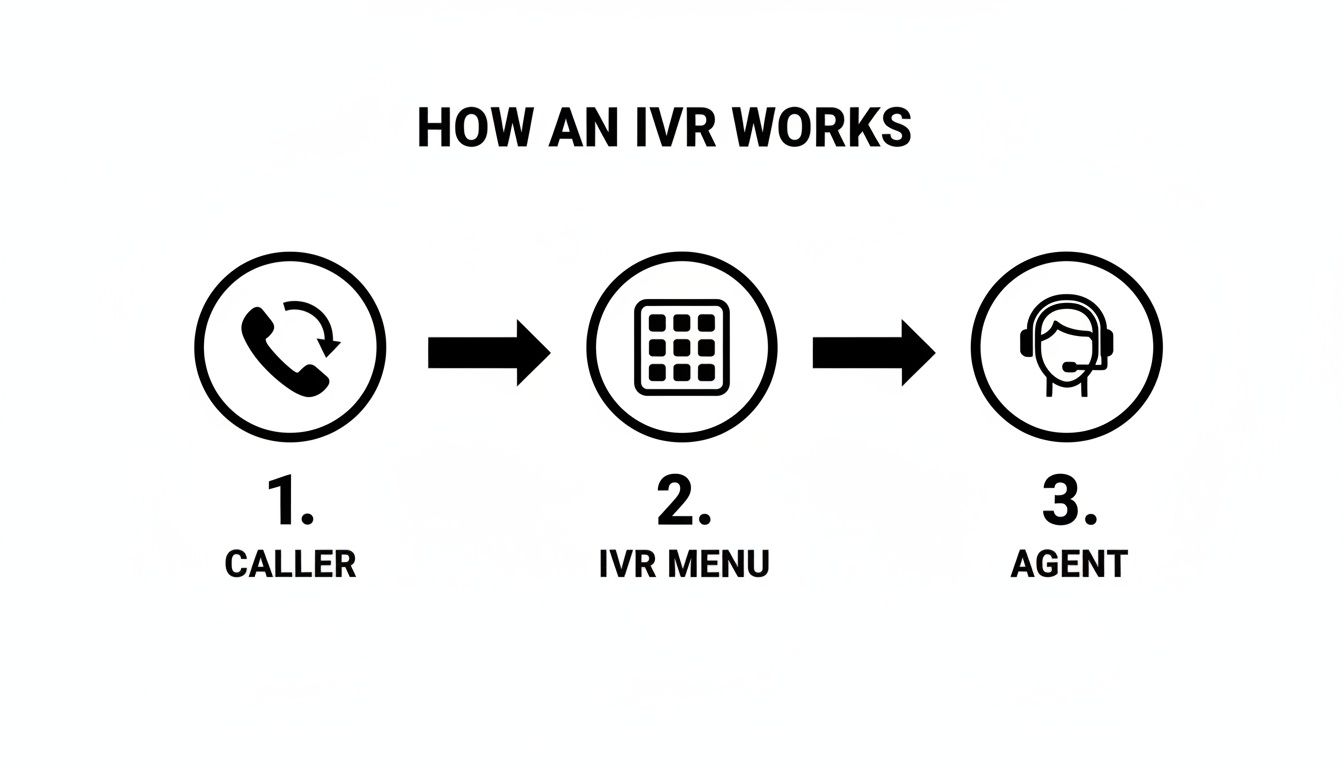
As you can see, the journey is straightforward: the call comes in, the caller navigates a few menus, and if they can't solve their own problem, they eventually land in a queue for an agent.
If your problem is simple enough, the system just might handle it. But for anything more complex, this journey usually ends with you on hold, waiting for the next available person. The entire process is a basic form of automated what is call routing, built to manage a high volume of calls by pre-sorting them based on need.
Key Takeaway: A traditional IVR works like a flowchart. It uses keypad inputs to guide a caller down a fixed path, trying to categorize the request before it ever hits an agent's desk.
For many people, this structured—but inflexible—experience is the very definition of the IVR meaning in a call center. It’s the foundation that newer, more conversational AI alternatives are now being built upon.
Weighing the Pros and Cons of IVR for Your Business
So, is an Interactive Voice Response system the right move for your call center? While IVR technology has been a business staple for decades, it’s not a one-size-fits-all solution. You really have to weigh the good against the bad to see if it truly fits what you need.
The upsides are clear and compelling, especially for any business drowning in high call volumes.
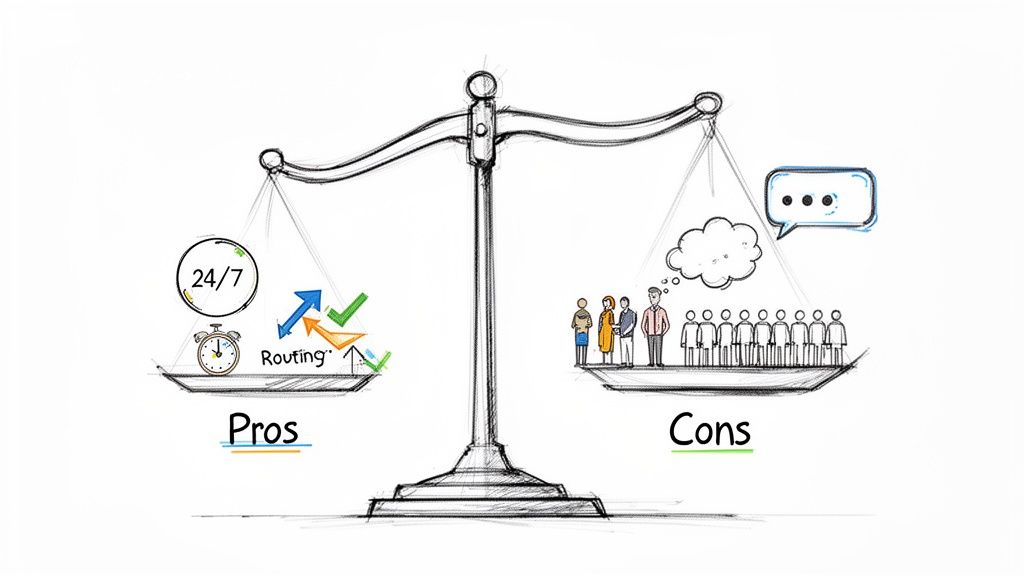
The biggest win is 24/7 availability. An IVR doesn't sleep, take breaks, or go on vacation. It’s always on, ensuring every single customer call gets an instant answer, day or night. That’s huge for capturing leads and helping customers in different time zones.
The Advantages of Using IVR
Beyond being always on, a solid IVR system brings some serious operational efficiencies to the table.
- Improved Call Routing: Think of an IVR as a digital traffic cop. It sorts callers and points them to the exact agent or department they need, which cuts down on frustrating transfers and boosts the odds of fixing the problem on the first try.
- Reduced Operational Costs: By handling all the routine, predictable questions, IVRs free up your human agents. This lets your team manage a higher volume of calls without having to hire more people.
- Increased Agent Productivity: When the IVR is busy answering the simple stuff, your team can finally focus on the tricky customer issues—the ones that actually require a human brain and some real problem-solving skills.
Common Drawbacks and Customer Frustrations
But let's be honest, the traditional IVR experience isn't always sunshine and roses. We’ve all been trapped in a robotic phone menu, screaming "AGENT!" into the void. That feeling perfectly highlights the system's biggest weaknesses.
A poorly designed IVR can lead to sky-high call abandonment rates and absolutely torpedo customer satisfaction. The whole point is to help, not to build a maze.
Here’s what customers usually complain about:
- Impersonal Experience: Let’s face it, most IVR menus feel cold and robotic. They completely lack the warmth and empathy you get from a real human conversation.
- Confusing Menus: Ever faced a phone tree with a dozen different options, none of which seem right? Long, complicated menus just confuse people, forcing them to guess or just hang up.
- Inability to Handle Complex Issues: IVRs are built for simple, straightforward tasks. When a customer has a unique or complicated problem, that rigid menu becomes an obstacle, not a solution.
These drawbacks are a huge reason why understanding your service level in a call center is so critical; a frustrating IVR can directly crush your team's ability to hit their goals. Acknowledging both the good and the bad makes it pretty clear why so many businesses are now looking for something better.
From IVR To AI Voice Assistants: The Next Wave
We’ve all been there: trapped in an automated phone menu, desperately pressing "0" to speak to a human. That familiar "press 1 for sales, press 2 for support" experience is the classic IVR, a system that has long been the gatekeeper of call centers. But let's be honest, its rigid structure often creates more problems than it solves.
This is where the real evolution in customer service is happening: the jump from IVR to Conversational AI. It’s not just a minor upgrade; it's a complete shift from a clunky, robotic menu to a genuinely helpful, intelligent conversation.
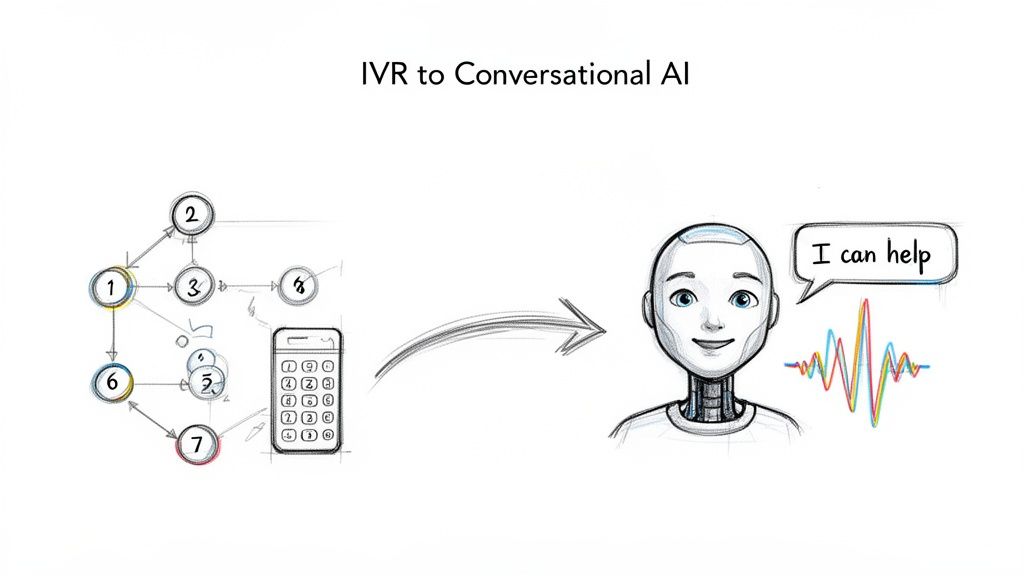
This leap forward is powered by breakthroughs in how machines understand human speech, specifically through Natural Language Processing (NLP). Instead of just listening for keypad tones, AI-powered systems can actually comprehend what a person is saying and what they mean.
For the caller, the difference is night and day.
The Old Way: A Test of Patience
Think about a customer calling about a payment. The old IVR system forces them down a narrow, predetermined path, whether it fits their problem or not.
Old IVR Journey: "Press 3 for billing… Press 2 to hear your last payment date… Press 1 to make a new payment."
This process is slow, impersonal, and deeply frustrating. It crams complex human needs into a few simple boxes, and if your issue doesn't fit, you're out of luck.
The New AI Experience: Natural and Efficient
Now, picture that same call with a modern AI assistant. The customer can simply say what's on their mind, just like they would to a person.
"I have a question about a charge on my last invoice."
The AI gets it instantly. It can pull up their account, answer specific questions, and even process a payment right then and there. This turns a moment of potential friction into a smooth, positive interaction.
For a side-by-side look at how these technologies stack up, check out the table below. It breaks down the core differences in a way that makes the benefits of modern AI crystal clear.
Traditional IVR vs Modern AI Voice Assistant
| Feature | Traditional IVR | AI Voice Assistant (like Marlie.ai) |
|---|---|---|
| Caller Interaction | Rigid "Press 1, Press 2" menus. Requires keypad input. | Natural conversation. Understands spoken language and intent. |
| Problem Solving | Limited to pre-programmed paths. Can't handle complex or unexpected queries. | Can answer detailed questions, perform complex tasks, and adapt to the caller's needs. |
| Efficiency | Often slow, leading to longer call times and transfers. | Resolves issues on the first try 80% of the time, reducing the need for human agents. |
| Personalization | Generic experience for all callers. | Can access customer data to provide personalized, context-aware responses. |
| Setup & Maintenance | Complex flowcharts are difficult and expensive to update. | Easy to set up and train. Can learn and improve over time with new data. |
| Customer Experience | Frequently leads to frustration and a desire to "speak to an agent." | Creates a helpful, seamless experience that feels like talking to an expert. |
As you can see, this isn't just about a better IVR; it's a totally different approach to customer service. It’s about meeting customers where they are with technology that actually understands them.
If you’re tired of putting your customers through frustrating phone trees, it's probably time to explore how you can replace your IVR with a modern AI solution.
Real-World Impact of Switching from IVR to an AI Assistant
Understanding the tech is one thing, but seeing how it hits the bottom line is what really matters. Moving from a clunky, menu-driven IVR to a smart AI assistant isn't just a simple upgrade—it’s a strategic shift that pays off in real, measurable ways. You see wins in efficiency, cost savings, and happier customers almost immediately, especially for service businesses where every single missed call is a missed opportunity.
Take SoHo Driving School, for instance. They were drowning in calls about rescheduling lessons, tying up their staff with routine tasks instead of letting them focus on growing the business. Once they brought in an AI assistant to handle these common requests, they slashed their human-handled call volume by a massive 70%. Suddenly, new leads were getting to the right person instantly, freeing up 10-15 hours of admin work every week.
Boosting Bookings and Slashing Costs
This isn't just a one-off success story. One locksmith operator I know completely ditched their expensive call center, which was dinging them for about $2 per call. Now, their AI assistant grabs all the key details—vehicle model, location—and dispatches the job for just $0.35 per minute. This simple switch allowed them to book 20-60% more jobs because every call gets answered, 24/7. No exceptions.
For small businesses, that kind of difference is huge. A modern AI can easily handle 60-80% of routine questions like checking an order status or booking an appointment without a human ever getting involved. That's a big reason why integration hiccups are now a problem for only 34% of companies making the switch.
The bottom line is clear: an AI assistant directly translates to more jobs booked, lower operating costs, and a huge drop in administrative headaches. It lets businesses capture revenue that was just slipping through the cracks before.
From Answering Calls to Driving Revenue
The real magic of an AI assistant compared to an old-school IVR is that it does more than just route calls; it actively solves problems and creates value. By taking all the repetitive stuff off your team's plate, it frees up your skilled people to focus on the high-value conversations that actually bring in money. Instead of thinking of an IVR as a simple call router, AI reshapes it into a tool that proactively builds your business.
This is a critical jump for any business that's serious about growth. For a closer look at how this technology works day-to-day, check out our guide on using AI for customer service. The results speak for themselves—modern AI isn't a luxury anymore; it's an essential tool for staying competitive.
Your Questions About IVR and AI Answered
Switching from a system you know always brings up questions. If you're weighing the move from a traditional IVR to a more modern AI assistant, you’re probably trying to nail down the practical differences and what the switch actually feels like.
This is where we'll tackle the most common concerns business owners have. My goal is to give you clear, straightforward answers so you can feel confident making the right choice for your business. Let's clear up any lingering confusion.
What Is the Difference Between a Basic IVR and a Conversational IVR?
A basic IVR is the classic "press 1 for sales, press 2 for support" system. It’s completely dependent on keypad inputs (those DTMF tones) to navigate a rigid, pre-programmed menu. Think of it as a simple flowchart; if your caller's problem isn't one of the pre-set options, the system hits a dead end. This is where most of that infamous IVR frustration comes from.
A conversational IVR, which is really just an AI assistant, uses Artificial Intelligence and Natural Language Processing to understand what people are actually saying. Instead of a clunky menu, callers can state their needs in plain English, like, "I need to check on my appointment," for a much faster and more human-like experience.
Can an AI Phone Assistant Transfer Calls to a Real Person?
Absolutely. In fact, modern AI assistants are built with smart transfers as a core feature. A caller can almost always press a key (like '0') or just say something like "agent" or "talk to someone" at any point to be connected to a human instantly.
This seamless handoff is a safety net. It ensures urgent or complex issues always get to the right person without making the caller jump through hoops. It’s the best of both worlds: the efficiency of automation and the critical need for human expertise.
This single feature is crucial for keeping customer satisfaction high while still getting all the benefits of automation.
Is It Complicated to Replace My Old Phone System with an AI Assistant?
Not at all. This is probably one of the biggest misconceptions out there. Traditional IVR systems often required expensive on-site hardware and a complicated, technical setup. Modern AI assistants, on the other hand, are cloud-based.
Setup is surprisingly simple—it often takes just a few minutes. Typically, all you have to do is forward your existing business number to the AI service. There’s no extra hardware to buy or maintain, making it an incredibly simple and cost-effective upgrade for any business ready to leave frustrating phone menus in the past.
Ready to see how an AI assistant can transform your business? Marlie Ai provides a 24/7 AI phone assistant that answers every call, books more jobs, and saves you time and money. Learn how Marlie.ai can help you grow.
