

When someone says "automated phone call," what's the first thing that pops into your head? Probably the relentless spam calls we all get. It's a fair assumption. Americans are now hammered with an average of 2.56 billion robocalls every single month—a staggering figure that's hit a six-year high.
For a small business owner, whether you're running a towing company or an HVAC service, this constant barrage is more than just an annoyance. It’s noise that makes it harder for genuine customers to get through.
But that's only one side of the coin. While scammers are busy abusing the technology, savvy businesses are using a completely different kind of automated call to solve one of their biggest headaches: being available 24/7 without burning out their team or their bank account.
What Are Automated Phone Calls (and Why They Matter Now)
In the business world, automated phone calls aren't about spam. They're about service and efficiency. Think of it as a spectrum of tools, all designed to handle routine communication so your actual human experts can focus on the high-value stuff.
An automated system acts as a digital front desk, making sure every caller gets an immediate, professional response, day or night. It’s the difference between a missed opportunity and a booked appointment.
This isn't your grandma's frustrating, rigid phone tree. We've all been trapped in those endless "press 1 for sales, press 2 for support" loops. Today's systems are built with conversational AI that actually understands what a caller needs and helps them on the spot.
The Modern Challenge You Can Solve
Let's be real: today's customers expect answers now. If you don't pick up, they’re not leaving a voicemail—they’re just calling your competitor. This is a massive problem for service businesses where the owner and technicians are usually out on a job, not sitting by the phone.
Automated phone calls bridge this critical gap. The technology can range from a simple notification system to a more complex power dialer for outbound sales.
By putting these systems to work, you can:
- Capture Every Single Lead: Answering, logging, and handling every call, even at 2 AM on a Sunday.
- Boost Your Efficiency: Automating the repetitive tasks like scheduling appointments, giving status updates, and answering common questions.
- Improve the Customer Experience: Giving callers the instant, consistent service they’ve come to expect.
Used strategically, automated calls stop being a nuisance and start becoming a powerful asset for better service, more revenue, and smoother operations.
The Evolution From Robocalls to AI Phone Assistants
When you hear “automated phone call,” your mind probably jumps straight to those annoying, spammy robocalls. But that’s only a tiny, and frankly outdated, piece of the puzzle. The technology has come a long way, branching out from simple message blasts into genuinely helpful conversational partners.
Understanding this evolution is the key to seeing where the real business opportunity lies.
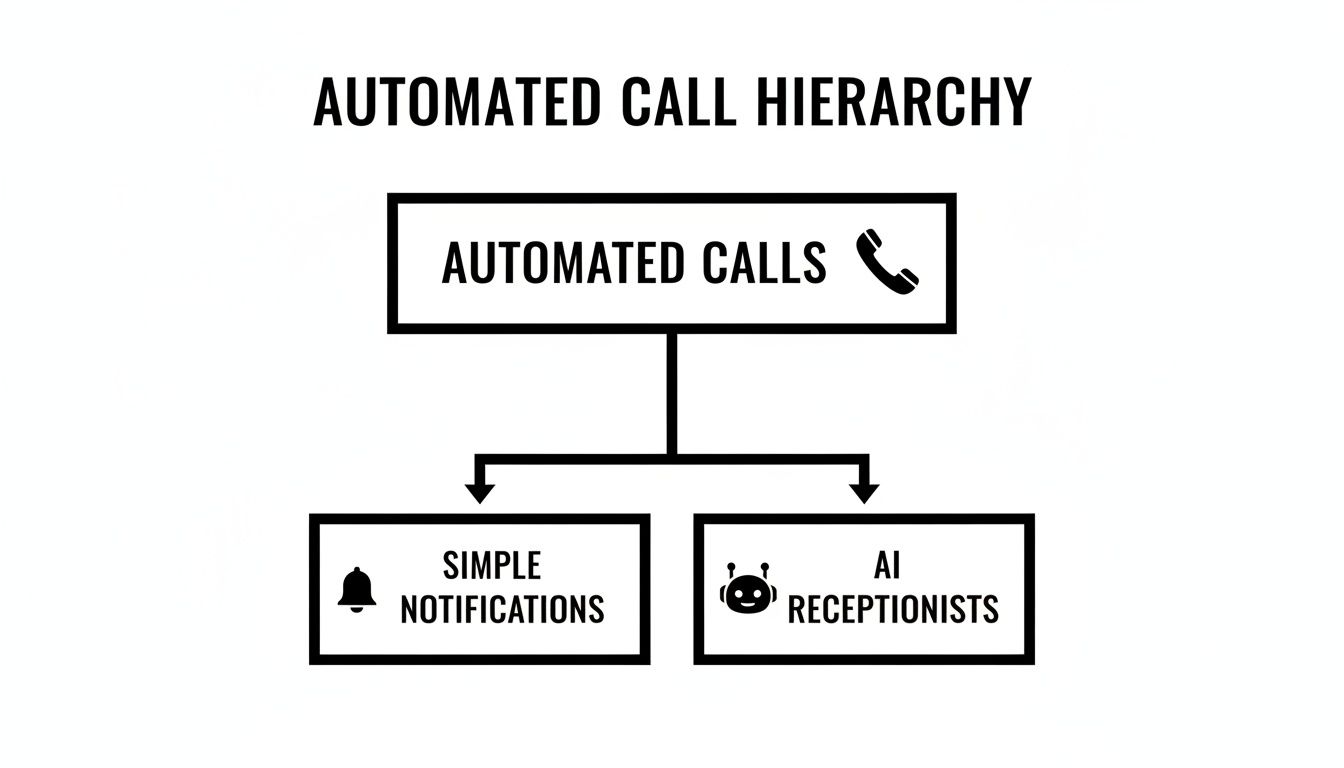
As you can see, the path splits. One branch is all about simple, one-way announcements. The other is about creating complex, two-way conversations that get things done.
The Foundation: One-Way Robocalls
At the very beginning, we have the classic one-way robocall. Think of these as pre-recorded audio messages blasted out to a massive phone list all at once. There’s zero interaction—the system just plays its message and hangs up. It’s a megaphone, not a telephone.
You've definitely run into these:
- Schools announcing a snow day.
- Your local pharmacy letting you know a prescription is ready.
- Political campaigns broadcasting a message during election season.
They’re useful for getting a simple, uniform message out to a lot of people quickly, but that's where their utility ends. They can't listen, and they certainly can't help.
The Frustrating Middle Ground: Interactive Voice Response (IVR)
Next up the evolutionary ladder is the infamous Interactive Voice Response (IVR). This is the "press 1 for sales, press 2 for support" system we’ve all learned to tolerate. IVR was a step forward because it introduced a basic level of interaction, letting callers navigate a rigid phone menu with their keypad.
The whole point was to route calls and handle basic requests without needing a human. The problem? Its flowchart-like structure is incredibly unforgiving and often leads to pure frustration. If your specific problem doesn't fit perfectly into one of the pre-set boxes, you're trapped in an endless loop.
An IVR system forces the caller to navigate the company's organizational chart. A modern AI assistant understands the caller's needs and navigates the company for them.
This inherent clumsiness is precisely why so many businesses are ditching IVR for something better. If you're stuck with one, it’s worth exploring how to replace your IVR with AI to stop bleeding customers.
The Modern Solution: AI Phone Assistants
This is where things get interesting. The latest and most powerful form of automated calling is the AI phone assistant. Forget the rigid menus and button-mashing of IVR. A true AI assistant uses Natural Language Processing (NLP) to understand what a caller is saying and have a real conversation.
It's the difference between using a vending machine and talking to a skilled barista. The vending machine (IVR) has a limited set of options and demands exact input. The barista (AI assistant) actually listens, asks clarifying questions, and gets you exactly what you wanted.
An AI phone assistant can:
- Understand Natural Speech: A caller can just talk. "Are you guys open on Saturday?" or "I need to get a plumber out to my house tomorrow afternoon."
- Answer Complex Questions: It can tap into a knowledge base to give detailed answers on services, pricing, or product specs.
- Perform Actions: This is the game-changer. It can book appointments right into your calendar, take payments, and gather all the critical details for a job.
This isn’t just an upgrade; it’s a complete shift in how you handle inbound calls. Instead of forcing customers down a narrow, frustrating path, you give them a flexible, helpful experience that feels human—and ensures you never miss an opportunity again.
To make the differences crystal clear, let's break down these three technologies side-by-side.
Comparing Automated Phone Call Technologies
This table highlights the fundamental differences in how each system works, the experience it creates for the caller, and where it fits best.
| Technology | How It Works | Typical Caller Experience | Best For |
|---|---|---|---|
| Robocalls | Plays a pre-recorded audio message to a list of numbers. No interaction. | Passive listening. Can feel impersonal or like spam. | Mass announcements, appointment reminders, alerts (e.g., school closures). |
| IVR | Guides callers through a fixed menu using keypad inputs ("press 1…"). | Often frustrating. Callers are forced into pre-defined paths and can get stuck. | Large call centers for basic call routing to the correct department. |
| AI Phone Assistant | Uses conversational AI and NLP to understand and respond to natural speech. | Fluid and conversational. The system understands intent and helps achieve a goal. | Businesses wanting to answer every call, book appointments, qualify leads, and provide 24/7 customer service. |
As you can see, while they all fall under the "automated call" umbrella, the capabilities and results are worlds apart. The journey from a simple robocall to a smart AI assistant reflects a move from just broadcasting information to creating genuine, valuable interactions.
How AI Automated Calls Actually Make You Money
Let's get down to brass tacks. The technology is cool, but for any service business, the real question is simple: does it save me money, make me money, or make my life easier? A good tool should do all three. AI-powered phone calls are designed to hit that trifecta, delivering real, measurable results that show up on your bottom line.
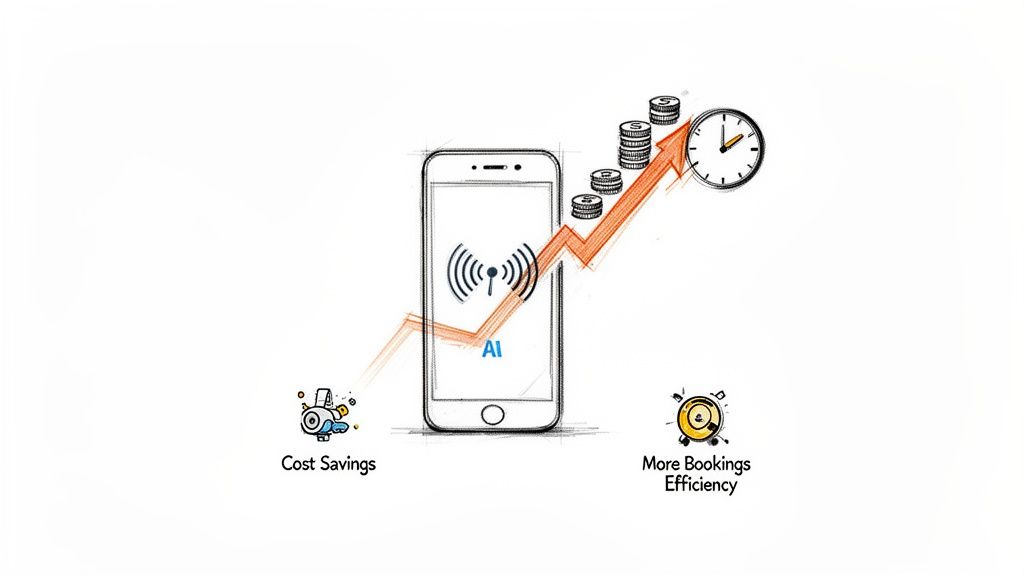
This isn't some vague promise of "future value." The ROI is something you can see and measure, right away. It comes from boosting your team's efficiency, grabbing revenue you were otherwise losing, and cutting costs that have been bleeding you dry for years.
Let's break down how this technology pays for itself.
Slashing Direct Costs
The most immediate and obvious impact is on your expenses. Think about what it costs just to have someone answer the phone. Traditional answering services are pricey, often charging by the minute for every single call—whether it’s a five-figure job or a telemarketer.
An AI phone assistant operates at a tiny fraction of that cost. Instead of shelling out $1.50 to $2.00 per minute for a human operator, an AI system handles the same call for as little as $0.25 per minute. If you get dozens of calls a day, that adds up to thousands of dollars in savings every year. You're no longer paying a premium for someone to just take a message; you’re paying pennies for a system that can actually solve problems on the spot. If you want to explore more ways to trim the fat, we have a whole guide on how to reduce labor costs.
By automating the simple, routine inquiries, businesses can save up to 80% on call-handling costs compared to what they'd pay a traditional answering service. This isn't just an efficiency gain; it's a direct boost to your profit margin.
This kind of cost-cutting is exactly why the call center AI market is set to jump from $1.6 billion to $4.1 billion by 2027. Businesses are seeing the massive savings firsthand. It’s predicted that by 2026, one out of every ten agent interactions will be automated, saving companies a staggering $80 billion worldwide. For a deeper dive on these numbers, check out this comprehensive contact center report.
Capturing More Revenue
What’s the real cost of a missed call? For any service business, it’s the entire value of a lost job. When a potential customer calls with an emergency—a burst pipe, a lockout, a dead AC unit in July—they don't leave a voicemail. They just hang up and call the next name on the list.
An AI phone assistant makes that problem disappear. It ensures 100% of your calls are answered instantly, 24/7, no exceptions. That constant availability translates directly into more jobs on the schedule and more money in the bank.
Just think about these scenarios:
- After-Hours Leads: An AI assistant can grab all the job details from a homeowner at 10 PM and have it sitting in the queue for your first tech in the morning.
- Peak Hour Overflow: When your team is slammed with other calls or out on jobs, the AI picks up the slack, making sure no lead ever slips through the cracks.
- Instant Scheduling: The AI doesn't just take a message. It can book appointments directly into your calendar, turning a simple inquiry into a confirmed job in one quick conversation.
It's not uncommon for businesses to see a 20-60% increase in booked jobs after switching to an AI system, simply because they finally stopped handing opportunities to their competitors.
Boosting Operational Efficiency
The final piece of the ROI puzzle is your team's productivity. How many hours a week does your staff spend answering the same three questions? "What are your hours?" "Do you service my neighborhood?" "What's your ballpark price for X?"
These calls are necessary, but they’re low-value work. By offloading 60-80% of these routine calls to an AI, you free up your skilled people to focus on what they do best:
- Handling Complex Sales Inquiries: Let your experts spend their time with high-value customers who have unique, challenging needs.
- Managing Existing Jobs: Allow your technicians and project managers to focus on delivering great service instead of being constantly interrupted by the phone.
- Driving Business Growth: That time they used to spend on repetitive phone calls can now be reinvested into marketing, customer outreach, and strategic planning.
This isn’t just about saving a few minutes here and there. It's about reallocating your most valuable resource—your team’s expertise—toward activities that actually generate revenue and make customers happy. The hours saved each week become a powerful engine for real, sustainable growth.
Keeping It Legal and Keeping Callers Happy
Whenever you bring new tech into your business, two big questions always pop up: "Is this even legal?" and "Will my customers hate it?" For automated phone calls, these questions are front and center, mostly because we've all been burned by those awful spam robocalls.
But here’s the thing: using an AI assistant for your business is a world away from illegal telemarketing. The reality is much simpler—and a lot more positive—than you might think.
The big, scary regulation everyone points to is the Telephone Consumer Protection Act (TCPA). This law is all about cracking down on unsolicited, automated outbound marketing calls. The key words there are unsolicited and outbound.
It's a pretty clear line in the sand. Using an AI to answer inbound calls from customers is completely different from blasting out marketing messages to people who never asked for them. When a customer calls you, they're starting the conversation. That simple act sidesteps the consent issues the TCPA was designed to stop.
So, having an AI phone assistant answer your business line, qualify a new lead, or book a job is perfectly fine. It's a standard, accepted business practice. You're not telemarketing; you're just managing the calls you're already getting.
Don't Be a Robot: Creating a Good Caller Experience
Getting the legal side right is just step one. The real challenge is making sure your automated system is a helpful partner, not a frustrating wall. A poorly designed system will send customers running for the hills faster than a busy signal.
Your goal is to make every interaction feel natural, efficient, and genuinely useful.
Here’s how you keep callers from hanging up in frustration:
- Sound Human, Not Robotic: First impressions are everything. A clunky, monotone voice is an instant signal that this call is going to be a pain. Today’s AI offers incredibly natural, human-sounding voices that can set a warm, welcoming tone from the very first word.
- Always Offer an Escape Hatch: There is nothing more infuriating than being stuck in a phone menu with no way out. Always give callers a simple, obvious way to talk to a real person. A clear prompt like, "At any time, just say 'speak with a team member' or press zero," is a crucial safety net. It builds trust.
- Deliver Value Instantly: The AI shouldn't just be a gatekeeper—it needs to solve problems. For example, right after the AI books an appointment, have it immediately send a confirmation text with all the details. This small, helpful action provides immediate value and shows the caller the system is working for them.
Best Practices for Your Automated System
Beyond those core principles, a few smart moves can take the caller's journey from "okay" to "wow, that was easy." Think of your AI as a digital receptionist whose only job is to be as helpful and efficient as a human—maybe even more so. This means you also need to understand what it means to screen calls well, so the important stuff gets through right away.
To get things running smoothly, try these best practices:
- Automate the Easy Stuff First: Start by mapping out the top 3-5 questions your team answers all day long. Things like "What are your hours?" or "Where are you located?" This gives you quick wins and frees up your team while giving callers instant answers.
- Make it a Conversation, Not a Quiz: Design the flow to be a dialogue, not a rigid script. Instead of just firing off questions, allow the AI to ask clarifying ones, just like a person would. If a caller asks for a "quote," the AI should respond with something like, "I can definitely help with that! So I can get you an accurate price, could you tell me a little more about the job?"
- Connect it to Your Calendar: This is where the magic happens. The ability to book jobs directly into your schedule transforms the AI from a fancy answering machine into a tool that actually generates revenue.
When you focus on both the rules and the customer experience, automated phone calls become an incredible asset. You stop just answering calls and start building a reliable, 24/7 front door for your business—one that customers will actually appreciate and trust.
Real-World Examples of Automated Calls in Action
Theory and technical specs are one thing, but seeing how automated phone calls solve real-world problems is where the rubber meets the road. The true value of an AI phone assistant isn't just in the technology; it's in how it handles the unique, high-stakes challenges that service businesses face every single day.
Let's move from concept to reality and look at how different industries are putting this tool to work, turning missed calls into booked jobs and chaos into calm.
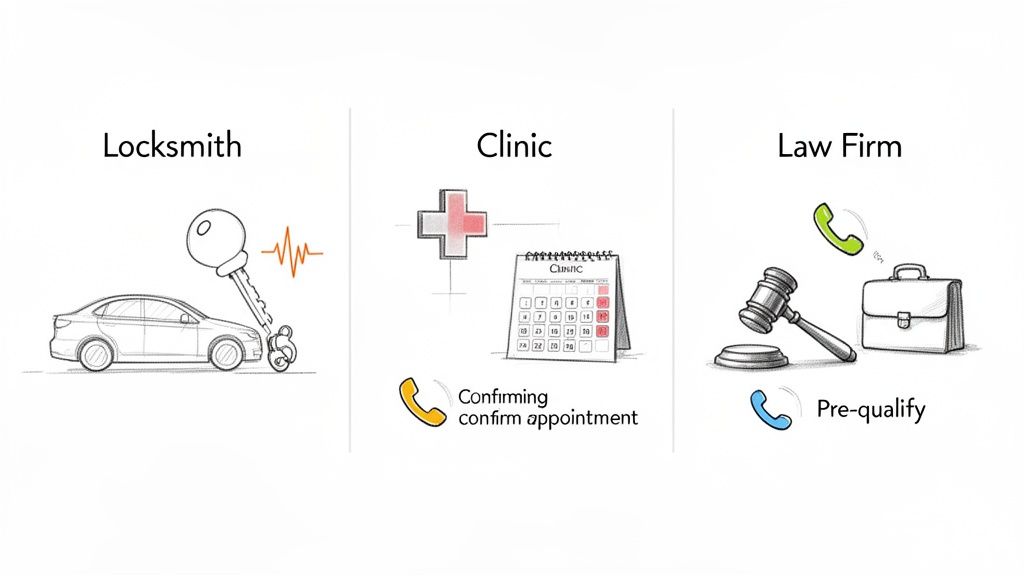
The Emergency Locksmith Capturing Every Detail
For a locksmith, a missed call isn’t just a lost lead—it’s a customer in a jam who’s already dialing the next number on the list. Technicians are almost always on the road or on a job, making it impossible to answer every call. And in their business, every second counts.
- The Problem: A driver is locked out of their car at 11 PM. They need help, and they need it now. But the locksmith is busy with another lockout. A traditional answering service might just take a name and number, which is a recipe for losing the job.
- The AI Solution: The AI phone assistant picks up on the first ring. It's programmed to do more than just take a message—it asks the crucial qualifying questions: "I can definitely help. To get the right technician out to you, could you tell me the year, make, and model of your vehicle?"
- The Outcome: The AI captures all the key details—vehicle info, location, contact number—and instantly texts them to the nearest available technician. The customer gets an immediate confirmation text, and the job is booked without the owner ever having to pull over or stop working.
This is a perfect example of making an AI system do more than just answer the phone. When you design it to gather specific, actionable information, it transforms into a powerful dispatch tool.
The Multi-Location Clinic Standardizing Patient Intake
Picture a medical clinic with three different locations. The front desks are constantly busy, and how calls are handled can vary from person to person. This can lead to inconsistent patient experiences and even scheduling errors. The goal is simple: create a uniform, professional front door for every patient, every single time.
For a growing business with multiple sites, consistency is everything. An AI assistant ensures every patient receives the same high standard of care and accurate information, whether they're calling the downtown branch or the suburban office.
When the AI assistant is set up with the schedules and services for all three locations, it can instantly streamline the whole process. When a patient calls, the AI can:
- Route Correctly: It asks, "Which location are you trying to reach?" and pulls up the right information.
- Schedule Intelligently: It books appointments directly into the correct clinic's calendar, fully aware of different doctor availabilities.
- Answer FAQs: It handles the common questions about insurance, hours, and appointment prep, freeing up staff to focus on the patients standing right in front of them.
This kind of standardization doesn't just improve efficiency; it builds patient trust. Many small businesses find tremendous value here, and you can learn more about the benefits of a phone answering service for small businesses that provides this level of consistency.
The Law Firm Pre-Qualifying High-Value Cases
In the legal world, time is literally money. Attorneys can't afford to spend hours on the phone with leads who don't have a viable case. The real challenge is to efficiently screen inbound calls to separate the high-potential clients from those who aren't a good fit.
Here, the AI is trained to act like an initial intake paralegal. It asks a series of pre-qualifying questions based on the firm's practice areas, like "Have you already filed a claim?" or "When did the incident occur?"
The results can be game-changing. One law firm, for example, went from $0 to $20,000 in new revenue in just two months simply by ensuring every lead was answered and properly screened by their AI assistant. And they aren't alone. Businesses like SoHo Driving School cut their human call volume by 70%, while some locksmiths have replaced expensive call centers with AI systems that operate at just $0.35 per minute.
These are the tangible, bottom-line results that show the direct financial impact of smart automation.
How to Implement an AI Phone Assistant
Bringing an AI phone assistant into your business is surprisingly straightforward. Forget about needing a mountain of new hardware or a dedicated IT team. The process is much more about smart planning than it is about complex tech.
Think of it like hiring a new receptionist. The first thing you do is figure out exactly what their job is and what success looks like. This roadmap will walk you through a smooth setup, turning the idea of automated phone calls into a real, money-making tool for your business.
Define Clear Goals for Your AI
Before you touch anything, you have to know what you’re trying to achieve. A clear goal is your North Star, and it guides every single decision you make from here on out.
Are you trying to finally stop missing after-hours leads? Do you want to free up your staff from answering the same basic questions all day? Or is the goal simply to make sure every single call gets answered, no matter what?
Your objective completely shapes how the AI gets configured. Common goals we see are:
- Reducing Missed Calls: The aim is to answer 100% of inbound calls, 24/7.
- Automating Scheduling: Let the AI book appointments directly into your calendar without human help.
- Improving Lead Qualification: Use the AI to gather the essential info from new callers before they talk to a person.
- Lowering Operational Costs: Cut the cord with expensive and often unreliable traditional answering services.
Pick a primary goal. It makes the rest of this process much easier and more focused.
Map Your Common Caller Journeys
Next up, put yourself in your customers’ shoes. Why are people calling you in the first place? Jot down a quick list of the top reasons your team picks up the phone every day.
Think of this as creating a playbook for your new AI assistant. When you identify the repetitive tasks, you're pinpointing the exact spots where automation will make the biggest, most immediate impact on your team's workload and your business's efficiency.
For a towing company, that list might look something like this:
- Caller is stuck on the side of the road and needs help now.
- Caller wants a price quote for a non-emergency tow.
- Caller needs to know the status of an impounded car.
- Caller has a question about paying their bill.
By mapping these out, you can instantly see which ones are simple, rules-based interactions—the perfect candidates for automation. A great place to start is with the basics; our guide on how to automate customer service has a few more ideas if you need them.
Complete the Simple Technical Setup
This is the part that pleasantly surprises most business owners. Modern AI phone assistants are cloud-based, which means there’s no clunky hardware to install or maintain. The whole thing is managed from a simple online dashboard. Of course, you’ll want to make sure your core phone system is solid, so it might be worth exploring some top VoIP providers for call centers to build on a strong foundation.
The setup itself boils down to one key action: forwarding your existing business phone number to the new number your AI service gives you.
It’s a simple change you make with your current phone provider, and it usually takes just a few minutes. That's it. Once the forwarding is active, your AI assistant is live and ready to go.
Train Your Team and Track Your Success
Finally, get your team ready for the new workflow. Show them how the AI will handle the initial calls and explain how—and when—a call will be handed off to them. This ensures a smooth transition between the AI and your human experts, which is key for a good customer experience.
Once you’re up and running, keep a close eye on a few key numbers to see how you're doing against the goals you set in step one.
- Call Resolution Rate: What percentage of calls are fully handled by the AI without ever needing a human?
- New Leads Captured: How many new customer inquiries or jobs did the AI log, especially after hours?
- Caller Satisfaction: Are customers actually getting the help they need quickly and easily?
- Time Saved: How many hours is your staff getting back now that they aren't bogged down by routine calls?
Tracking these numbers gives you a crystal-clear picture of your ROI and helps you fine-tune your AI’s performance over time.
A Few Common Questions About Automated Phone Calls
Jumping into any new tech brings up some fair questions. When it comes to automating your phone lines, most business owners I talk to have the same few things on their minds. Let's tackle the three most common ones to clear up any final hurdles.
Is This Even Legal for My Business?
This is always the first question, and the answer is a straightforward yes, as long as you’re using it the right way. The confusion comes from those spammy telemarketers, but the rules for them are entirely different from how a legitimate local business operates.
Regulations like the Telephone Consumer Protection Act (TCPA) are all about stopping unsolicited outbound marketing calls. But when a customer calls your business number, they are the one initiating contact. Using an AI to answer that inbound call is a standard—and perfectly legal—customer service practice. You're just managing the communication you're already getting, not blasting people with unwanted calls.
Won't My Customers Get Annoyed Talking to an AI?
It’s a valid concern, especially if your only experience is with those clunky, old-school automated menus that make you want to throw your phone. The good news? Modern conversational AI is a completely different ballgame. The goal is to create an experience that feels natural and helpful, not robotic and frustrating.
Today's AI assistants use human-like voices and can understand normal, everyday language, which makes the whole interaction feel smooth. But the single most important part of getting this right is to always provide an easy out.
A caller should be able to say "talk to a person" or press zero at any time and get instantly transferred. This simple escape hatch removes all the potential frustration and builds trust. No one feels trapped by the system.
When the AI is genuinely helpful and a human is just a word away, customers actually appreciate the fast, efficient service.
How Much Does an AI Phone Assistant Actually Cost?
At first glance, any new service can look like just another expense on the books. But with an AI phone assistant, it’s really about what you get back. The cost structure is just fundamentally more efficient than the alternatives.
A traditional answering service often runs you $1.50 to $2.00 per minute, and you pay that for every call, whether it's a hot lead or a wrong number. In contrast, a well-designed AI assistant can handle those same calls for as little as $0.25 per minute.
But the real value isn't just in the per-minute savings. The true cost of not having an AI is the hidden expense of missed opportunities. Every single unanswered call is potentially a lost job worth hundreds or even thousands of dollars. An AI ensures you capture every one of those leads, 24/7, making it a tool that pays for itself many times over.
Ready to stop missing calls and start growing your business? Marlie Ai provides a 24/7 AI phone assistant that answers every call, books jobs, and saves you money. See how it works at https://www.marlie.ai.
