

If you're still managing appointments by hand, you know the drill. It's a frantic juggle of phone calls, scribbled notes, and that sinking feeling you might have double-booked someone. Appointment scheduling software for small business is what finally puts an end to that chaos. Think of it as a digital front desk that works around the clock, letting your customers book online whenever it suits them.
Why Your Business Needs Scheduling Software
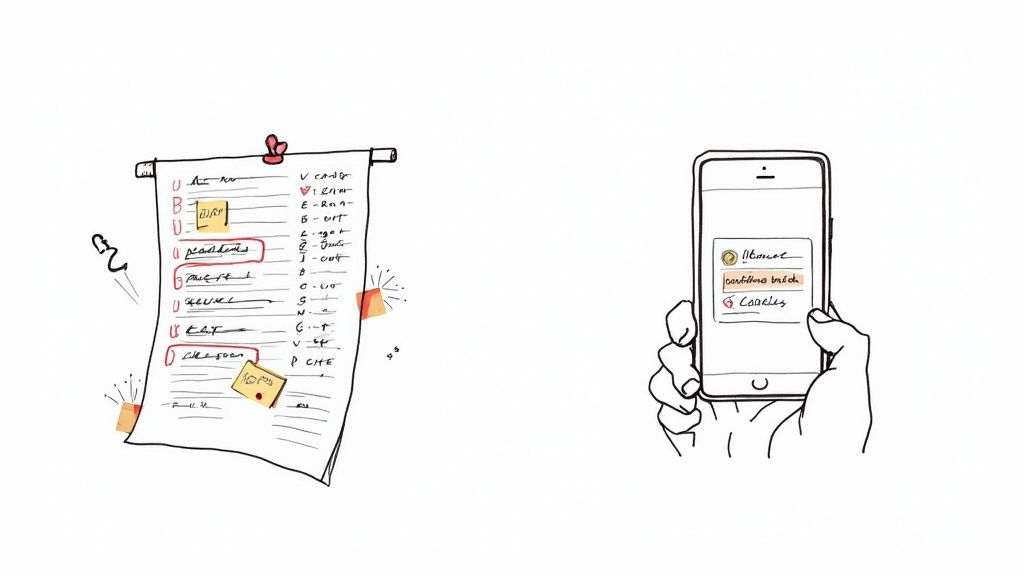
Let’s get real about your current booking process. It’s probably a patchwork of sticky notes, a spreadsheet you hope nobody messes up, or a calendar that’s always a few steps behind. Every phone call pulls you away from your actual work, and every call you miss is a customer who might just call your competitor instead. This isn’t just inefficient—it’s actively holding your business back.
Good scheduling software steps in as your always-on receptionist, one that never needs a lunch break or calls in sick. It takes the entire booking process off your plate, from the moment a customer wants to book until they get their final reminder.
The Shift From Manual to Automated
At its heart, this software gives your customers a live, interactive calendar they can see right from your website or social media page. This one change completely flips your operations on its head.
Instead of the endless back-and-forth trying to find a time that works, a client just looks at your real-time availability and picks a spot. The system locks it in, updates your calendar, and automatically sends out reminders to make sure they show up.
This isn't just about making things easier. It's a strategic move to get your most valuable resource back: your time. When you stop spending hours playing phone tag and managing a calendar, you can finally focus on what you do best.
The payoff is immediate and clear:
- You're always open for business: Leads and bookings can come in long after you've closed up for the day. People love booking on their own schedule, not just yours.
- The busywork disappears: You'll slash the time spent answering calls and emails just to coordinate schedules.
- You look more professional: A smooth, modern booking experience tells customers you're serious about your business and respect their time.
A Foundation for Growth and Efficiency
Bringing in scheduling software isn't just about getting a new tool; it's about making your business run smarter. Small business owners are always looking for ways to do more with less, and automating your booking is one of the single most powerful ways to improve business productivity. It lets you serve more clients without having to hire more people.
To really dig into how these tools can transform your business, this comprehensive guide to online appointment scheduling software is a great next step. By making this shift, you’re laying the groundwork for a more organized, profitable, and customer-friendly operation.
The Tangible Benefits of Automated Scheduling
Bringing appointment scheduling software into your small business isn't just about convenience—it's a direct investment in your bottom line. The return on that investment isn't some fuzzy, abstract idea. It shows up in your bank account, frees up your daily schedule, and boosts your customer reviews. This tech fundamentally changes how you capture and manage revenue.
Think of your website turning from a static brochure into a booking agent that works for you 24/7. When potential clients can book a service at 10 PM on a Tuesday, you’re grabbing business that would’ve otherwise slipped through your fingers. This is about more than just adding a button to your site; it’s about opening a new, automated sales channel that never sleeps.
Boost Revenue and Slash No-Shows
One of the first places you’ll see a financial win is in the drastic reduction of no-shows. A missed appointment isn't just a gap in your day; it's lost revenue you can never get back. Automated reminders, sent via email and SMS, are incredibly effective at making sure clients actually show up.
These automated nudges are like a digital assistant, politely but persistently reminding clients of their commitment. This one simple feature can have a massive impact, directly protecting your income and keeping your schedule full. For some real-world strategies on this, check out our guide on how to reduce no-show appointments.
The core benefit is simple: automated scheduling turns interested leads into confirmed, paid appointments with almost no effort on your part. It closes the gap between someone wanting your service and actually paying for it.
This efficiency doesn’t just prevent loss; it actively fuels growth. One retail business saw a 25% increase in sales after they started using a scheduling platform, mostly because they were more efficient and customers weren't waiting around. It's a clear example of how a smoother booking process translates directly to more money in the bank.
Reclaim Your Most Valuable Asset: Your Time
Every minute you spend on the phone trying to coordinate schedules is a minute you aren't spending on billable work or thinking about how to grow your business. For any small business owner, time is the one resource you can never get more of. Manual scheduling is a notorious time thief, full of back-and-forth emails, phone tag, and calendar Tetris.
Automated scheduling gives that time back.
- Eliminate the Admin Grind: The software handles everything from the initial booking to the final reminder, freeing you up to focus on what actually matters.
- Reduce Mental Clutter: No more waking up in a cold sweat worrying about double-bookings or forgetting to confirm an appointment. The system has it covered, giving you peace of mind.
- Empower Your Clients: Customers love the control and convenience of booking online on their own time. It makes their life easier and means they don’t have to call you for every little thing.
Getting leads in the door is one thing, but converting them seamlessly into appointments is where the money is made. You can see how top HVAC companies are driving more booked jobs by pairing smart lead generation with an efficient booking process.
Enhance Your Professional Image and Customer Experience
The way a customer books their very first appointment sets the tone for your entire relationship. A clunky, slow, or frustrating process can make them second-guess your professionalism before they’ve even met you.
On the flip side, a seamless, modern online booking system instantly tells them your business is organized, efficient, and respects their time. It's a polished and professional first impression that builds trust right out of the gate. This isn't just about winning one appointment; it's about creating loyal, repeat clients who leave great reviews and tell their friends about you. That experience becomes your competitive edge.
Essential Features Your Scheduling Software Must Have
Choosing the right appointment scheduling software is a bit like hiring a new team member. You need someone reliable, efficient, and versatile—a real team player. But not all platforms are created equal, and if you get distracted by flashy marketing, you can end up with a tool that creates more problems than it solves.
Think of this section as your practical buyer's guide. We're going to cut through the noise and break down the non-negotiable features, the ones that deliver a real return on your investment. These are the foundational pieces that will save you time, cut down on headaches, and actually help you make more money.
As you're looking at features, it helps to connect them back to your big-picture business goals.
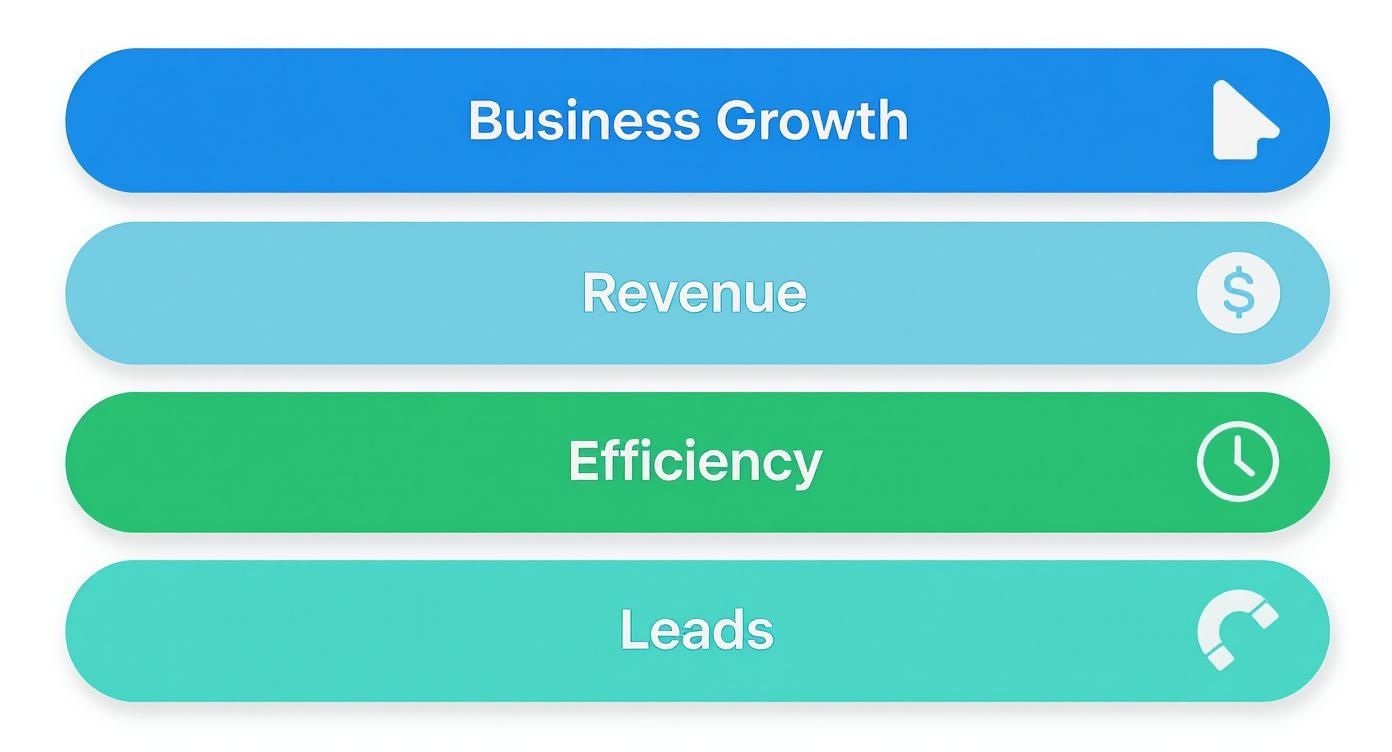
It’s a simple but powerful relationship: better efficiency and lead capture directly pump up your revenue, which is the fuel for real business growth. Every feature should serve one of these goals.
Differentiating Core vs. Advanced Features
For a small business, it's easy to get overwhelmed by endless feature lists. The key is to separate the absolute must-haves from the nice-to-haves that you might grow into later. This table breaks down that difference.
| Feature Category | Core Feature (Must-Have) | Advanced Feature (Good-to-Have for Growth) |
|---|---|---|
| Booking & Calendar | Customizable Online Booking Page, Two-Way Calendar Sync | Multi-location Management, Group Bookings |
| Client Communication | Automated Confirmations & Reminders | Customizable Follow-Up Sequences, SMS Chat |
| Payments | Integrated Payment Processing (Deposits/Full) | "Pay Later" Options, Recurring Payments |
| Business Management | Basic Client Database (CRM) | Staff Scheduling & Payroll Tools |
| Analytics | Standard Booking & Revenue Reports | Advanced Customer Segmentation & Trend Analysis |
Start with a solid foundation of core features. Once those are working smoothly, you can explore advanced tools to scale your operations without overcomplicating things from day one.
Core Booking and Calendar Management
First things first, the software has to nail the basics of booking an appointment. This is the engine of the whole system. If it sputters, nothing else matters.
- Customizable Online Booking Page: This is your digital storefront. It needs to be dead simple for you to add your logo, list your services and prices, and show staff availability. A clean, intuitive page means clients can book without getting confused and giving up.
- Real-Time, Two-Way Calendar Sync: This one is absolutely non-negotiable. When an appointment is booked online, it has to appear on your work calendar (like Google Calendar or Outlook) instantly. And when you block off time on your work calendar, that slot has to become unavailable on your booking page. This is the magic that prevents double-bookings.
A scheduling tool without flawless, real-time calendar sync is like a receptionist who never checks the master schedule. It’s a recipe for chaos and unhappy customers. It’s the single most important feature for keeping your day organized.
These two functions are the bedrock of a reliable system. Get them right, and your schedule will always be accurate and accessible.
Automated Client Communication
The next layer of must-have features is all about automation. This is where you start buying back huge chunks of your time and seriously improving the customer experience.
- Automated Confirmations and Reminders: The second a client hits "book," they should get an instant confirmation via email or text. Even more important, the system needs to automatically send reminders before the appointment. This one simple action is proven to slash costly no-shows.
- Customizable Messaging: Your business has a voice, a personality. Your software should let you edit the text in those confirmations, reminders, and follow-up emails. This is how you maintain your brand's feel and include key details, like directions or how to prepare for the appointment.
This kind of automation isn't just a convenience; it's a powerful driver of efficiency. One financial services firm saw a 25% jump in appointment confirmations just by switching to a platform with real-time availability and automated reminders. This points to a clear trend: small businesses are hungry for smart automation and integrations that tie their tools together. You can see just how fast the demand for scheduling automation is growing and the impact it's having across industries.
Business and Client Management Tools
Finally, a great scheduling tool does more than just manage your calendar—it should actively help you run your business better.
- Integrated Payment Processing: Letting clients pre-pay a deposit or the full amount when they book is a game-changer. It secures your revenue upfront and makes clients far more committed to showing up. Look for tools that integrate with trusted processors like Stripe or PayPal.
- Basic Client Management (CRM): The software should keep a history of each client’s appointments and contact info. This builds a valuable database, letting you spot booking patterns, send targeted marketing messages, and give more personal service on their next visit.
- Reporting and Analytics: How many appointments did you book last month? Which of your services is the most popular? Good software gives you simple reports with these insights, helping you make smarter decisions about your offerings, staffing, and marketing.
These business-focused features are often what separate a basic scheduler from the best workflow automation tools that become a true partner in your company's growth. By carefully checking for these essentials, you can choose a platform that becomes a genuine asset, not just another subscription.
How Scheduling Software Solves Real-World Industry Problems
The true value of appointment scheduling software for small business isn’t found in a feature list. It’s in how the software solves the specific, nagging problems you face every single day. A generic tool rarely fits just right. The best software molds itself to your workflow, whether you’re under the hood of a car, giving a client a new look, or providing essential healthcare.
Let's ditch the theory and step into the shoes of different business owners. Looking at these real-world scenarios, you'll see how this tech becomes a genuine problem-solver, not just another subscription to manage.
For the Local Auto Repair Shop
A mechanic’s day is a constant game of Tetris—managing service bays, juggling jobs of different lengths, and keeping technicians busy. A customer calling for a quick oil change is a completely different beast than one needing a complex transmission rebuild. Trying to schedule this manually almost always leads to overbooked bays or, even worse, empty ones.
This is where scheduling software steps in and acts like the perfect shop foreman.
- Smart Resource Management: You can tie specific services to specific bays or lifts. When a customer books a "Brake Pad Replacement," the system automatically blocks out Bay 2 for the 90 minutes it takes. No guesswork, no double-booking.
- Accurate Service Windows: The system knows a standard oil change takes 30 minutes, not two hours. This simple intelligence prevents a low-margin job from tying up a bay that could have been used for a more profitable multi-hour repair.
- Automated Nudges for Repeat Business: This goes way beyond simple appointment reminders. The software can track a vehicle’s service history and automatically text the owner when it’s time for their next oil change or tire rotation. It brings customers back through the door without you lifting a finger.
For a garage, the software isn't just taking appointments; it's optimizing the shop’s entire capacity for maximum profit. It turns a chaotic schedule into a smooth, predictable production line.
For the Bustling Beauty Salon or Spa
Salons and spas have their own unique brand of organized chaos. You’re not just managing time; you're managing people, specific rooms, and expensive equipment. A stylist might be free, but the color processing station they need could be occupied.
Scheduling software brings a sense of calm to this beautiful mess. It’s built for multi-resource booking, making sure the esthetician, the facial room, and the microdermabrasion machine are all available at the same time.
Better yet, the booking process itself becomes a chance to increase your revenue. As a client books a standard haircut, the system can offer an add-on like a deep conditioning treatment or a toner for a few extra dollars. This simple, automated upsell can meaningfully boost the value of each appointment before the client even walks in.
For Medical Clinics and Healthcare Providers
In a healthcare setting, getting scheduling right isn't just about the bottom line—it’s about patient care. Clinics are constantly battling to manage patient flow, cut down on soul-crushing administrative work, and shorten those frustrating wait times.
Here, a dedicated scheduling system is a critical piece of the patient experience. It can handle complex rules, like automatically booking new patient consultations for longer slots than routine follow-ups. When you integrate scheduling with a patient portal, you empower people to book and manage their own appointments, which frees up your front-desk staff to focus on the patients standing right in front of them.
To go deeper on this, our guide on medical appointment scheduling software gets into the nitty-gritty of how these tools improve patient access and make clinic operations run smoother. That kind of organization is exactly what builds patient trust and satisfaction.
For Independent Consultants and Coaches
If you're a consultant or a coach, your time is your product. The biggest headaches are almost always the same: coordinating with clients across different time zones and handling the logistics of payments and virtual meetings.
For solo professionals, the software’s integrations are the main event.
- Video Conferencing Integration: As soon as an appointment is booked, the tool can instantly generate and send a unique link for Zoom, Google Meet, or Microsoft Teams. No more manual link creation.
- Payment Gateway Integration: By connecting with Stripe or PayPal, you can require payment upfront. This move alone eliminates the awkwardness of chasing down invoices and secures your revenue before you do the work.
- Automatic Time Zone Detection: The software shows your availability in the client’s local time. It completely removes the confusing back-and-forth emails that plague anyone trying to schedule international calls.
Looking at these different businesses, it’s clear that appointment scheduling software for small business isn’t a one-size-fits-all product. Think of it as a flexible framework that adapts to solve the unique operational headaches of your industry, making your business more efficient, more profitable, and far more professional.
The Future of Scheduling: Voice and AI

What if you never had to worry about missing another booking call again? While online booking pages are a huge step forward, they still miss one crucial channel: the telephone.
For so many service businesses, a ringing phone is the sound of opportunity. But it’s an opportunity you can’t always grab when you’re on a job, under a sink, or with another client.
This is where the next evolution of scheduling technology comes into play, blending Artificial Intelligence with your phone line. It’s not some far-off concept; it’s a practical tool that gives small businesses a serious competitive advantage right now.
Imagine an AI-powered receptionist that answers your phone 24/7, greeting every caller with a natural, friendly voice. That's the heart of a voice-driven scheduling system.
How AI and Voice Change the Game
Think about it: traditional scheduling software is passive. It just sits there, waiting for a customer to find your website and click a button. Voice-driven systems are active. They engage with customers in real-time over the phone—just like a human receptionist would, but without being limited by business hours or the risk of a missed call.
This technology can instantly:
- Answer and Triage Calls: It figures out if the caller wants to book a new appointment, reschedule, or just ask a question.
- Book Directly into Your Calendar: The AI checks your real-time availability and books the appointment on the spot. No human needed.
- Gather Critical Information: For a locksmith, it can ask for the car's year, make, and model. For an HVAC tech, it can ask about the specific issue.
This isn't just about answering calls; it's about turning phone calls directly into scheduled, revenue-generating jobs. It captures leads that online-only schedulers would have missed entirely, especially from customers who just prefer to call.
This kind of automated interaction provides a superior, always-on customer experience. It makes your business seem bigger and more organized than it might actually be.
The Practical Advantage for a Small Business
For a small business owner, the benefits are immediate and massive. You're no longer forced to choose between focusing on the client in front of you and answering a ringing phone.
An AI receptionist for small business can handle the bulk of routine calls, which often make up 60-80% of all inbound calls. This intelligent automation frees up your time and makes sure every single lead is captured.
When a customer calls at 9 PM with a leaky pipe, the AI doesn't send them to voicemail; it books them into the first available slot the next morning. You can learn more about how an AI receptionist for small business can completely transform your operations.
This shift moves appointment scheduling software for small business from a simple organizational tool to a proactive, lead-capturing machine. It ensures that no matter when a customer calls, their needs are met and their business is secured—giving you a significant edge over competitors who are still letting calls go to voicemail.
Choosing and Implementing Your New Software
Making the leap to new software can feel like a huge, intimidating project. It doesn't have to be.
If you break the process down into a few clear, manageable steps, you can move from decision to launch with confidence. The goal here is progress, not perfection. Getting a system up and running is far better than waiting around for the “perfect” moment that never comes.
This simple roadmap will guide you through picking the right appointment scheduling software for your business and getting it implemented smoothly.
Step 1: Figure Out Your Core Needs and Budget
Before you look at a single piece of software, get a clear picture of what you actually need. Ask yourself a few honest questions. What are your biggest scheduling headaches right now? Are you bleeding time on back-and-forth calls, battling no-shows, or struggling to manage multiple staff calendars?
Make a short, prioritized list of your absolute must-have features. Then, set a realistic monthly budget you can live with. This simple exercise will keep you focused and stop you from getting distracted by flashy, expensive tools that solve problems you don't have.
The best software isn't the one with the most features; it's the one that solves your specific problems within your budget. Clarity on your needs is the most powerful tool you have.
Step 2: Shortlist a Few and Take Them for a Test Drive
With your needs and budget in hand, you can start building a shortlist. Use the feature checklists and industry examples from earlier in this guide to find a few strong candidates. Once you’ve narrowed it down to two or three options, it's time to get your hands dirty.
Almost every provider offers a free trial—use it. Don’t just click around the dashboard. Set it up as if you were going live with it tomorrow.
- Connect Your Calendar: Sync it with your actual work calendar to see how well it plays with the tools you already use.
- Create Your Services: Add a few of your real services with the correct prices and durations.
- Run a Test Booking: Get a friend or family member to book an appointment from their phone. See what the experience is like from their side.
This is the only way to really know if the software feels right for you and your workflow.
Step 3: Plan the Launch and Get Your Team Onboard
Once you've picked a winner, a little planning will make the rollout painless. First, sync up all your necessary staff calendars and manually block off any existing appointments in the new system so you don't get double-booked. Next, update your website, social media profiles, and Google Business Profile with your new booking link.
Finally, tell your team and your customers about the switch. A simple email to your client list explaining the new, easier way to book can build excitement and ensure a smooth transition. The small and medium business sector is adopting these tools at a breakneck pace, with healthcare alone seeing a 20% cut in administrative work and a 15% drop in patient no-shows.
As you can see from the latest market reports, integrating a customer database and payment gateways is becoming non-negotiable for businesses that want a complete solution. You can learn more about the growing appointment scheduling software market and see for yourself how it's reshaping modern business.
Frequently Asked Questions
Even with all the benefits laid out, you might still have a few questions rolling around in your head. That's not just normal, it's smart. Choosing a new piece of tech for your business is a big deal, and you should kick the tires before you drive it off the lot.
Let's tackle those last few hesitations head-on. My goal here is to give you the clear, straightforward answers you need to feel confident about moving forward.
How Secure Is My Customer Data?
This is easily one of the most important questions you can ask. You're thinking about trusting a platform with your client's information—names, phone numbers, appointment history—and that requires a whole lot of faith in their security.
Any reputable appointment scheduling software for small business provider gets this and takes security incredibly seriously. Here’s what you should be looking for as non-negotiables:
- Data Encryption: All your data, whether it's being sent over the internet or just sitting on their servers, needs to be encrypted. Period.
- Access Controls: You need to be in the driver's seat, deciding exactly which of your team members can see or change client information.
- Compliance Standards: If you're in an industry like healthcare, the software must meet specific rules like HIPAA. This isn't optional.
Think of a secure platform like a digital bank vault for your client data. It's not just a locked door; it's built with layers upon layers of protection to make sure only the right people can get inside. This keeps your customers' sensitive information safe and your business protected.
What Is the Best Pricing Model?
Software pricing can feel like a maze, but it usually comes down to a couple of common setups. Once you get how they work, you can find a plan that actually fits your budget without getting stuck paying for a bunch of features you'll never touch.
The two models you'll see most often are per-user/per-month fees (you pay a flat rate for each staff member who needs access) and tiered plans (the price goes up as you get more features and can handle more bookings). For the vast majority of small businesses, a simple tiered plan that lines up with how many appointments you book is going to give you the best bang for your buck.
Will It Integrate with My Other Tools?
No tool is an island. A new piece of software has to play nice with the systems you already depend on day in and day out. This is where integrations are make-or-break. The absolute most critical integration is with your calendar, whether that's Google Calendar or Outlook.
But don't stop there. You'll want to look for connections to your other essential tools:
- Payment Processors: If you want to take deposits or full payments online, you'll need it to connect with something like Stripe or PayPal.
- Email Marketing Services: Linking up with a tool like Mailchimp lets you automatically add new clients to your newsletters and marketing campaigns.
- Video Conferencing Tools: For anyone doing remote consultations, having your software automatically generate Zoom or Google Meet links is a massive time-saver.
When your tools talk to each other seamlessly, you stop wasting time on double-entry and your whole operation just runs smoother.
Ready to capture every single call and turn it into a booked job? Marlie Ai gives you a 24/7 AI phone assistant that answers every call, schedules your appointments, and frees you up to focus on the real work. Stop missing opportunities and see how Marlie can help you grow your business at https://www.marlie.ai.
