

Screening a phone call is just what it sounds like: figuring out who's calling and what they want before you decide to answer. This isn't about being rude; it's a critical strategy for managing your time, cutting out the noise, and making sure the important conversations actually get to the right person.
Why Screening Calls Is a Modern Business Imperative
Let's be real—the endless ringing of unknown numbers is more than just a minor headache. It's a direct assault on your team's focus and productivity.
It used to be that every call was a potential opportunity. Today, a huge chunk of them are productivity black holes in disguise—robocalls, pushy sales reps, and even outright scams. This fundamental shift has turned screening a phone call from a "nice-to-have" into a core business necessity.
The sheer scale of the problem is mind-boggling. In Q2 2025 alone, an incredible 13.7 billion suspected spam calls were flagged across the globe. That breaks down to about 150 million junk calls hitting phones every single day. For businesses, this constant barrage wastes an estimated 196 million hours every year in the US alone, according to the global call threat report.
The True Cost of Unscreened Calls on Your Business
Every unwanted call that makes it through to your team has a hidden cost that goes far beyond the few minutes wasted hanging up. These interruptions shatter concentration, pull people away from revenue-generating work, and create a low-grade, persistent stress that wears down performance over time.
This isn't just theoretical. The financial and operational damage is very real.
| Area of Impact | Description of Negative Effect | Potential Business Cost |
|---|---|---|
| Lost Productivity | It can take over 20 minutes for an employee to fully regain focus after even a 30-second interruption. Multiply that across a team, and the hours vanish. | Wasted payroll, missed deadlines, delayed projects. |
| Security Risks | Sophisticated vishing (voice phishing) scams often start with a simple phone call, aiming to trick employees into giving up sensitive company data or access credentials. | Data breaches, financial fraud, reputational damage. |
| Poor Customer Experience | When your team is busy fending off spam, legitimate customers with real problems are more likely to hit a busy signal or talk to a rushed, distracted employee. | Customer churn, negative reviews, lost sales opportunities. |
| Employee Burnout | Constantly dealing with aggressive or deceptive callers is mentally draining. It contributes to job dissatisfaction and higher employee turnover. | Increased hiring and training costs, lower morale. |
Ultimately, failing to screen calls means you’re letting random, unqualified people dictate how your team spends its most valuable resource: time.
A solid call screening process isn't about avoiding people; it's about connecting with the right ones, faster. By filtering out the noise, you create clearer, more direct pathways for the customers, partners, and high-value leads that truly matter.
Adapting to New Communication Norms
Consumer tech is also changing the game, training people to expect more intelligence from their phone calls.
Think about features like Apple's live voicemail transcription, where you can see a caller's message being typed out in real-time. This has conditioned us to expect instant context. If your business isn't applying that same level of smart filtering to your inbound calls, you're already falling behind customer expectations.
Putting a proactive screening strategy in place—whether it's a skilled human receptionist or a modern call answering service for business—is no longer optional. It's a fundamental part of running an efficient, secure, and customer-focused operation. The goal is to build a filter that's tough on spam but feels invisible and helpful to the people you actually want to talk to.
Building Your Intelligent Call Routing Playbook
Before you can screen a single call effectively, you need a clear game plan. Think of it as your command center, a well-designed playbook that dictates exactly how every inbound call gets handled. This isn't just about blocking a few spam calls; it's about building an intentional, intelligent system that guides the right callers to the right people, every single time.
This whole process kicks off by defining your objectives. What’s the single biggest problem you’re trying to solve right now? Shielding your sales team from a constant barrage of unsolicited pitches is a completely different goal than, say, prioritizing urgent support requests from your VIP clients. Get specific. Your primary aim will shape every decision you make from here on out.
Define Your Call Categories
Once you know your "why," the next step is to sort incoming calls into logical buckets. It’s like sorting your mail before you open it. Pretty much every call that hits your business phone lines falls into one of several predictable categories.
Your buckets need to be actionable and distinct. For a small service-based business, for example, the categories might look something like this:
- New Sales Lead: High-priority stuff. These are potential customers who need immediate attention.
- Current Client Support: Existing customers with questions or problems that need a helping hand.
- Vendor or Partner Inquiry: Calls from your suppliers, partners, or other key business contacts.
- Non-Essential Call: This is the catch-all for cold calls, misdials, or general solicitations that don't require anyone to drop what they're doing.
This simple flowchart shows how an unscreened call quickly escalates from a potential annoyance to an active business risk.
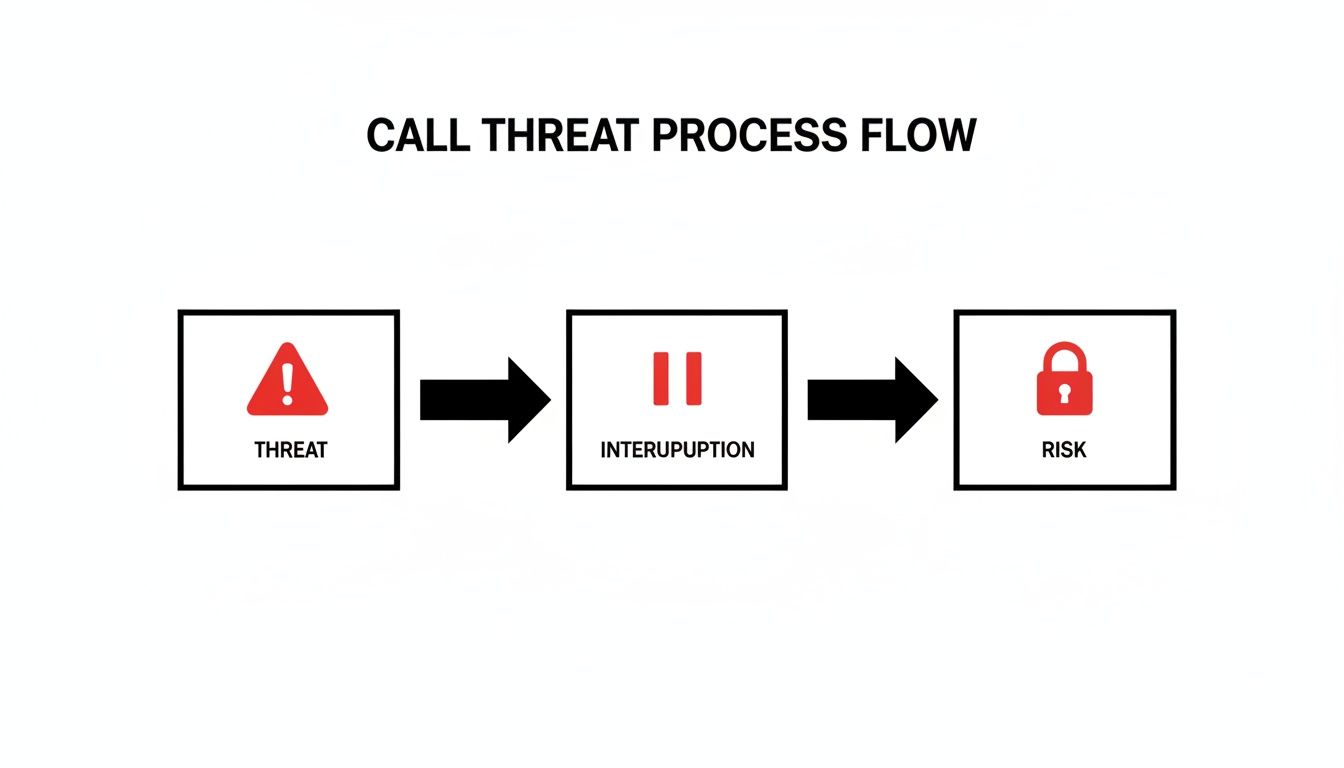
The takeaway here is that every unwanted call isn't just a threat—it's an interruption. And that interruption creates a tangible security or productivity risk if you don't manage it properly.
Map Out Your Call Flows
With your categories locked in, you can now map out a logical path for each type of call. You're basically designing the caller's journey. For each category you created, ask yourself: What is the ideal outcome here?
A great call flow feels seamless and helpful to a legitimate caller but acts as an impenetrable filter for everyone else. The key is balancing robust screening with a professional, frictionless experience.
For instance, a call flagged as a New Sales Lead might get routed directly to the on-duty sales rep's cell phone. No delays. On the other hand, a Current Client Support call could first go to an AI assistant to gather basic account details before it's handed off to a human agent. Our guide on what is call routing digs much deeper into the mechanics of setting up these pathways.
Finally, any Non-Essential Call might be sent straight to a dedicated voicemail box that someone checks once a day, or even disconnected immediately if it's clearly identified as spam. By creating these distinct flows, you ensure your team's time and attention are always focused on the calls that actually move your business forward.
Human-Led Screening Scripts That Actually Work
For the calls that make it past your initial filters and land with a human, the language your team uses is everything. A clunky, robotic screening process can make even a high-value lead feel like they're being interrogated.
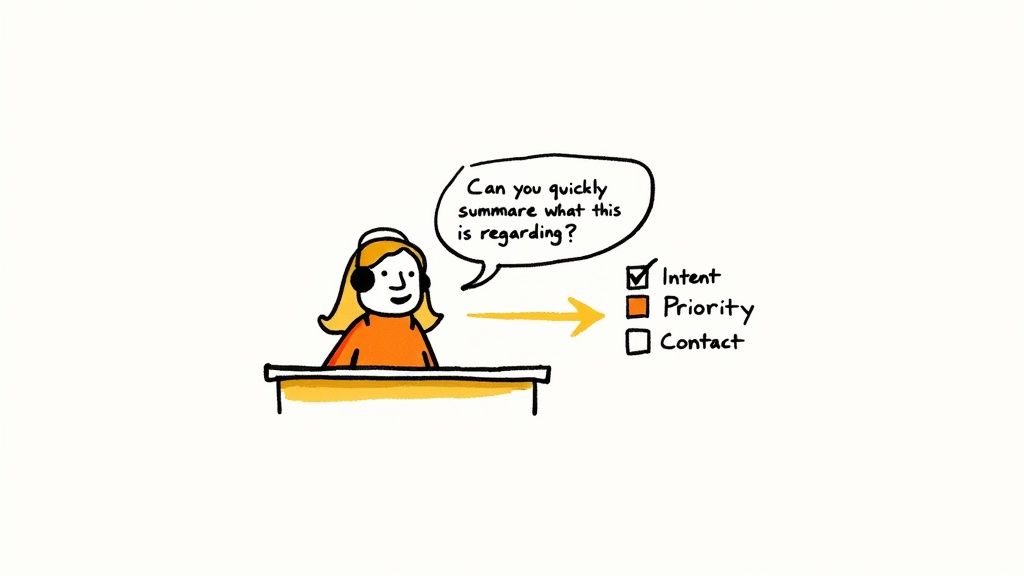
The goal is to be both an efficient gatekeeper and a gracious host. It's about using natural language that gets to the heart of the matter quickly, without creating friction. This starts with ditching blunt questions like, "Who are you and what do you want?" and instead framing your opening as a way to help the caller. A simple shift in phrasing makes all the difference.
Powerful Qualifying Questions
The key is collaborative language that positions your receptionist or team member as an ally. You're trying to politely figure out the caller's intent and priority level so you can get them to the right place.
Here are a few proven opening lines that work wonders:
- For general inquiries: "So I can get you to the best person, could you quickly summarize what this is regarding?" This is non-confrontational and immediately frames the question around being helpful.
- To filter sales calls: "Are you calling about an existing account, or is this a new inquiry?" This immediately segments callers into two clear buckets without being rude.
- For potential urgency: "Just so I'm clear, is this related to a time-sensitive issue we need to address today?" This helps triage support or technical problems right away.
These questions are open-ended enough to gather real information but specific enough to direct your next move. For more ideas, our guide on receptionist phone answering scripts offers a deeper dive into crafting the perfect conversation flow.
The most effective screening question doesn’t feel like a question at all. It feels like the first step in solving the caller's problem. By focusing on getting them to the right resource, you gather the information you need while building immediate rapport.
The Art of the Graceful Handoff
Once you've identified a call that needs transferring, how you manage that handoff is just as important as the initial screening. Nothing frustrates a caller more than having to repeat their story over and over.
A "warm transfer" is always the way to go. This simply means the person screening the call gives the next person some context before connecting the caller.
The Bad Handoff:
"John, I have someone on line one for you."
The Great Handoff:
"Hi John, I have Sarah from XYZ Corp on the line. She's calling to follow up on the proposal you sent last week and has a few questions about the timeline. Are you free to chat with her?"
This simple act accomplishes three critical things:
- It prepares the recipient, letting them pull up relevant info and be ready for the conversation.
- It shows the caller you were actually listening and that you value their time.
- It creates a seamless, professional experience that reflects well on your entire organization.
By equipping your team with these simple but effective scripts and techniques, you transform call screening from a necessary chore into a strategic advantage. You'll boost efficiency and make a great impression on everyone who calls.
Putting AI and Automation to Work in Call Screening
Technology is completely changing the game for call screening. And while a real human conversation will always have its place, modern AI and automation tools offer a seriously powerful way to build a smarter, more efficient front line for your business.
We’re not just talking about the basic spam blockers your phone carrier gives you. Think sophisticated AI phone assistants that can transcribe calls on the fly, figure out what a caller actually wants, and route them to the right place—all without a person lifting a finger.
Imagine an assistant that handles the initial triage, asks your specific qualifying questions, logs all the important details, and even books appointments straight into your team’s calendar. This is very much a reality, and it’s how smart businesses are freeing up their teams for the high-value conversations that actually move the needle. A solid AI phone answering service filters out the noise so your experts only talk to the people who matter.
The New Reality of Automated Screening
Here's the thing to remember: this technology works both ways. Your potential customers are using advanced screening tools too, which means you’ve got to adjust your own strategy.
For instance, Apple's iOS 26 Call Screening feature, slated for a 2025 launch, is set to be a game-changer. The system quietly intercepts calls from numbers you haven’t saved, asks the caller to state their name and purpose, and then transcribes their response live on your lock screen. Many sales teams are already anticipating a drop in connection rates as their calls get sent straight to voicemail, forcing a pivot to smarter tools that can actually navigate these AI gatekeepers.
The takeaway is clear: in a world where everyone is screening calls, your business needs a system that's just as intelligent. Your automated front line has to be sharp enough to get past your prospects' filters while effectively enforcing your own.
Choosing Your Automation Stack
The right tool really boils down to your specific needs and call volume. For a lot of businesses, a dedicated AI assistant hits that sweet spot, offering a great blend of power and simplicity.
So, how do these new tools stack up against the old way of doing things? Let's break it down.
Comparing Human vs. AI-Powered Call Screening
When you're deciding between a person or a bot for your front line, there are clear trade-offs. One offers a personal touch but comes with limitations, while the other provides incredible efficiency and scale.
Here's a head-to-head comparison:
| Feature | Human Screening | AI-Powered Screening |
|---|---|---|
| Availability | Limited to business hours and staff availability. | 24/7/365, ensuring no call is ever missed. |
| Cost | High overhead: salary, benefits, training. | Low operational cost, often a fraction of an employee's wage. |
| Consistency | Performance can vary based on mood, training, and workload. | Delivers a perfectly consistent, on-brand experience every time. |
| Data Capture | Relies on manual note-taking, which can be prone to error. | Automatically transcribes and logs every interaction accurately. |
| Scalability | Scaling requires hiring and training more staff, which is slow. | Can handle hundreds of simultaneous calls without any delay. |
The choice isn't just about cost or availability; it’s about what you’re trying to achieve. An AI screener excels at consistency and data capture at scale, while a human is better for nuanced, high-touch interactions.
Beyond the tools themselves, it's worth exploring broader marketing automation concepts to see how everything can fit together. Platforms in this space often integrate lead management and communication workflows, which can perfectly complement an intelligent call screening system.
By linking these technologies, you can create a seamless journey from the moment a prospect calls to the moment a deal is closed, all with minimal manual work. The trick is to stop seeing call screening as an isolated task and start seeing it as the crucial first step in a much larger, automated customer engagement strategy.
How to Measure and Refine Your Screening Process

A great call screening system isn't something you can just set up and walk away from. Think of it as a living part of your business—it has to evolve as you do. To figure out if your strategy is actually hitting the mark, you have to track the right data. It’s the only way to move from pure guesswork to a smart, data-driven approach.
Without clear metrics, you're flying blind. You might feel like your system is doing a good job blocking spam, but you'll have no idea if it's also creating a brick wall for legitimate customers. The real goal here is to constantly tweak and optimize your process for both peak efficiency and a genuinely great caller experience.
Key Performance Indicators for Call Screening
Tracking a handful of crucial key performance indicators (KPIs) will give you a clear, honest picture of what’s working and where the friction points are. These numbers are basically your system's health report. If you want to dive deeper, check out our guide on key performance indicators for small business.
Here are the essential KPIs you should be watching:
- Call Abandonment Rate: This is the percentage of people who hang up before they reach the right person or get what they need. A high number here is a huge red flag—it could mean your automated menu is a confusing mess or your hold times are just way too long.
- Time to Resolution: How long does it take from the moment a call is picked up to the second the caller's issue is solved? If this number starts creeping up, it can signal slowdowns in your routing or that your team isn't getting the right info from the screening process.
- Spam vs. Legitimate Call Ratio: This is the ultimate test of how well your filter is working. You need to know how many junk calls are being blocked versus how many real business calls are getting through. This ratio is your guide to fine-tuning the sensitivity of your spam filters.
Your data tells a story. A high abandonment rate isn't just a number—it’s a warning sign that your screening process might be costing you valuable leads or frustrating loyal customers.
Using Data to Make Smart Adjustments
The real power of tracking KPIs isn't in the numbers themselves, but in using the insights to make informed changes. Let's say your Spam vs. Legitimate Call Ratio shows too many valid callers are getting flagged by mistake. That's your cue to go in and adjust your AI's filtering rules or retrain it with better examples.
The impact of a well-tuned system can be massive. In larger call centers, AI-driven screening has been shown to boost issue resolution by 14% per hour and slash call handling time by 9%. This frees up human agents to focus on the more complex, high-value problems. By continuously refining how you screen a phone call, you can see similar gains in both your team's efficiency and your callers' happiness. You can find more call center statistics on this topic in this insightful article.
Got Questions About Screening Calls? We've Got Answers
Even the best-laid plans can bring up a few questions. When businesses start getting serious about filtering their inbound calls, a few common queries always seem to pop up. Let's tackle them head-on.
What Is the Difference Between Call Screening and Call Blocking?
It’s easy to mix these two up, but they serve completely different purposes.
Think of call screening as your intelligent gatekeeper. It’s an active process—you’re figuring out who is calling and why, in real time, so you can decide what to do next. Do you answer, transfer it to sales, or send it to voicemail? Screening gives you that case-by-case control.
Call blocking, on the other hand, is more of a blunt instrument. It's a permanent, set-it-and-forget-it action. You add a number to a list, and it can never ring your phone again. It’s perfect for those persistent spammers you never want to hear from, period.
Screening gives you intelligence on every call; blocking is for shutting the door completely.
Can Screening a Phone Call Hurt My Customer Experience?
A poorly designed screening process absolutely can. If you force legitimate callers through a confusing automated menu, make them wait on hold forever, or just generally make it hard to reach a human, you're going to frustrate them. No question about it. This is a valid concern, and it’s why thoughtful design is so critical.
But here’s the flip side: a well-executed strategy dramatically improves the customer experience.
When you can instantly identify an important client and route them to their account manager on the first try, you’re saving them time and hassle. You eliminate annoying transfers and get them answers faster. The goal is to create a process that’s tough on spam but feels effortless for the people you actually want to talk to.
A great screening process should feel invisible to your important callers. For them, it's just a fast, efficient path to the person who can help them best.
Are There Legal Rules for Screening and Recording Calls?
Yes, and this is one area you don’t want to mess up. Laws around call recording and consumer privacy can be a minefield, and they vary quite a bit depending on where you and your caller are located.
For instance, some states require "two-party consent," which means you have to get permission from everyone on the line before you can hit record. It’s also vital that your process complies with federal regulations like the Telephone Consumer Protection Act (TCPA), especially if you're dealing with any form of telemarketing.
Always be upfront about recording calls. Your best bet is to consult with a legal professional to make sure your entire call handling strategy is fully compliant. It’s a small investment that protects both your business and your callers.
Ready to stop missing opportunities and start running a more efficient business? The Marlie Ai 24/7 AI phone assistant can screen calls, book appointments, and capture every lead so you can focus on what you do best. Discover how Marlie can transform your front line at https://www.marlie.ai.
