

To transfer a call, you’ll typically hit the "Transfer" button on your phone’s keypad, dial the recipient's number, and then hit "Transfer" again to send the caller on their way. While the exact buttons change depending on the device, that basic idea is the foundation for moving a conversation from one person to another without just hanging up on them.
Why a Smooth Call Transfer Matters
Picture this: a new client calls your business, ready to sign a big contract, but the call drops mid-transfer. That's not just an inconvenience; it’s a lost opportunity that can instantly tarnish your reputation and hit your bottom line.
Learning how to transfer calls effectively isn't about being a tech wizard. It’s about creating a seamless customer journey from the very first hello.
The Real Cost of a Bad Transfer
A fumbled transfer sends a loud and clear message: "We're disorganized." The caller gets stuck repeating their story, frustration builds, and their confidence in your ability to solve their problem completely evaporates.
This one moment of friction can be the difference between a five-star review and a customer who never calls back. In fact, solid call handling is a huge piece of the puzzle when it comes to keeping clients happy. If you're looking to build more loyalty, check out these customer retention strategies for small business.
And this happens more often than you'd think. Industry data shows that roughly 19% of all calls in a call center setting end up being transferred. That means nearly one out of every five people who call you need to be handed off to someone else. Getting it right is non-negotiable.
A seamless transfer tells a customer they've called the right place. A chaotic one tells them to hang up and call your competitor. It’s a moment that defines their entire perception of your business.
Choosing the Right Call Transfer Method
To build a better system, you first need to know your options. Each transfer type serves a specific purpose, and picking the right one depends entirely on the situation.
| Transfer Type | Process | Best For |
|---|---|---|
| Warm Transfer (Attended) | You talk to the next person before connecting the caller, giving them context. | High-value clients, complex issues, or ensuring a personal touch. |
| Cold Transfer (Blind) | The caller is sent directly to the new line without any introduction. | Simple, routine requests where no background information is needed. |
| AI-Driven Transfer | The system automatically routes the call based on voice commands or keypad inputs. | Handling high call volumes efficiently and getting callers to the right department fast. |
Each method has its place. A warm transfer is your go-to for VIPs, while a cold transfer is perfect for quickly sending someone to a general voicemail box. AI-driven transfers, meanwhile, are all about speed and accuracy at scale.
The Three Core Transfer Methods Explained
Let's break down what each of these actually looks like in practice.
-
Warm Transfer (Attended): This is the gold standard for customer service. You speak to the recipient before connecting the caller, giving them a quick heads-up. Think of it like a personal introduction: "Hey, Sarah, I've got John on the line about his invoice from last week." Sarah is now fully prepared, and John doesn't have to repeat himself.
-
Cold Transfer (Blind): This is the "fire and forget" method. You send the caller directly to the new line without any intro. It's fast and efficient, but use it wisely. It works best for simple requests where no context is needed, like transferring someone to a general department or an information line.
-
AI-Driven Transfer: This is where modern tech really shines. An intelligent system, like Marlie, automatically routes the call based on keywords the caller says or the numbers they press ("Press 2 for Support"). This approach eliminates human error and guarantees callers get to the right person on the first try, every time.
Transferring Calls on Smartphones and Desk Phones
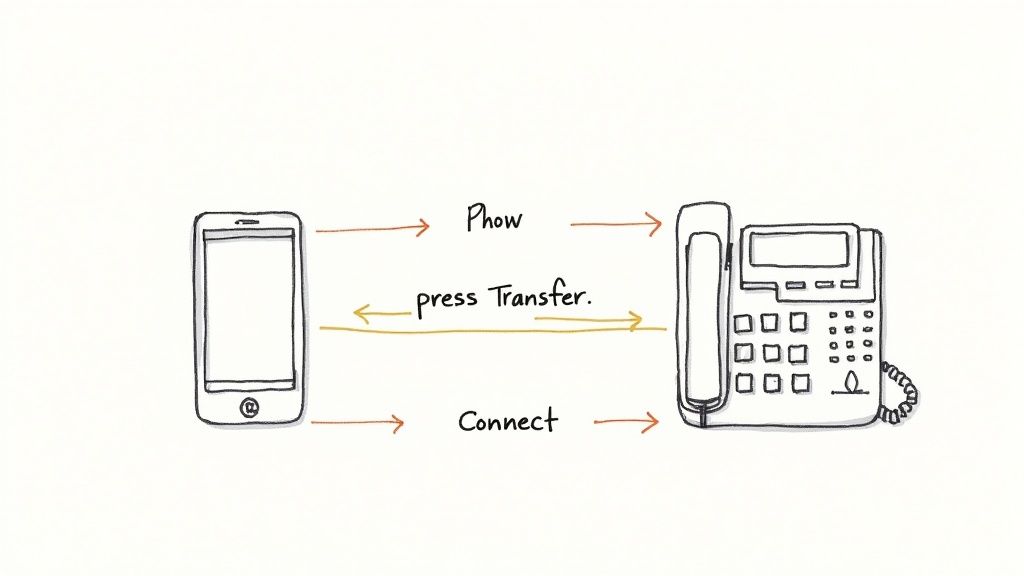
Before we get into the complex systems, you have to nail the fundamentals on the devices you use every single day. Whether you’re in the office or out on a job site, knowing how to transfer a call on a smartphone or a standard desk phone is a core skill for any service business.
The mechanics are often simpler than you think, but the impact of a smooth handoff is huge. When a field tech can instantly connect a client with the main office to sort out a billing question, they look professional and efficient. That builds trust on the spot.
Executing a Call Transfer on a Smartphone
Smartphones are obviously powerful business tools, and most have call transfer features baked right in. The exact steps can vary a bit between devices, but these functions are usually part of the native phone app—no special software needed to get started.
For both iPhone and Android, the process generally looks something like this:
- Initiate a New Call: While you’re on the active call, tap the "Add Call" or "+" icon on your screen. This automatically puts your current caller on hold.
- Connect to the Third Party: Dial the number of the person you want to transfer the call to. This is your chance to speak with them privately and give them some context—the critical step in a "warm" transfer.
- Complete the Transfer: Once you're ready, look for a "Merge Calls" or "Swap" icon. Tapping this connects everyone. If you're doing a "blind" transfer, you can often just hang up after dialing the second number.
This basic feature is a great starting point, but if your business is juggling a lot of calls, it's worth exploring how to forward calls to a cell phone for more advanced routing solutions.
Pro Tip: Always tell your current caller what you're doing. A simple, "I'm going to place you on a brief hold while I connect you with our scheduling department" prevents confusion and makes the customer feel taken care of, not just passed along.
Navigating Multi-Line Desk Phones
Traditional desk phones might seem a little old-school, but they are purpose-built for call management. A receptionist transferring a high-value sales lead to the right account executive is relying on these devices for pure speed and reliability.
The process is typically more straightforward than on a smartphone. While on a call, you’ll press the "Transfer" button, which immediately puts the caller on hold.
Next, dial the extension or phone number of the recipient. For a warm transfer, you wait for them to answer so you can give them the details. For a cold transfer, you can often just press the "Transfer" button again or hang up, sending the call directly to their line. The real trick is knowing which button—Hold, Transfer, or Conference—to use in each situation so you don't accidentally drop a valuable customer.
Getting Smart with Call Transfers in VoIP Systems
Once you move past the physical buttons on a desk phone, the world of Voice over Internet Protocol (VoIP) and Private Branch Exchange (PBX) systems opens up a ton of possibilities for smarter, automated call handling. These platforms are really the brains behind modern business communication, transforming a simple phone call into a smooth, efficient path for your customers. To get the most out of them, it helps to have a handle on the core principles of VoIP technology.
The real magic here is designing sophisticated workflows that guide callers to the right person or department without anyone having to lift a finger. Instead of a receptionist manually transferring calls all day, the system itself does all the heavy lifting, which cuts down wait times and frees up your team.
Hunt Groups vs. Ring Groups: What's the Difference?
At the core of this automation, you'll find features like hunt groups and ring groups. They might sound alike, but they do very different things to manage the flow of incoming calls.
- Hunt Groups: Think of a hunt group as a system that "hunts" for someone who's free. A call comes in and rings one specific phone. If that person doesn't answer after a few rings, it automatically jumps to the next person in line. This setup is great for smaller teams where you have a primary point of contact and then a backup.
- Ring Groups: A ring group—sometimes called a simultaneous ring—does exactly what it sounds like. It rings a whole bunch of phones at the same time. The first person to grab it takes the call. This is the go-to for sales or support teams where the main goal is just to get that phone answered fast, no matter who does it.
These features are the building blocks of a much bigger strategy we call call routing. If you want to see how these pieces all fit together, we break it all down in our guide to what call routing is and what it can do for your business.
Why You Need Call Queues
When things get busy and calls start piling up, a call queue is an absolute lifesaver. Instead of hitting a busy signal or getting dumped into voicemail, callers are placed in a virtual line. They'll usually hear some hold music and maybe get an update on where they are in the queue. For any busy service or support desk, this system is a must-have for making sure customers are helped in the order they called. It creates a fair, organized, and much less frustrating experience.
A good call queue does more than just stop you from missing calls—it manages customer expectations. Telling a caller they’re "third in line" is infinitely better than leaving them in dead silence, wondering if their call will ever be answered.
This simple tool transforms a moment of potential frustration into a structured, professional process. It sends a clear message: their call is important, and you'll get to them. The adoption of this kind of tech is exploding, mostly because cloud-based systems have made it so much more accessible. The cloud contact center market was valued at USD 23 billion in 2022 and is expected to rocket to USD 120 billion by 2032. That's a massive shift, showing just how many businesses are moving toward smarter, more scalable ways to handle their calls.
Automating Call Routing with Marlie.ai
Manually transferring calls works, but it needs your team’s undivided attention. When your staff is juggling tasks or out in the field, every inbound call becomes a gamble—a potential lead that could slip through the cracks. This is where intelligent, automated call management completely changes the game.
Instead of just reacting to the phone ringing, a tool like Marlie.ai lets you build a proactive system. It’s designed to instantly guide callers exactly where they need to go, no human intervention required.
The whole process hinges on creating simple, powerful rules that the system follows every single time. A caller no longer has to wait for a person to pick up, figure out what they need, and then find the right person to transfer them to. The AI handles that initial handshake, gathers the essential details, and routes the call based on what the caller actually wants.
This diagram gives you a simplified look at how an automated system can intelligently shuttle a call from the first ring straight to the right agent.
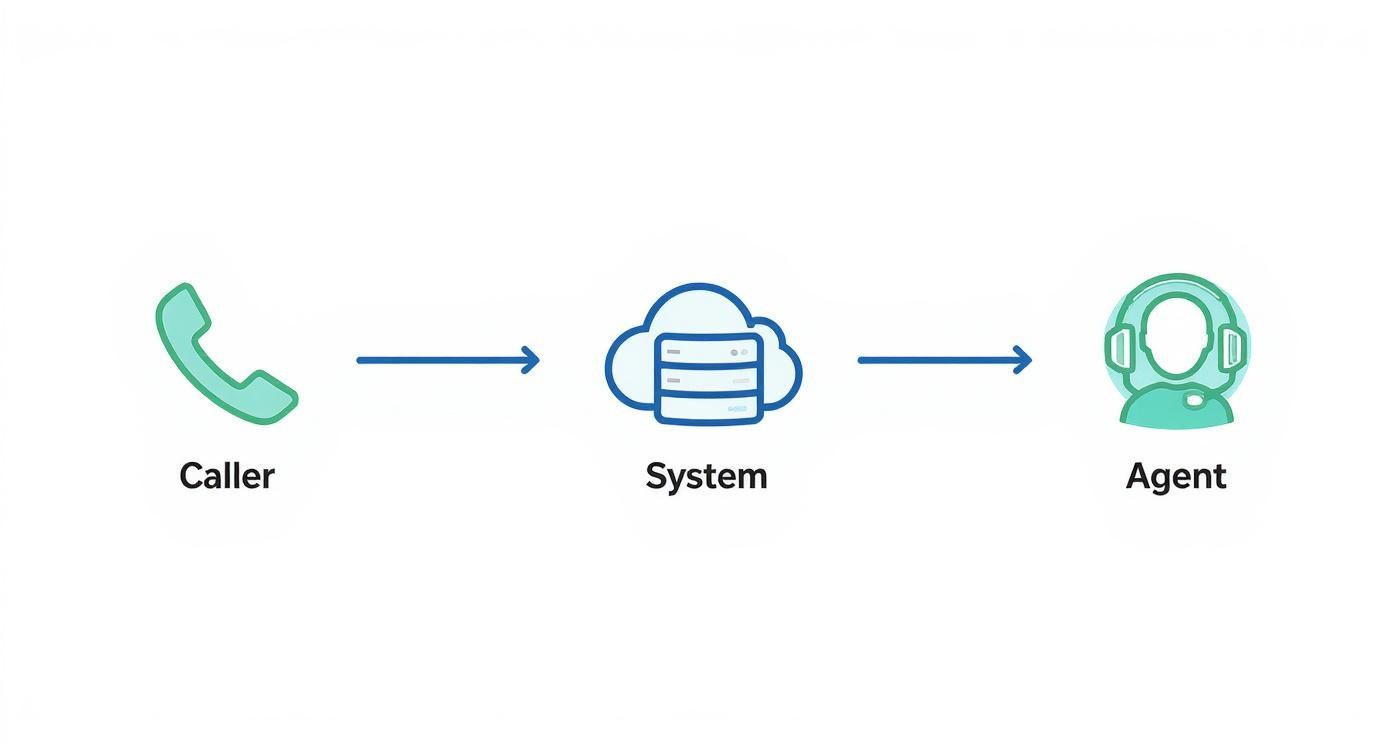
From the moment a customer dials your number, they're put on the fastest path to a solution. This cuts down on frustrating wait times and takes human error out of the equation.
Setting Up Smart Routing Rules
The brain of any automated system is its routing logic. With Marlie.ai, you can build these rules to match your business's unique workflow, making sure every call gets handled perfectly, 24/7. You don't need to be a programmer; it’s all about setting up straightforward "if this, then that" conditions.
Here are a few of the most effective ways to automate your call transfers:
- Hot Keys: This is the classic "Press 1 for Sales, Press 2 for Support" menu, but smarter. You can set it up so a caller can press a number like "0" at any point to immediately get a live person, skipping the rest of the menu.
- Keyword Detection: Marlie.ai can actually listen for specific words. If a caller says "billing issue" or "make a payment," the system knows to route them straight to your finance department, no button-pushing needed.
- Time-Based Routing: Your rules can adapt to the clock. For instance, any calls that come in after 5 PM can be automatically forwarded to an on-call technician’s cell or a dedicated after-hours line.
These aren't just bells and whistles; they’re tools for making complex call flows feel seamless. It's no wonder AI adoption is picking up speed. As businesses get busier, they're looking to AI for things like predictive routing and virtual receptionists. Projections show that by 2025, a staggering 80% of companies will be using AI-powered tools to handle routine calls and guide transfer decisions.
Never Miss a Lead with Fallback Rules
So, what happens if your top salesperson is already on another call? In a manual world, that valuable new lead probably hits voicemail and gets forgotten. An automated system solves this with something called fallback rules.
A fallback rule is just a backup plan. If the first person in line doesn't answer after, say, three rings, the call automatically bounces to the next person on the list. You can even chain these fallbacks together to create a sequence, guaranteeing someone from your team always answers.
Here’s how it works in the real world: An HVAC company creates a rule for "emergency repair" calls. The call goes to the lead tech first. If he doesn’t answer in 15 seconds, it automatically transfers to the backup tech. If both are tied up, it rings the office manager. A critical, high-revenue call never goes unanswered.
The Power of the Whisper Message
One of the slickest features in an AI-driven system is the whisper message. It’s a game-changer. Right before your team member gets connected to the caller, the AI "whispers" a quick summary of the call's context into their ear.
This little message could be something like, "This is a new sales lead from the website," or "This is Jane Doe, calling back about her appointment." It gives your team a crucial head start.
They answer the phone already knowing who's on the line and what they need, which makes your business sound incredibly professional and on top of things. It completely eliminates that awkward "Okay, who am I speaking with and what is this about?" moment.
For a closer look at how all these pieces fit together, you can explore the full rundown of Marlie.ai's smart call handling features.
Best Practices for a Flawless Transfer
Knowing which buttons to press is only half the battle. The real art of transferring a call lies in the human touch—the professional grace that turns a potentially frustrating handoff into a seamless customer experience. A flawless transfer doesn't just solve a problem; it builds trust and shows the caller they’re in capable hands.
Your most powerful tool here is simple communication. Before you even think about hitting that transfer button, tell the caller exactly what’s happening. Let them know who you're transferring them to and, crucially, why that person is the best one to solve their problem.
A quick line like, "I'm going to connect you with Sarah in our billing department; she can pull up your invoice right away," makes all the difference. It’s clear, confident, and reassuring.
The Power of the Warm Transfer
For any issue that's remotely complex or sensitive, the warm transfer should be your default setting. This is where you actually speak to your colleague before connecting the caller, giving them a quick heads-up on the situation.
This personal introduction ensures the customer doesn't have to repeat their story from the beginning—one of the quickest ways to annoy someone who’s already looking for help.
While cold transfers have their place for simple requests, a warm handoff shows a much higher level of care. You can dig deeper into the strategic differences in our guide to a warm transfer vs cold transfer. This small step can completely change how a customer sees your business.
A great call transfer is invisible to the customer. It should feel less like being passed off and more like being personally escorted to the right solution.
Handling Failed Transfers with Grace
Let's be realistic: even with the best intentions, transfers sometimes fail. The line might be busy, your colleague might have stepped away from their desk, or a technical glitch could drop the call. How you handle this moment is what separates the pros from the amateurs.
If the person you’re trying to reach is unavailable, your first move is to get back to the original caller with a solution. Don't leave them hanging in limbo.
- Offer an alternative: "It looks like Sarah is on another call right now. Would you prefer to hold, or can I take a message and have her call you back?"
- Provide a direct line: If it’s appropriate for your business, you could offer the direct number or extension of the person they need to reach.
- Set clear expectations: Let them know when they can realistically expect a callback, giving them a clear timeframe.
To really level up your team's skills and make sure every transfer is handled like a pro, it's worth exploring these call center training best practices. Building these habits ensures that every interaction, successful or not, reinforces your customer's trust.
Common Questions About Transferring Calls
Even when you've got the basics down, certain situations can pop up that make you pause. What's the best way to handle this specific transfer? I get these questions all the time, so let's run through some of the most common ones. Think of this as your quick-reference guide for those tricky "what if" moments.
What Is the Difference Between a Warm and a Cold Transfer?
The real difference here boils down to one thing: communication.
A warm transfer is when you actually talk to the person you're sending the call to before you connect the customer. You're giving them a heads-up and some context, like, "Hey Sarah, I've got John on the line about his invoice from last week." This little step is huge because it means the customer doesn't have to repeat their story all over again. It’s a personal handoff.
A cold transfer, on the other hand, is a blind pass. You send the caller straight to the new line without any introduction. It’s quicker, for sure, but it completely lacks that personal touch. I've found cold transfers are really only good for simple routing where context isn't needed, like sending someone to a general "Sales" or "Billing" voicemail box.
A warm transfer puts the customer experience first, while a cold transfer is all about speed. For any remotely complex or high-value customer issue, a warm transfer is almost always the right call. It shows you're taking care of them.
How Can I Reduce Dropped Calls During a Transfer?
Dropped calls are the worst. They make you look unprofessional and are a huge source of frustration for customers. Luckily, there are a few things you can do to keep them from happening.
First, your phone system itself matters. A reliable VoIP system is generally going to be more stable than traditional landlines, which can be prone to weird connection issues during a handoff.
Second, for warm transfers, always check if the other person is actually available before you hit that transfer button. A quick "you free?" message prevents you from sending a caller to an empty desk. It’s also not a bad idea to give the caller the direct number of the person they're being transferred to, just in case the connection dies.
But your best safety net? An AI system with built-in fallback rules. You can set it up to automatically send the call to another person or department if the first person doesn't answer after, say, three rings. It's a game-changer.
Can You Transfer a Call from a Cell Phone to a Landline?
Yep, you absolutely can. Transferring a call from a modern smartphone to a landline is a standard feature on both iPhone and Android devices. The process is pretty much the same as transferring between two cell phones.
It usually goes something like this:
- While you're on the call, look for the "Add Call" or "+" button on your screen.
- Dial the landline number and wait for the person to pick up.
- Once you've connected with them, tap the "Merge" or "Swap" icon to complete the transfer.
The exact words on the buttons might be slightly different depending on your phone, but the function is there. This makes it super easy to pass a call from someone in the field back to the main office.
Stop missing calls and start booking more jobs. Marlie Ai is a 24/7 AI phone assistant that answers every call, handles routine requests, and intelligently transfers the most important leads to your team. See how it works at https://www.marlie.ai.
