

Trying to pin down the real cost of an answering service can feel a bit like nailing Jell-O to a wall. You'll see basic plans starting around $50 to $150 a month, while more comprehensive packages can easily run into several hundred or even thousands.
So, what gives? The final price tag all comes down to your specific needs—how many calls you get, what you need the agents to do, and the pricing model you land on.
How Much Does an Answering Service Really Cost?
There’s no one-size-fits-all answer here, and honestly, that’s a good thing. Think of it like a cell phone plan. Your final bill depends on how much data you use and the features you add on. This flexibility means you can find a plan that fits your business like a glove, without paying for a bunch of extras you’ll never touch.
The big three factors that will shape your monthly bill are:
- Pricing Model: Most services charge per-minute, per-call, or a flat monthly rate. Each one is built for a different kind of business.
- Call Volume: This is a simple one. The more calls you expect, the higher the cost. But the good news is you often get a better rate per call or per minute at higher volumes.
- Service Complexity: There’s a world of difference between simple message-taking and a service that handles complex tasks like appointment scheduling, lead qualification, or even processing payments. The more you ask of them, the more it'll cost.
A Snapshot of Common Pricing Structures
To help you get your bearings, here’s a quick look at the most common pricing models you'll run into.
Answering Service Pricing Models at a Glance
This table breaks down the typical pricing structures, their cost ranges, and who they’re best suited for, giving you a quick way to see where you might fit.
| Pricing Model | Typical Cost Range | Best For |
|---|---|---|
| Pay-Per-Minute | $0.75 – $1.50 per minute | Businesses with predictable, longer call durations. |
| Pay-Per-Call | $1.00 – $3.00 per call | Companies with short, transactional calls. |
| Monthly Flat Rate | $200 – $2,000+ per month | High-volume businesses that need predictable costs. |
Each of these models offers a different kind of value. Your job is to figure out which one aligns with your call patterns to get the most bang for your buck.
This infographic lays it all out visually.
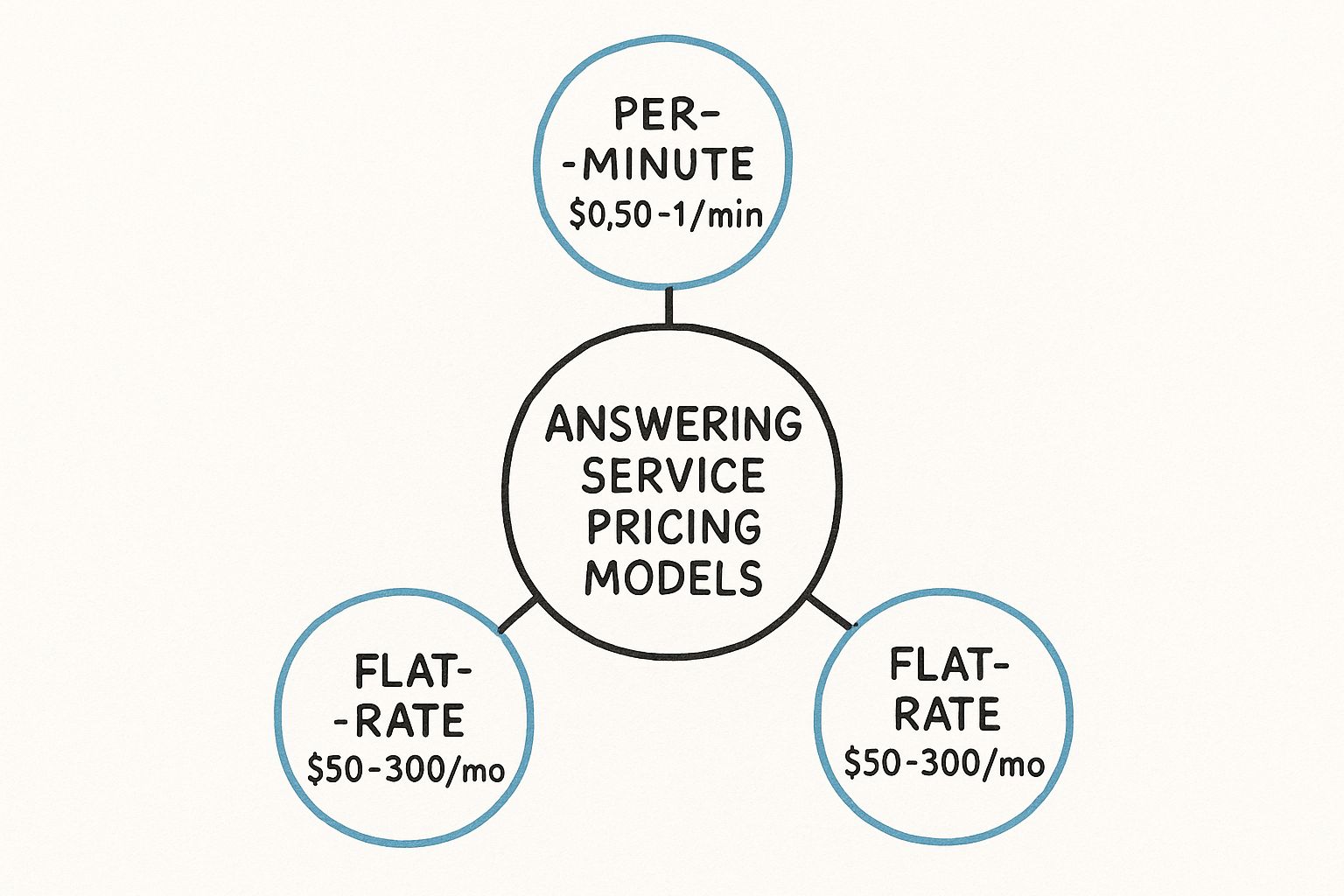
As you can see, your call habits directly point to the best model, whether you need the flexibility of pay-as-you-go or the stability of a fixed monthly fee.
Another thing to keep in mind is that where the answering service is located matters. Labor rates and operating costs vary by region, and that gets passed on to you. For instance, the typical cost per call in a call center hovers between $2.70 and $5.60, changing based on the provider’s location and the complexity of what they’re doing for you.
The single most important thing you can do is look at your own call data. Get a handle on your average call volume and how long each call typically lasts. That knowledge is your best defense against surprise overage fees and the key to picking a plan that actually makes you money.
For many small businesses, figuring this out is the first real step toward taking back control of their phones. If you want to dive deeper, check out our guide on phone answering solutions for small businesses.
Picking Your Plan: Per-Minute, Per-Call, or Flat-Rate?
Figuring out answering service pricing can feel a lot like picking a new cell phone plan. The options seem overly complex, but choosing the right one is what stands between a predictable budget and a surprise bill. The cost of an answering service is directly tied to the pricing model you pick, so let's break them down.
Think of it like this: each model is built for a different kind of call pattern. If you match your business's needs to the right plan, you stop yourself from overspending and make sure you're getting real value out of every single call your service handles. We'll demystify the three main structures with some simple, real-world analogies.
The Per-Minute Taxi Meter
Per-minute billing is the most common model out there, and it works exactly like a taxi meter. You pay only for the precise amount of time an agent is actively working on your behalf. This isn't just talk time; it also covers any work they do after hanging up, like logging details into your CRM or firing off a follow-up message.
This model is a fantastic fit for businesses that have longer, more involved customer conversations.
- Best For: Companies where calls need detailed consultation, like a law firm handling new client intake or a tech company walking a user through a support issue.
- How It Works: If a call takes four minutes and thirty seconds, you're billed for that exact duration.
- Potential Downside: Costs can get unpredictable if your call lengths are all over the place. It's also less ideal if you get tons of short, simple calls, since the agent spends minimal time on each.
Here’s a critical detail to ask providers about: how do they round their billing? Some bill to the nearest second, but others round up to the nearest minute. That small difference can seriously inflate your final invoice.
The Per-Call Bus Ticket
The per-call model gives you a lot more predictability. It’s like buying a bus ticket—you pay one flat fee for the ride, whether you’re going one stop or ten. On a per-call plan, you get charged a set rate for every interaction an agent handles, no matter how long or short the actual conversation is.
This structure is perfect for businesses that field a high volume of quick, transactional calls.
Here’s a great example from one provider showing how they often structure these plans into tiers.

This provider lays out clear tiers with a set number of included minutes, which helps a business guess its monthly spend based on how many calls they expect to get.
The biggest win here is budget stability. You know exactly what each lead or inquiry is going to cost you. But—and this is a big but—you have to ask if wrong numbers, sales calls, or hang-ups count as a billable "call." Many services charge for these, which can sneakily drive up your costs. To get a better sense of how these different models can impact your final bill, it’s helpful to look at different service pricing strategies used across various industries.
The Flat-Rate Buffet
Last but not least, a flat-rate plan is your all-you-can-eat buffet. You pay one fixed fee each month for a generous—often unlimited—number of calls or minutes. This model delivers the ultimate peace of mind for businesses with extremely high or wildly fluctuating call volumes.
You never have to lose sleep worrying that a sudden spike in calls will lead to a massive overage charge. That kind of predictability makes budgeting simple and straightforward, which is a huge relief for a lot of business owners. Of course, that stability usually comes with a higher monthly price tag than the usage-based plans.
For businesses looking for a modern, cost-effective alternative, you can also explore the predictable and low costs of AI phone assistants by reviewing https://www.marlie.ai/pricing.
The Hidden Factors Driving Your Final Bill
The sticker price on an answering service plan is just the opening act. The real factors that shape your monthly bill are usually buried in the details of the service agreement. If you don't get a handle on these variables, you're setting yourself up for a nasty surprise when that first invoice lands.
Think of it like buying a car. The base model always looks like a great deal, but once you start adding the features you actually need—the sunroof, the better sound system, the safety package—the price climbs. Answering services are no different. The more specialized your needs, the more you can expect to invest.
Service Complexity and Agent Skill Requirements
Beyond the raw number of minutes you use, the single biggest cost driver is the complexity of the tasks you're asking agents to perform. There's a world of difference between an agent just taking a name and number versus one who needs to walk through a multi-step process on your behalf.
This is the line between basic call coverage and a true operational partnership. Each layer of complexity adds training time, requires more sophisticated software, and leads to longer calls—all of which gets baked into your rate.
- Simple Message Taking: This is the baseline, the most straightforward and affordable option. Agents grab the essentials: name, number, and a quick note.
- Appointment Scheduling: Now we're getting more involved. This requires agents to access and manage your calendar, which means more technical setup and training. The cost goes up accordingly.
- Order Processing: If agents are taking payments, things get serious. Security protocols like PCI compliance become mandatory, and the training is far more detailed. This pushes the price up again.
- Tier 1 Technical Support: Asking agents to do basic troubleshooting demands a real understanding of your product. It’s one of the more expensive services for a reason.
A plumber who just needs someone to screen emergency calls after hours will pay a lot less than a medical clinic that needs HIPAA-compliant agents scheduling patient appointments directly into their system.
Hours of Operation and Specialized Support
When your calls are answered is just as important as how they're answered. Covering standard business hours—say, 9 AM to 5 PM, Monday to Friday—is always the most budget-friendly choice. But many businesses can't just switch off at five, and that after-hours support comes at a premium.
Expecting 24/7/365 availability, including weekends and holidays, will almost always increase your monthly cost. The service has to staff a team around the clock, and paying people for overnight and holiday shifts simply costs more.
Beyond pure availability, certain agent skills are another common cost factor.
- Bilingual Agents: If you serve a diverse customer base, needing Spanish-speaking or other bilingual agents will raise your plan's cost. It's a specialized skill, and you're paying for that expertise.
- HIPAA-Compliance: For anyone in healthcare, having agents trained on HIPAA privacy rules is non-negotiable. That specialized training and the secure messaging infrastructure required adds to the overall expense.
This is why you have to get a crystal-clear picture of your needs before you start shopping. Your provider will outline their commitments in a formal document, and it's worth taking the time to understand what a service level agreement is so you know exactly what you're paying for.
Customization and Integration Needs
How well the answering service plays with your other tools can also move the needle on your bill. A service that just takes messages in a silo will be cheaper than one that needs to plug into your existing tech stack.
CRM Integration is a classic example. If you need agents to log call notes directly into your Salesforce or HubSpot, there might be an extra monthly fee. This covers the technical work to keep the systems talking to each other. Likewise, custom scripts that go beyond a simple greeting—especially those with complex, branching logic—might come with a one-time setup charge or a higher monthly rate.
Cost Influencers Checklist
To help you get a clearer picture of your own needs, we've put together a simple checklist. Use this to think through what's a "must-have" versus a "nice-to-have" before you start talking to providers.
| Service Feature | Potential Cost Impact (Low/Medium/High) | Questions to Ask a Provider |
|---|---|---|
| 24/7/365 Coverage | High | What are your rates for after-hours vs. standard business hours? |
| Bilingual Agents | Medium | Is there a flat fee or a per-minute surcharge for bilingual support? |
| Appointment Scheduling | Medium | What calendar platforms do you integrate with? Is there a setup fee? |
| CRM Integration | Medium | Do you support my CRM? Is there an additional monthly cost for integration? |
| Order Processing | High | Are you PCI compliant? What are the fees for processing transactions? |
| HIPAA Compliance | High | What specific measures do you take to ensure HIPAA compliance? |
| Custom Call Scripting | Low/Medium | Is there a one-time fee for complex script development? |
| Dedicated Agents | High | Do you offer dedicated agents, and how does that affect pricing? |
Going through this exercise gives you a solid foundation for evaluating different plans and ensures you're comparing apples to apples. It's the best way to avoid sticker shock and find a service that truly fits your budget and your business.
Avoiding Unexpected Fees and Overage Charges
Nothing kills the excitement of a new service faster than a surprise on your first bill. You see one number on the contract, but the final invoice tells a completely different story. To really get a handle on what you'll pay, you have to put on your detective hat and uncover the common "gotchas" that providers don't always advertise.
It’s a bit like booking a flight on a budget airline. The ticket price looks fantastic, but then you get hit with fees for your bag, for picking a seat, even for printing your boarding pass. Answering services can be the same way, with a whole menu of extra charges that can bloat your bill if you're not looking for them.
Shining a Light on Common Hidden Costs
Many providers tack on extra charges for things you might assume are included. It's not always meant to be sneaky, but it'll catch you off guard if you don't ask the right questions upfront. The best defense is a good offense—know what to look for.
Here are some of the usual suspects to keep an eye on:
- Initial Setup Fees: A lot of services charge a one-time fee to build your account, create your call script, and get their agents up to speed on your business. This can run anywhere from $50 to over $500.
- Holiday Surcharges: Need someone to answer the phone on Christmas or Thanksgiving? You'll probably pay a premium for that. Many services add a surcharge for calls they handle on major holidays.
- Call Patching or Transferring: When an agent needs to connect a caller directly to you or someone on your team, there's often an extra fee—either per-minute or per-transfer—for that "patched" time.
- Detailed Reporting: Basic call logs are usually part of the deal, but if you want access to advanced analytics or custom reports, that might come with an extra monthly cost.
A classic surprise for many businesses is the "13th invoice." Some services bill on a 28-day cycle, meaning you get 13 bills a year, not 12. Always ask if they bill monthly or every four weeks.
The Overcharge Trap and How to Avoid It
Overage charges are the number one cause of bill shock. This is what happens when your call volume goes over the minutes or calls included in your plan. And the rate you pay for those extra minutes? It's almost always way higher than your normal rate.
For example, your plan might give you 100 minutes at a decent $1.50 per minute. But the second you hit minute 101, the rate could skyrocket to $2.50 or more. One busy week could easily double what you expected to pay. This is especially true for after-hours support, and our guide on after-hours answering service costs dives deeper into the financial side of that.
Actionable Questions to Ask Before Signing
To keep your budget safe, you need to go into the sales conversation armed with specific questions. Don't be shy about digging into the fine print; a transparent provider will have no problem giving you straight answers.
- Billing Cycle: "Do you bill by the calendar month, or is it a 28-day cycle?"
- Overage Rates: "What's the exact per-minute or per-call rate if we go over our plan's allowance?"
- Holiday Fees: "Are there extra charges for calls on national holidays? What's the surcharge?"
- Included Features: "Are things like call patching, CRM integration, and detailed reports included in the price, or are those extra?"
- Setup and Scripting: "Is there a one-time setup fee? What does it cover? Will you charge us for script updates down the road?"
Asking these questions changes the dynamic. You're no longer just a buyer; you're an informed partner. This simple diligence helps ensure the price you're quoted is the price you actually pay, setting you up for a much healthier, more predictable relationship with your answering service.
How AI Is Reshaping Answering Service Costs

The old-school answering service model, built entirely on live human agents, is in the middle of a massive shake-up. Technology—specifically artificial intelligence—is rolling out powerful, hyper-efficient alternatives that completely change the conversation around the cost of an answering service. AI-powered tools like smart voice assistants and automated chatbots are no longer science fiction; they're serious options for businesses needing to manage calls without the premium price of a purely human team.
This isn't happening in a vacuum. It’s part of a much bigger wave. The entire customer service software market is exploding, projected to jump from $14.9 billion to a staggering $68.19 billion by 2031. This rocketing growth is being driven by innovations like AI that make sophisticated tools available to everyone, not just mega-corporations.
The AI Advantage: Speed and Scale
The real difference between an AI assistant and a live agent boils down to two things: scalability and cost. A single AI can juggle thousands of simple questions at the exact same time, all for a flat, predictable fee. It's like having an army of receptionists who never need a coffee break, never get tired, and never put a single caller on hold.
This is a complete game-changer for any business drowning in a high volume of the same old questions.
- Routine Inquiries: AI is a master at handling the easy stuff, like "What are your hours?" or "Where are you located?"
- Data Collection: It can perfectly capture a caller's name, number, and why they're calling, without any typos.
- Simple Scheduling: AI can book, change, or confirm appointments by talking directly to your calendar.
Picture a busy HVAC company. An AI can field dozens of simultaneous calls from people wanting to book a tune-up, freeing up the human dispatchers to focus on emergency calls and complex client problems.
AI's sweet spot is its raw efficiency with high-volume, low-complexity tasks. It can handle about 60-80% of the calls most businesses get, which means you can slash your operational costs without your customers even noticing.
Live Agents vs. AI: Where Each One Wins
But let's be clear: AI is not a magic wand for every single customer interaction. While it crushes it on efficiency, it still can’t replicate the emotional intelligence and quick-thinking of a skilled human. A live agent knows how to calm down a frustrated customer, understand a weirdly-phrased request, and solve problems that aren't in the script.
The best approach for many businesses is a hybrid one. You let an AI act as the first line of defense, handling the flood of simple, repetitive calls. But the moment a caller has a tricky issue or just wants to talk to a person, the AI instantly and seamlessly transfers the call—along with all the info it has already gathered—to a live agent.
This "best of both worlds" strategy lets you dramatically cut your costs without sacrificing the human touch on the calls that really matter. To see what this looks like in dollars and cents, check out our guide on how to calculate cost savings with AI assistants. You end up paying premium rates only for the conversations that genuinely need a human brain.
Making a Confident Choice for Your Business
Alright, you’ve navigated the maze of pricing models and uncovered the hidden fees. That's half the battle. Now it’s time to turn that knowledge into a smart, strategic decision that actually helps your business grow.
Choosing an answering service isn't just about plugging a hole so you stop missing calls. It's an investment—a tool that should be actively improving your customer experience and, ultimately, your bottom line. This is where we move from theory to action, taking a hard look at your own needs and then methodically vetting the providers who claim they can meet them.
Know What You Need Before You Even Look
Walking into demos without a clear idea of your goals is like going to the grocery store hungry and without a list. You’ll leave with a cart full of expensive junk you don't need. Before you ask for a single quote, sit down with your team and hash out the answers to these questions.
- What’s the real goal here? Are you just trying to catch leads after 5 PM? Do you need to take the pressure off your front desk staff? Or are you aiming to offer 24/7 technical support? Your core mission will immediately tell you which features matter and which are just noise.
- What's your actual call volume? Don't guess. Dig into your phone logs for the last few months. How many calls do you really get per day, per week, and over the weekend? Knowing this number is the key to avoiding a plan that’s way too big or, worse, getting slammed with constant overage fees.
- How complex are the calls? Will agents just be taking a name and number? Or will they need to book appointments in your calendar, process payments, or navigate a complicated troubleshooting script?
Answering these questions first gives you a powerful filter. It lets you instantly cross off any provider who can’t handle your core needs, saving you a ton of time and wasted energy on pointless sales calls.
A Practical Checklist for Sizing Up Providers
Once you have a shortlist of a few potential partners, the real work begins. You have to look past the slick marketing website and figure out what it would actually be like to work with them day in and day out. A little bit of due diligence right now will save you from a world of headaches later.
Use this simple checklist to keep your comparisons grounded and honest:
- Insist on a Trial Period: There is absolutely no substitute for firsthand experience. A free trial is your chance to test everything—the quality of the agents, the reliability of their tech, and how smoothly their team meshes with yours.
- Dig into Customer Reviews: Don't just read the testimonials on their site. Look for unfiltered reviews on third-party platforms like G2 or Capterra. Pay special attention to what people say about billing accuracy, agent professionalism, and how easy (or hard) it is to get help or make changes to your account.
- Ask for Real Client References: Any provider worth their salt should be happy to connect you with a couple of their current clients, preferably in an industry like yours. Ask those references about their experience with the onboarding process, day-to-day support, and if they feel they're getting good value for their money.
A provider’s willingness to offer a trial and share references speaks volumes about their confidence in their service. If they hesitate on either of these points, consider it a major red flag.
By understanding how to reduce customer acquisition costs, you can better judge if an answering service is a cost-effective tool for handling your leads. A great service should actively help lower this cost, not just become another line item on your expense report.
When you find the right fit, it stops feeling like an expense and starts feeling like a smart, revenue-generating investment.
A Few Common Questions I Hear
When you start digging into answering service costs, a few specific questions always pop up. Let's tackle them head-on, drawing from what I've seen business owners ask time and time again.
What’s a Realistic Monthly Cost for a Small Business?
For most small businesses, you should expect to budget somewhere between $150 and $400 per month. That's the sweet spot.
This range usually gets you a plan with 100 to 250 minutes of agent time, which is plenty for businesses with a light to moderate stream of incoming calls. At the lower end, you're looking at solid, basic message-taking. As you creep towards the $400 mark, you start seeing more advanced features like appointment setting or direct integrations with your CRM.
Are Per-Minute Plans Always Cheaper Than Per-Call Plans?
Not at all. This is a classic misconception. Thinking per-minute is always the budget choice can actually cost you more. It really boils down to how people call you.
Think of it this way: If your calls are usually longer, detailed conversations—like a tech support deep-dive—a per-minute plan is your friend. But if you get tons of quick, transactional calls like appointment reminders or simple "Are you open?" questions, a per-call plan will almost certainly give you better bang for your buck.
If most of your calls wrap up in under 60 seconds, a per-call plan could be a significant money-saver. Take a look at your call patterns before you commit.
Can I Easily Change My Plan If My Call Volume Fluctuates?
Any provider worth their salt will offer flexibility. Good services know that business isn't a flat line—you have seasonal rushes, marketing campaigns that hit, and sudden growth spurts. Your needs in six months might look completely different than they do today.
Before you sign anything, make this a key part of the conversation. Ask them directly:
- How much notice do I need to give to change my plan?
- Are there fees for moving up or down?
- Can I make a change in the middle of a billing cycle?
A transparent partner will have simple, clear answers. You don't want to get locked into a plan that's already collecting dust.
How Much More Does a 24/7 Service Cost?
Going for 24/7/365 coverage will definitely bump up your monthly bill, but probably not by as much as you're imagining. The premium for round-the-clock service typically adds between 20% to 50% to the cost of a standard business-hours plan.
That extra cost covers the simple reality of staffing agents overnight, on weekends, and through holidays. It's an added expense, sure, but the value of never missing a lead and handling every single customer emergency—no matter when it comes in—often pays for itself many times over.
Ready to see how an AI-powered assistant can handle your calls for a fraction of the cost of a traditional service? Marlie Ai answers 100% of your calls 24/7, books jobs, and frees you to focus on what matters most. Discover how Marlie works.
