
An AI call center uses artificial intelligence to handle customer interactions through voice and text channels, replacing or augmenting human agents with conversational AI systems. These systems combine natural language processing, speech recognition, and machine learning to understand customer requests, provide information, and complete transactions autonomously.
The technology has reached a turning point in 2025. Advanced language models like GPT-4.1-nano, Claude 3.5, and Gemini Ultra deliver near-human conversation quality at significantly lower latency and cost. Businesses are reporting 40-60% reductions in support costs while maintaining or improving customer satisfaction scores. This guide covers both no-code and developer implementation paths, complete with current tech stack comparisons, cost breakdowns, and compliance frameworks.
Executive Summary & Use Cases
AI call centers excel in high-volume, predictable interaction scenarios where consistency and 24/7 availability create competitive advantages.
Insurance Claims Processing: AI agents handle first notice of loss, collect policy information, schedule adjuster visits, and provide claim status updates. Typical automation rate reaches 65-75% of incoming calls.
Healthcare Appointment Management: Systems schedule appointments, send reminders, handle cancellations, verify insurance, and answer common questions about preparation requirements. This reduces administrative workload by 50-70%.
SaaS Technical Support: AI handles tier-1 support queries including password resets, account questions, billing inquiries, and basic troubleshooting. Complex issues escalate seamlessly to human specialists.
The ROI metrics are compelling. Organizations typically see 40-60% cost reduction per interaction, 15-25% improvement in customer satisfaction scores due to faster response times, and 70-80% reduction in agent workload for routine queries. First contact resolution rates improve to 60-80% for defined use cases when properly implemented.
2025 AI Call Center Technology Stack Comparison
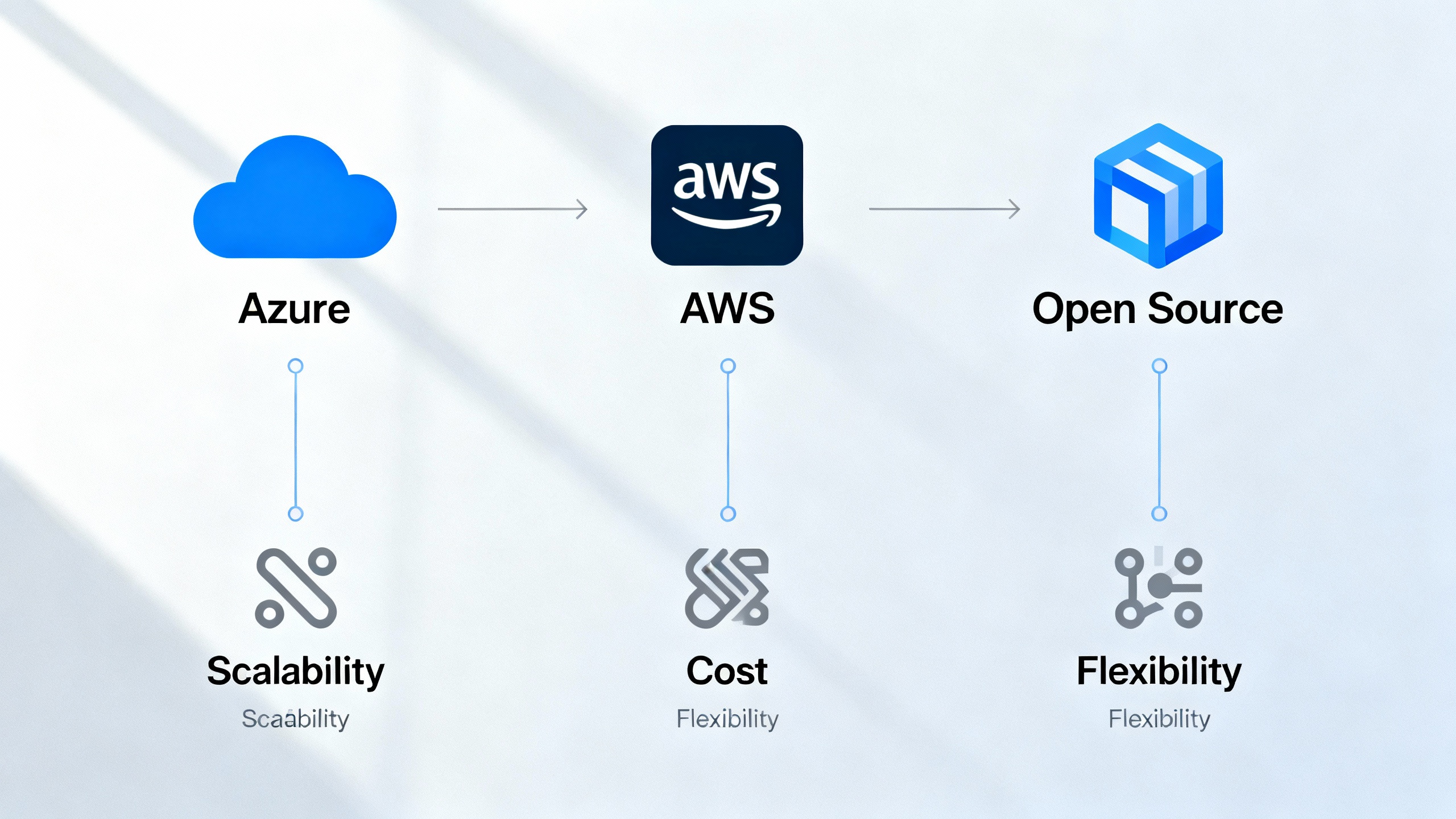
Selecting your technology foundation impacts performance, costs, and integration complexity. The three main approaches offer distinct advantages.
| Provider | Core AI Models | Speech Services | Pricing Model | Best For | Key Advantages |
|---|---|---|---|---|---|
| Azure | GPT-4.1, GPT-4o, GPT-3.5 Turbo | Azure Speech (90+ languages, Neural TTS) | Pay-per-token or PTU (Provisioned Throughput) | Enterprise deployments requiring Microsoft ecosystem integration | Native integration with Teams, Dynamics 365; HIPAA/SOC2 compliance built-in; Azure Communication Services for telephony |
| AWS | Claude 3.5 (Bedrock), Amazon Titan, Third-party models via Bedrock | Amazon Transcribe + Polly (Neural voices, 30+ languages) | Pay-as-you-go or Provisioned Concurrency | Organizations heavily invested in AWS infrastructure | Cost-effective for variable workloads; excellent Connect integration; strong analytics through QuickSight |
| Open Source | Llama 3, Mistral, Whisper (OpenAI), Custom fine-tuned models | Whisper (Speech-to-Text), Coqui TTS, VITS | Self-hosted compute costs | Developers prioritizing customization and data control | Complete control over data privacy; customizable models; no vendor lock-in; lower per-call costs at scale |
Key AI Technologies in 2025 Call Centers:
Natural language processing handles intent recognition, entity extraction, and conversation context management. Speech-to-text engines convert caller audio to text with 95%+ accuracy for clear speech. Text-to-speech synthesizers generate natural-sounding voice responses with emotional inflection and brand voice customization. Machine learning frameworks continuously improve response accuracy based on conversation outcomes.
GPT-4.1-nano represents a significant 2025 advancement, offering 80% faster response times than GPT-4 with 40% lower costs while maintaining conversation quality. Claude 3.5 excels at complex reasoning and longer context windows, while Gemini Ultra provides multimodal capabilities for scenarios involving image or document analysis during calls.
Step-by-Step AI Call Center Setup
No-Code Implementation Track
1. Needs Assessment & Use Case Identification
Start by mapping your highest-volume call types and identifying patterns. Review call recordings or transcripts to find repetitive questions and processes. Document current average handle time, call volume by category, and escalation rates. Select one well-defined use case with clear success metrics for your pilot implementation.
2. Tools Selection
Platforms like Voiceflow, Kore.ai, and Google Dialogflow CX offer visual conversation builders requiring no programming knowledge. Voiceflow provides pre-built templates for common scenarios including appointment scheduling, order status, and lead qualification. Integration with Cal.com enables direct calendar booking, while CRM connectors sync customer data automatically.
3. Building AI Flows & Voice Customization
Design conversation flows using drag-and-drop interfaces. Define intents (what customers want to accomplish), entities (specific information like dates or product names), and responses. Configure branching logic for different scenarios and fallback responses when the AI doesn’t understand.
Select voice characteristics including gender, accent, speaking rate, and tone. Test multiple options with actual team members to ensure the voice aligns with your brand personality. Configure pauses and emphasis for natural-sounding responses.
4. Testing & Deployment
Conduct internal testing with team members playing various customer personas. Test edge cases, interruptions, background noise scenarios, and intentionally unclear requests. Validate that escalation to human agents works smoothly and that all integrations function correctly.
Deploy to a small percentage of incoming calls initially. Monitor conversations in real-time during the first days to catch issues quickly.
5. Monitoring & Iterative Improvements
Track conversation completion rates, escalation frequency, customer satisfaction scores, and average handle time. Review failed conversations weekly to identify gaps in training data or conversation design. Add new intents and refine responses based on actual customer language patterns.
Developer/API-First Implementation Track
Architecture Overview
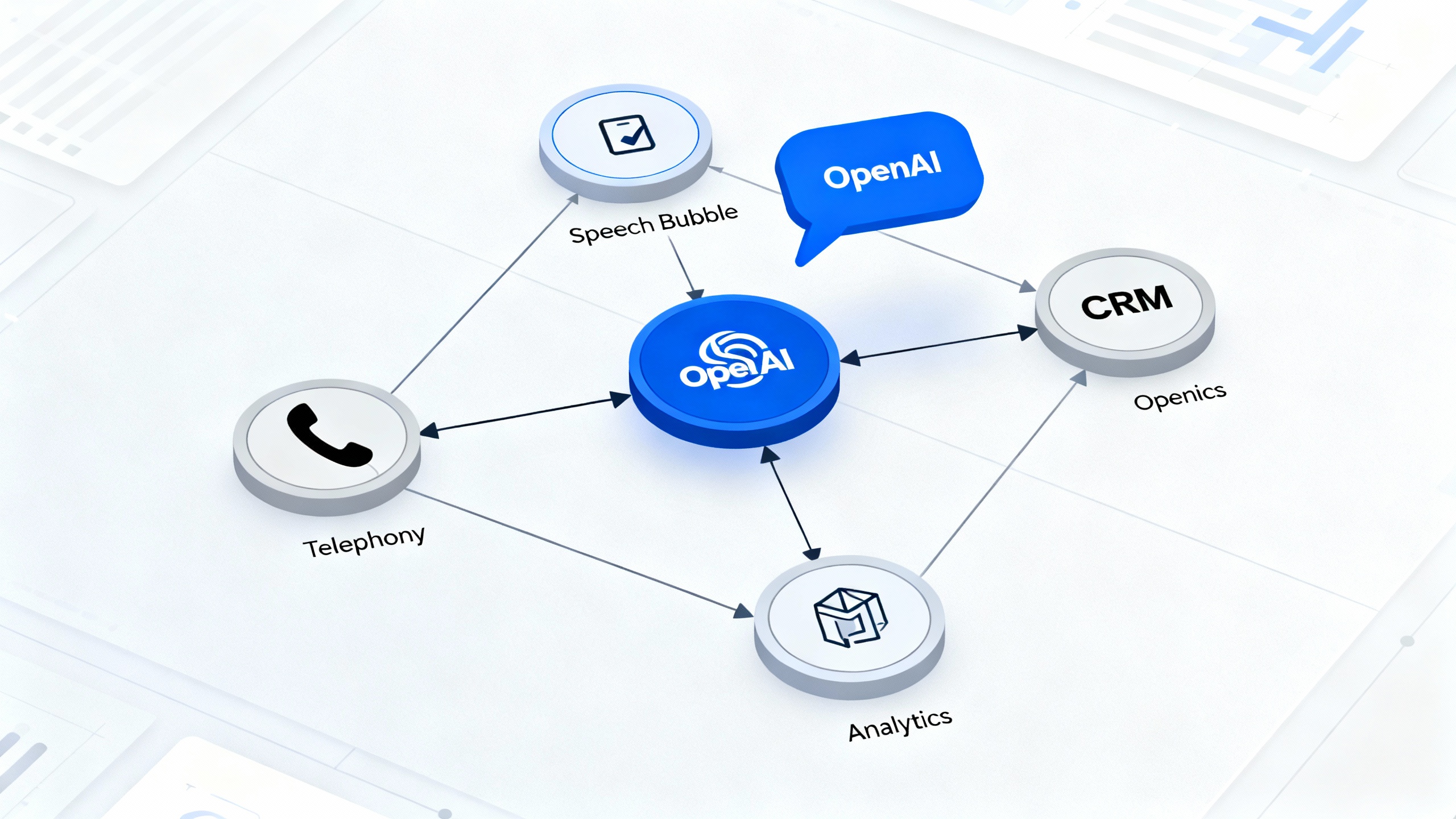
A production AI call center built on Azure Communication Services and OpenAI follows this architecture: incoming calls route through Azure Communication Services telephony to your application layer, which orchestrates between Azure Speech Services for transcription, Azure OpenAI for conversation logic, and text-to-speech for responses. State management tracks conversation context, customer data flows from your CRM via API, and all interactions log to your analytics platform.
API Integration Patterns
The core conversation loop follows this pattern:
# Simplified Python example using Azure SDK
from azure.communication.callingserver import CallingServerClient
from openai import AzureOpenAI

# Initialize clients
calling_client = CallingServerClient.from_connection_string(conn_str)
openai_client = AzureOpenAI(api_key=api_key, api_version="2024-02-15")

# Handle incoming call
def handle_call(call_context):
    # Transcribe speech to text
    transcript = azure_speech.recognize_continuous(call_context.audio_stream)

    # Get AI response with conversation history
    response = openai_client.chat.completions.create(
        model="gpt-4",
        messages=[
            {"role": "system", "content": "You are a helpful customer service agent..."},
            {"role": "user", "content": transcript}
        ],
        temperature=0.7
    )

    # Convert response to speech
    audio = azure_speech.synthesize(response.choices[0].message.content)

    # Stream audio back to caller
    calling_client.play_media(call_context.call_id, audio)
Training & Customizing AI Agents
System prompts define agent personality, knowledge boundaries, and behavior guardrails. Include specific instructions about when to escalate, how to handle sensitive information, and response tone. Fine-tuning improves accuracy for domain-specific terminology and company-specific processes, though prompt engineering often suffices for most use cases.
Maintain a knowledge base as a vector database for retrieval-augmented generation (RAG). This allows the AI to reference current product information, policies, and procedures during conversations without model retraining.
Deployment Automation & Scalability
Container orchestration through Kubernetes enables auto-scaling based on call volume. Configure horizontal pod autoscaling to add capacity during peak hours. Use Azure Front Door or AWS CloudFront for geographic load distribution, reducing latency for international callers.
Implement circuit breakers and fallback mechanisms. If AI services become unavailable, route calls to human agents or voicemail rather than failing entirely. Monitor API rate limits and implement queuing for burst traffic scenarios.
Cost Breakdown & Optimization Strategies
Understanding the cost structure helps you predict expenses and identify optimization opportunities.
Real-World Pricing Examples:
A small business handling 1,000 calls monthly (average 3 minutes each) with Azure OpenAI GPT-4 and Azure Speech Services typically pays $150-250 monthly. This breaks down to approximately $80 for speech services (transcription and synthesis), $100 for language model API calls, and $50 for telephony through Azure Communication Services.
A mid-market company processing 50,000 calls monthly pays $4,000-6,500, achieving significant per-call cost reduction through volume. Enterprise deployments exceeding 500,000 monthly calls benefit from Provisioned Throughput Units, paying $8,000-12,000 monthly for reserved capacity rather than pay-per-token pricing.
PTU vs Pay-Per-Token Pricing Models:
Pay-per-token pricing charges for actual usage, ideal for variable or unpredictable call volumes. You pay only for tokens processed, with costs scaling linearly with usage. This model suits pilot programs and seasonal businesses.
Provisioned Throughput Units (PTU) reserve dedicated model capacity at a fixed monthly rate. This becomes cost-effective above 15-20 million tokens monthly, reducing per-token costs by 30-50%. PTU also guarantees availability and eliminates rate limiting concerns during traffic spikes.
Cost Optimization Tips:
Select the smallest model that meets quality requirements. GPT-3.5 Turbo costs 90% less than GPT-4 and handles straightforward conversations effectively. Reserve GPT-4 for complex reasoning scenarios.
Implement conversation length limits to prevent runaway costs. Design flows that efficiently gather information rather than extended small talk. Use caching for frequently accessed knowledge base content to reduce repeated API calls.
Monitor token usage by conversation type to identify inefficient flows consuming excessive context. Optimize prompts to be concise while maintaining effectiveness.
Multilingual & Voice Customization Setup
Modern AI call centers support 90+ languages through Azure Speech Services, 30+ through AWS, and variable coverage with open-source solutions depending on your model selection. Spanish, French, Mandarin, Hindi, and Portuguese represent the most commonly deployed languages beyond English.
Localization extends beyond translation to cultural adaptation. Train agents on regional communication norms, appropriate formality levels, and local holidays or events that might impact customer needs. Test with native speakers from your target regions to catch nuanced misunderstandings.
Voice quality optimization focuses on reducing latency and improving naturalness. End-to-end latency should remain below 1.5 seconds for natural conversation flow. Achieve this by selecting geographically close data centers, using streaming synthesis rather than waiting for complete responses, and implementing voice activity detection to start processing while the customer is still speaking.
Neural text-to-speech voices in 2025 are nearly indistinguishable from human speech. Customize pitch, speaking rate, and pause duration to match your brand. Some platforms offer voice cloning to replicate specific brand ambassadors or executives, though this requires explicit consent and careful ethical consideration.
Integration with Existing Systems
AI call centers deliver maximum value when connected to your operational systems rather than operating in isolation.
CRM Integration (Salesforce, HubSpot):
Bi-directional CRM integration enables the AI to retrieve customer history before responding and update records after each interaction. The system accesses past purchases, previous support tickets, account status, and preferences to personalize conversations. After calls conclude, the AI logs conversation summaries, updates contact records, creates follow-up tasks, and triggers workflows.
Most modern CRM platforms offer REST APIs for straightforward integration. Use webhooks to receive real-time notifications about record changes that might affect ongoing conversations.
Telephony & Scheduling Platforms:
Twilio provides programmable voice infrastructure connecting traditional phone networks to your AI application. Their TwiML markup language or REST API handles call routing, recording, conferencing, and SMS integration.
Cal.com integration enables the AI to check calendar availability, book appointments, send confirmation emails, and handle rescheduling requests. The system accesses multiple team members’ calendars to find optimal availability based on customer preferences.
Human Escalation & Fallback Mechanisms:
Design clear escalation triggers including customer requests (“I want to speak to a person”), AI confidence thresholds (when the system is uncertain about intent), complex scenarios beyond AI capabilities, and emotional distress indicators.
Warm transfers provide context to human agents. When escalating, the AI summarizes the conversation, identifies the customer’s goal, notes information already collected, and suggests the reason for escalation. This prevents customers from repeating themselves and improves resolution time.
Compliance Checklist by Industry
Regulatory compliance is non-negotiable for AI call centers handling sensitive customer data.
GDPR (European Union):
Obtain explicit consent before recording conversations. Provide clear privacy notices explaining how AI processes personal data. Implement data minimization by collecting only necessary information. Honor data subject rights including access requests, deletion requests, and portability. Maintain records of processing activities documenting your legal basis for data collection.
HIPAA (Healthcare):
Use only HIPAA-compliant cloud providers with signed Business Associate Agreements. Encrypt all protected health information in transit and at rest. Implement access controls limiting who can view conversation logs. Conduct regular security risk assessments. Train AI systems to recognize and protect the 18 HIPAA identifiers.
PCI-DSS (Payment Card Processing):
Never log, store, or transcribe full credit card numbers. Use tokenization or direct integration with payment processors. If collecting payment information verbally, implement DTMF masking so digits aren’t captured in recordings. Segment payment processing systems from other call center infrastructure.
TCPA (Telephone Consumer Protection Act):
Maintain do-not-call lists and honor opt-out requests immediately. Identify your AI as an automated system at the beginning of calls when legally required. Obtain prior express written consent before making marketing calls to mobile numbers. Document consent records with timestamps and method of collection.
Industry-Specific Considerations:
Financial services require additional safeguards around investment advice and must comply with regulations like FINRA and SEC guidelines. Insurance companies must ensure AI systems don’t discriminate based on protected characteristics. Debt collection scenarios have strict communication rules under the FDCPA.
Security best practices include regular penetration testing, prompt injection attack prevention through input validation, conversation monitoring for sensitive data leakage, and responsible AI principles ensuring fairness, reliability, transparency, and accountability.
Performance Benchmarking & Troubleshooting
Comparing Latency and Quality Across LLM Providers:
GPT-4.1-nano achieves 400-600ms average response generation time with excellent conversation quality, making it the current leader for real-time call center applications. Claude 3.5 processes in 500-800ms with superior performance on complex reasoning tasks but slightly higher latency. Open-source models like Llama 3 70B can match quality but require significant infrastructure investment to achieve similar response times.
Total conversation latency includes speech-to-text (200-400ms), LLM processing (400-800ms), text-to-speech (300-500ms), and network overhead (100-200ms), resulting in 1-2 second total delays in production systems. Streaming responses reduce perceived latency by beginning speech synthesis before the complete response generates.
Common Integration Challenges & Solutions:
Audio quality issues from poor network conditions or incompatible codecs resolve through adaptive bitrate encoding and fallback codec support. Background noise interference requires noise suppression in speech recognition configuration and voice activity detection tuning.
Context loss between conversation turns happens when state management fails. Implement session storage with conversation history and use conversation IDs to maintain context across potential system restarts. Rate limiting errors during high traffic require request queuing, load distribution across multiple API keys, or upgrading to provisioned capacity.
Human-AI Collaboration Best Practices:
Position AI as agent augmentation rather than replacement. The most successful implementations use AI for initial triage, information gathering, and simple resolutions while routing complex scenarios to humans with full context. Train human agents on AI capabilities and limitations so they understand when to trust AI recommendations versus applying human judgment.
Establish clear escalation paths with real-time agent availability monitoring. Configure callback options when wait times exceed thresholds rather than forcing customers to hold indefinitely.
Real-World Case Studies & Metrics
Windstream, a communications service provider, implemented an AI call center for technical support and billing inquiries. The system handles 58% of incoming calls autonomously, reduced average handle time by 35%, and improved customer satisfaction scores by 18 points. Cost per contact decreased from $8.50 to $3.20, generating $2.3 million in annual savings.
CNH Care deployed AI agents for appointment scheduling and patient intake across their healthcare network. The implementation automated 72% of scheduling calls, reduced administrative staff overtime by 65%, and decreased appointment no-shows by 23% through automated reminders and easier rescheduling. Patient satisfaction with scheduling increased from 3.2 to 4.6 out of 5.
Netwealth, a financial services firm, uses AI for client onboarding and account inquiries. First contact resolution improved from 45% to 78% for defined query types. The system successfully verifies identity, answers account questions, and initiates common transactions while escalating investment advice to licensed advisors. Compliance audits showed 100% adherence to disclosure requirements through consistent AI scripting.
Frequently Asked Questions
What is an AI call center?
An AI call center uses conversational artificial intelligence to handle customer phone calls and text interactions without human agents. The system understands natural language, accesses business information, completes tasks like scheduling appointments or checking order status, and escalates complex issues to humans when necessary.
How much does setup and operation cost?
Small deployments handling 1,000 calls monthly cost $150-250 per month using cloud providers like Azure or AWS. Mid-market implementations processing 50,000 calls run $4,000-6,500 monthly. Setup costs range from near-zero for no-code platforms to $15,000-50,000 for custom developer implementations requiring specialized integration work.
Can small businesses afford AI call centers?
Yes. No-code platforms like Voiceflow offer plans starting at $50-100 monthly with pay-as-you-go pricing for actual usage. Small businesses typically break even when automating just 500-1,000 routine calls monthly compared to the cost of hiring additional support staff. The technology has become highly accessible in 2025.
How long does setup take?
No-code implementations for simple use cases launch in 1-2 weeks including testing. Custom developer builds with complex integrations require 6-12 weeks for architecture design, development, integration, and thorough testing. Most organizations pilot with a limited use case within one month.
Will AI replace human agents?
AI augments rather than replaces human agents in most successful implementations. The technology handles repetitive, high-volume queries while humans focus on complex problems, emotional situations, and relationship building. Companies typically redeploy agents to higher-value activities rather than reducing headcount, improving both efficiency and job satisfaction.
What languages are supported?
Leading platforms support 90+ languages. The most commonly deployed beyond English are Spanish, French, Mandarin Chinese, Hindi, Portuguese, Arabic, German, Japanese, and Russian. Voice quality varies by language, with major languages offering near-human quality and less common languages showing continued improvement through 2025.
How does AI integrate with existing CRM systems?
Modern AI call centers connect to CRMs like Salesforce and HubSpot through REST APIs. The integration retrieves customer history before conversations and updates records afterward. Most platforms offer pre-built connectors requiring only authentication credentials and field mapping rather than custom development.
What compliance standards are required?
Requirements depend on your industry and geography. Healthcare requires HIPAA compliance, European customers require GDPR compliance, payment processing requires PCI-DSS, and all US-based calling must comply with TCPA. Cloud providers like Azure and AWS offer compliance certifications, but you remain responsible for proper configuration and usage policies.
Conclusion
AI call center technology in 2025 combines powerful language models, natural speech processing, and accessible implementation paths to deliver measurable business value. The choice between no-code platforms and developer-first approaches depends on your technical resources, customization needs, and integration complexity.
Start with a clear needs assessment identifying high-volume, repetitive call types that create customer frustration or agent burnout. Compare the technology stacks based on your existing infrastructure, budget constraints, and compliance requirements. Organizations already using Microsoft tools benefit from Azure’s ecosystem integration, while AWS-heavy environments leverage native Connect integration.
Begin with a pilot implementation focused on one well-defined use case with clear success metrics. This approach minimizes risk while demonstrating value and building organizational confidence in the technology. As you prove ROI and refine your approach, expand to additional use cases and higher call volumes.
The technology stack selection, implementation approach, and cost optimization strategies covered in this guide provide the foundation for successful AI call center deployment. Evaluate both no-code and developer paths based on your specific requirements, prioritize compliance from day one, and plan for human-AI collaboration rather than complete automation.
Start your implementation by documenting your current call center metrics, selecting your target use case, and choosing the technology stack that aligns with your technical capabilities and business goals.
